Description
This widget 360 provides a 3D view of a host dependency tree.
This widget can be very usefull for complex dependency tree:
A complex dependency tree is difficult to see in the Dependency Graph Widget.
The Widget 360 provides a clear overview of the tree.
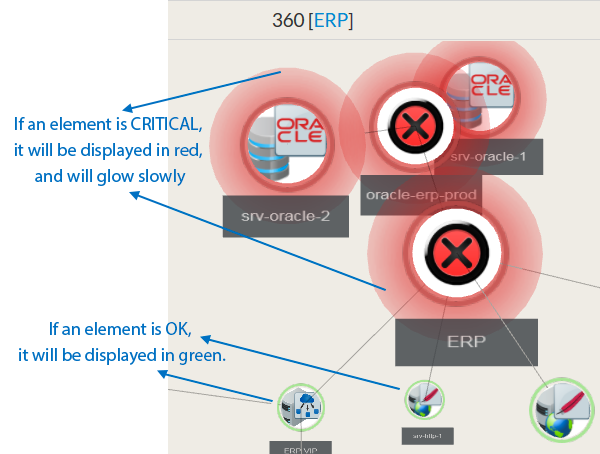
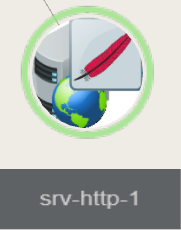
Each tree node contains the following information of the host:
|  |
From the chosen host, it displays the 3D dependency tree up to 10 jumps (dependency links between elements defined in the Configuration UI)
NOTE
The 360 widget displays only hosts.
But if a check on the host has a Critical or a Warning state, the host will also be displayed in the same state.
Usage
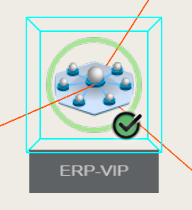
Center an element in the view:
|  |
Orbit around the selected element:
Pan View:While keeping the right mouse button pressed, move mouse to pan view. |
Configuration
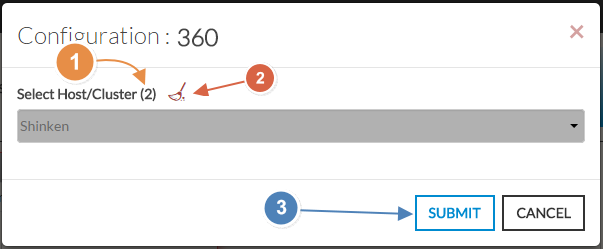
- Select a host or cluster name in the first list.
- The total number of hosts and clusters will be displayed near "Select Host/Cluster" (1).
- If no host selected yet, the list of available hosts will automatically opened.
- You can search (filter) for a host name, typing into the input on top of the list.
- You can clean the current selection by clicking on the swipe icon (2).
- When configured, press the SUBMIT button (3).
Add Comment