Abstract
This document describes how you can monitor Shinken Enterprise components such as:
- Arbiter
- Broker
- Broker-module-sla
- Poller
- Reactionner
- Receiver
- Scheduler
- Synchronizer
| Panel | ||||
|---|---|---|---|---|
| ||||
|
What is already available in the Shinken Installation
To make your life a bit easier, a few configuration tasks have already been done for you:
Several host templates are ready to be used for each daemon
Arbiter
Corresponding host template: shinken-arbiter
Checks
| Check name | Description | Example Output |
|---|---|---|
| Arbiter - Alive | Checks that the Arbiter daemon can be reached over the network |
|
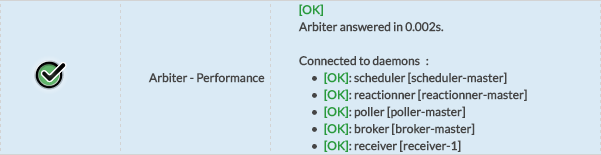
| Arbiter - Performance | Returns connection time with the Arbiter daemon and the connection status of the Arbiter with the other daemons |
|

Checks settings
Arbiter checks can be configured via datas provided by the template.
The following datas are available for the Arbiter:
| Data name | Description | Default Value |
|---|---|---|
| ARBITER_PORT | Port used to establish the connection with the Arbiter | 7770 |
| SHINKEN_PROTOCOL | Protocol used to establish the connection with the Arbiter | http |
Broker
Corresponding host template: shinken-broker
Checks
| Check name | Description | Example Output |
|---|---|---|
| Broker - Alive | Checks that the Broker daemon can be reached over the network |
|
| Broker - Performance API Connection | Checks to connection time to the Broker and its performances |
|
| Broker - Performance Modules Queues | Checks Broker module's performance |
|
| Mongo Checks | Multiple Mongo checks to assure Mongo is running well |



Check settings
Broker checks can be configured via datas provided by the template.
The following datas are available for the Broker:
| Data name | Description | Default Value |
|---|---|---|
| BROKER_PORT | Port used to establish the connection with the Broker | 7772 |
Poller
Corresponding host template: shinken-poller
Checks
| Check name | Description | Example Output |
|---|---|---|
| Poller - Running Well | Checks that the Poller daemon can be reached over the network, displays its tags an the connection status with the schedulers |
|
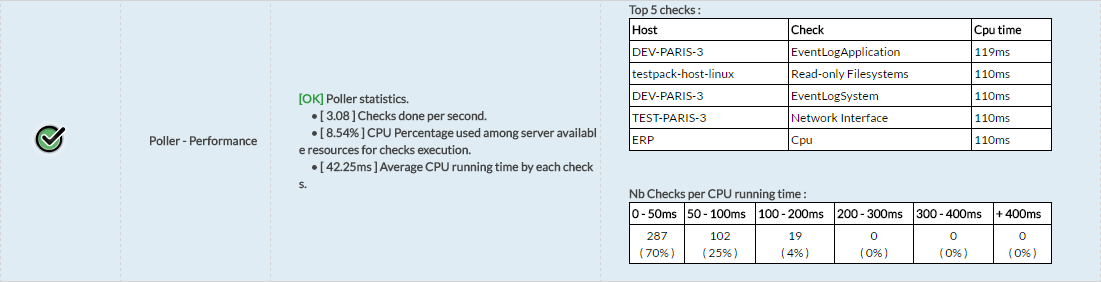
| Poller - Performance | Display performance statistics of checks execution in the Poller. |
|

Check settings
Poller checks can be configured via datas provided by the template.
The following datas are available for the Poller:
| Data name | Description | Default Value |
|---|---|---|
| POLLER_PORT | Port used to establish the connection with the Poller | 7771 |
| NB_CHECK_IN_TIMEOUT_TOLERATE | Number of checks in timeout threshold. Over this limit, the check will exit with an error status | 0 |
| ACTIVE_POLLER_LATENCY | Connection latency above which the check will issue an error. (in seconds) | 0.5 |
Reactionner
Corresponding host template: shinken-reactionner
Checks
| Check name | Description | Example Output |
|---|---|---|
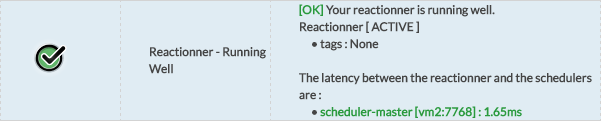
| Reactionner - Running Well | Checks that the Reactionner daemon can be reached over the network, displays its tags and the connection status with the schedulers |
|
| Reactionner - Performance | Display performance statistics of notifications execution in the Reactionner. |
|

Checks settings
Reactionner checks can be configured via datas provided by the template.
The following datas are available for the Reactionner.
| Data name | Description | Default Value |
|---|---|---|
| REACTIONNER_PORT | Port used to establish the connection with the Reactionner | 7769 |
| ACTIVE_REACTIONNER_LATENCY | Connection latency above which the check will issue an error. (in seconds) | 0.5 |
Receiver
Corresponding host template: shinken-receiver
Checks
| Check name | Description | Example Output |
|---|---|---|
| Receiver - Alive | Checks that the Receiver can be reached over the network |
|
| Receiver - Performance API Connection | Checks connection time to the Receiver and its performances |
|


Check settings
Receiver checks can be configured via datas provided by the template.
The following datas are available for the Receiver:
| Data name | Description | Default Value |
|---|---|---|
| RECEIVER_PORT | Port used to establish the connection with the Receiver | 7769 |
Scheduler
Corresponding host template: shinken-scheduler
Checks
| Check name | Description | Example Output |
|---|---|---|
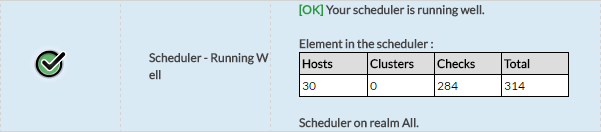
| Scheduler - Running Well | Checks that the Scheduler daemon can be reached over the network, displays how many elements it is managing |
|
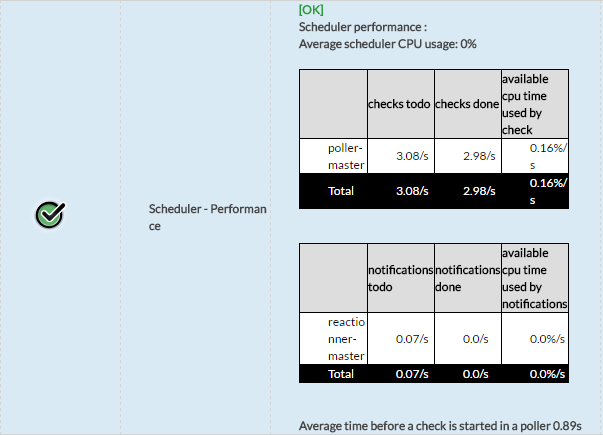
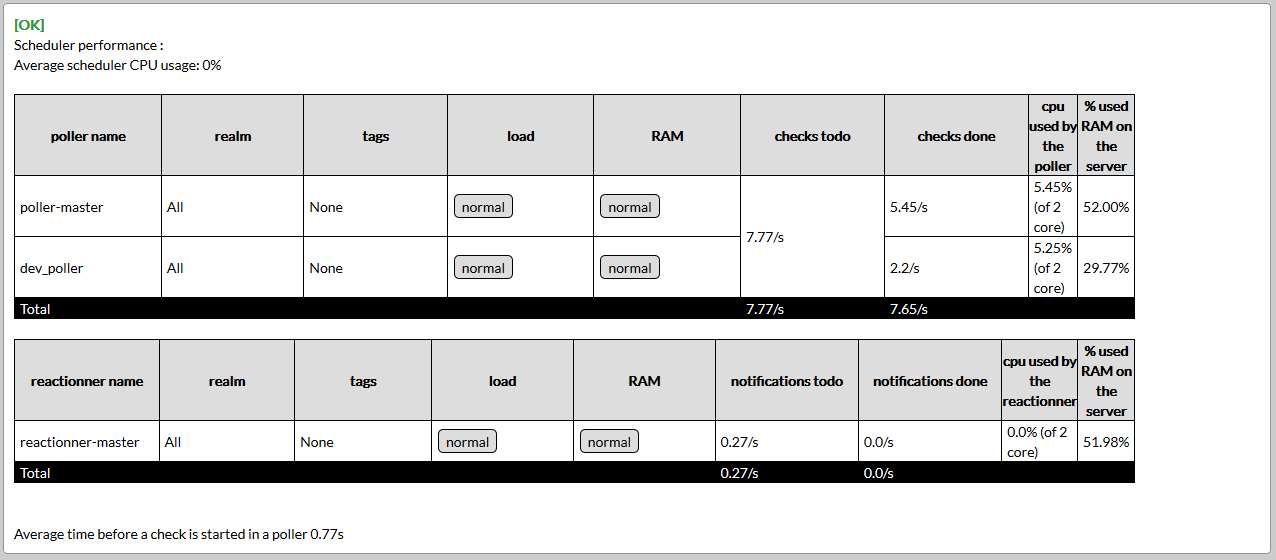
| Scheduler - Performance | Displays CPU usage as well as poller and reactionners statistics. |
|
Check settings
Scheduler checks can be configured via datas provided by the template.
The following datas are available for the Scheduler:
| Data name | Description | Default Value |
|---|---|---|
| SCHEDULER_PORT | Port used to establish the connection with the Scheduler | 7768 |
| PASSIVE_POLLER_LATENCY | Connection latency above which the check will issue an error. (in seconds) | 0.5 |
Synchronizer
Corresponding host template: shinken-synchronizer
Checks
| Check name | Description | Example Output |
|---|---|---|
| Synchronizer - Alive | Checks that the Scheduler daemon can be reached over the network |
|
| Synchronizer - Performance API Connection | Checks connection time to the Synchronizer and its performances |
|


Check settings
Synchronizer checks can be configured via datas provided by the template.
The following datas are available for the Synchronizer:
| Data name | Description | Default Value |
|---|---|---|
| SYNCHRONIZER_PORT | Port used to establish the connection with the Synchronizer | 7766 |