Versions Compared

Key

  • This line was added.
  • This line was removed.
  • Formatting was changed.

...

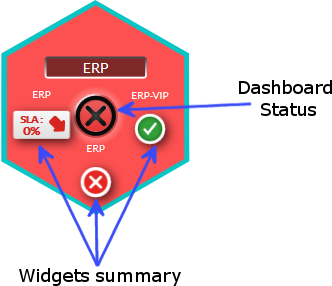
  • The name of the dashboard
  • The summary of the 3 widgets that are used to compute the status of a dashboard (see Widgets chapter).
  • The status of the dashboad
    • it is always the worst status which will define the tile's status
      • If the 3 summary are OK, then central status will be OK
      • If there is almost 1 Warning, then central status will be Warning
      • If there is almost 1 KO, then central status will be KO
    • The background of the tile will be of the color status.

...

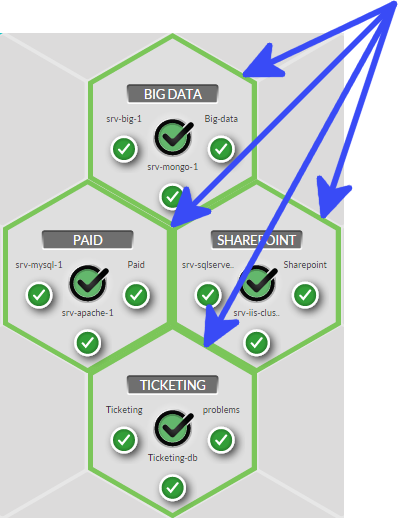
You will notice that some tiles have the same border color. You can set this color to tiles group.
It will be then very easy to locate a type of tile.

It is up to you to choose you your organization. As an example, you can choose a color to differentiate data centers.

This color can be set when editing a tile (see Dashboard chapter).


The image show you the example of the green group.

...