Versions Compared

Key

  • This line was added.
  • This line was removed.
  • Formatting was changed.

...

  • The previous day tendancy:
    • It shows if during the last day, the SLA has been gobaly growing or not.

he status refer to an element, a click in the widget will open the Detailed View Panel providing detail on the element (see the Host Detail View chapter).

  • For an host, clicking on one of the checks summary box, will directly open the Detail panel on the tab checks panel.
  • The list of check will be filtered to only display check matching this status.
  • To get the full list of check, simply remove the filter ( See Checks Tab chapter)

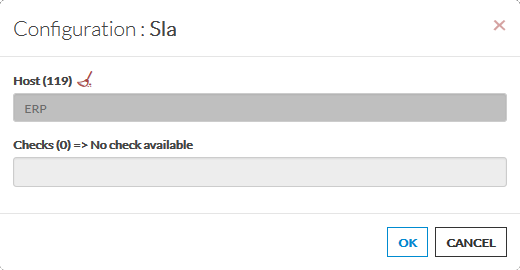
Configuration


  • Open the configuration box.
  • Type the host or cluster name in the edit field under Host.
    • The total number of host and cluster will be displayed near host (119 in our exemple).
    • It will automatically show the list of available hosts.
    • If you type characters, the list will be automatically filtered.
    • As soon as you have typed 1 letter, a matching list of checks will be displayed below.
  • Once your element is selected, if you want to monitor a specific check, you just have to type check name inside this second box. 
  • When configured, press the OK button.

...