Explication
Le module broker-module-livedata permet d'envoyer des requêtes API afin de recevoir des informations sur un hôte, un cluster, un check attaché à un hôte ou un check attaché à un cluster. Il est possible de modifier certains paramètres dans la configuration (comme le port d'écoute et le token).
Configuration
Voici le fichier CFG de configuration présent dans : /etc/shinken/modules/broker-module-livedata.cfg
| Code Block | ||
|---|---|---|
| ||
#===============================================================================
# broker module livedata
#===============================================================================
# Daemons that can load this module:
# - broker
# This module is an api getting information from the broker
#===============================================================================

define module {

    #======== Module identity =========
    # Module name. Must be unique
    module_name               broker-module-livedata

    # Module type (to load module code). Do not edit.
    module_type               broker_module_livedata

    #======== Listening address =========
    # host: IP address to listen to.
    #       note: 0.0.0.0 = all interfaces.
    host                      0.0.0.0
    # port to listen
    port                      8000

    # HTTPs part, enable if you want to set the visualisation interface listen in HTTPs mode
    # disabled by default. Set your own certificates. Set your own token, it is usefull to get access to the API
    use_ssl                   0
    ssl_cert                  /etc/shinken/certs/server.cert
    ssl_key                   /etc/shinken/certs/server.key
    token                     ak5zv6t5s25r6g4
}
|
Fonctionnement
L'accès à cette API est restreinte aux détenteurs d'un token généré dans la configuration (modifiable par l'utilisateur) du module. Pour utiliser cette API, il faudra passer par une URL tel que :
URL = http://IP_DU_BROKER:PORT_DU_MODULE/api/V1/TYPE/UUID?token=TOKEN_DU_MODULE ou httpsMODULE ou https://IP_DU_BROKER:PORT_DU_MODULE/api/V1/TYPE/UUID?token=TOKEN_DU_MODULE
Exemple pour un hôte avec le module sur le port 8000 du broker en localhost et "adt" comme token :
http://localhost:8000/api/V1/host/408cd29ad37611e8810e0800277b7e16?token=adt
Le fonctionnement de l'api est tel que :
Hôte
URL/api/V1/host/UUID?token=TOKEN
- host_uuid : text
- host_name : text
- host_display_name : text
- status : text
- OK
- WARNING
- CRITICAL
- UNKNOWN
- MISSING-DATA
- SHINKEN-INACTIVE
- status_since : epoch (en secondes)
- context : text
- NOTHING
- ACKNOWLEDGED
- PARTIAL-ACKNOWLEDGED
- INHERITED-ACKNOWLEDGED
- DOWNTIME
- PARTIAL-DOWNTIME
- INHERITED-DOWNTIME
- FLAPPING
- PARTIAL-FLAPPING
- DISABLED
- business_impact : 0, 1, 2, 3, 4, 5
- output : text
long_output : text
Exemple
| Code Block | ||
|---|---|---|
| ||
{"status": "OK", "host_display_name": "localhost", "long_output": "", "host_name": "localhost", "context": "NOTHING", "status_since": 1540457802, "business_impact": 2, "output": "PING OK - Packet loss = 0%, RTA = 0.02 ms", "host_uuid": "408cd29ad37611e8810e0800277b7e16"}
|
Check attaché à un hôte
URL/api/V1/check-on-host/UUID?token=TOKEN
- check_uuid : text
- check_name : text
- check_display_name : text
- status : text
- OK
- WARNING
- CRITICAL
- UNKNOWN
- MISSING-DATA
- SHINKEN-INACTIVE
- status_since : epoch (en secondes)
- context : text
- NOTHING
- ACKNOWLEDGED
- PARTIAL-ACKNOWLEDGED
- INHERITED-ACKNOWLEDGED
- DOWNTIME
- PARTIAL-DOWNTIME
- INHERITED-DOWNTIME
- FLAPPING
- PARTIAL-FLAPPING
- DISABLED
- output : text
- business_impact : 0, 1, 2, 3, 4, 5
- long_output : text
- host_uuid : text
- host_name : text
- host_display_name : text
Exemple
| Code Block | ||
|---|---|---|
| ||
{"status": "OK", "host_display_name": "localhost", "check_name": "Broker Daemon Livedata - broker-master", "host_uuid": "408cd29ad37611e8810e0800277b7e16", "long_output": "", "host_name": "localhost", "context": "NOTHING", "output": "<span style=\"color:#2A9A3D;font-weight:bold;\">[OK]</span> The livedata module is running well.<br/>The api returns correct values<br/>The module processes 0 response(s) per minute<br/>The module average time response is 0.0006s<br/>", "business_impact": 2, "status_since": 1540457781.797493, "check_uuid": "022a505c849f840e110f2aba5e27597f", "check_display_name": "Broker Daemon Livedata - broker-master"}
|
Cluster
URL/api/V1/cluster/UUID?token=TOKEN
- cluster_uuid : text
- cluster_name : text
- cluster_display_name : text
- status : text
- OK
- WARNING
- CRITICAL
- UNKNOWN
- MISSING-DATA
- SHINKEN-INACTIVE
- status_since : epoch (en secondes)
- context : text
- NOTHING
- ACKNOWLEDGED
- PARTIAL-ACKNOWLEDGED
- INHERITED-ACKNOWLEDGED
- DOWNTIME
- PARTIAL-DOWNTIME
- INHERITED-DOWNTIME
- FLAPPING
- PARTIAL-FLAPPING
- DISABLED
- business_impact : 0, 1, 2, 3, 4, 5
- output : text
- long_output : text
Exemple
| Code Block | ||
|---|---|---|
| ||
{"status": "OK", "cluster_display_name": "localhost", "long_output": "", "cluster_name": "localhost", "context": "NOTHING", "status_since": 1540457802, "business_impact": 2, "output": "PING OK - Packet loss = 0%, RTA = 0.02 ms", "cluster_uuid": "408gfhfr7611e8810e0800277b7e16"}
|
Check attaché à un cluster
URL/api/V1/check-on-cluster/UUID?token=TOKEN
- check_uuid : text
- check_name : text
- check_display_name : text
- status : text
- OK
- WARNING
- CRITICAL
- UNKNOWN
- MISSING-DATA
- SHINKEN-INACTIVE
- status_since : epoch (en secondes)
- context : text
- NOTHING
- ACKNOWLEDGED
- PARTIAL-ACKNOWLEDGED
- INHERITED-ACKNOWLEDGED
- DOWNTIME
- PARTIAL-DOWNTIME
- INHERITED-DOWNTIME
- FLAPPING
- PARTIAL-FLAPPING
- DISABLED
- output : text
- business_impact : 0, 1, 2, 3, 4, 5
- long_output : text
- cluster_uuid : text
- cluster_name : text
- cluster_display_name : text
Exemple
| Code Block | ||
|---|---|---|
| ||
{"status": "OK", "cluster_display_name": "localhost", "check_name": "Broker Daemon Livedata - broker-master", "cluster_uuid": "408gfhfr7611e8810e0800277b7e16", "long_output": "", "cluster_name": "localhost", "context": "NOTHING", "output": "<span style=\"color:#2A9A3D;font-weight:bold;\">[OK]</span> The example works fine.<br/>", "business_impact": 2, "status_since": 1540457781.797493, "check_uuid": "044a505c849f840e110f2aba5e27597f", "check_display_name": "Example cluster check"}
|
Obtenir un uuid
Hôtes et Clusters
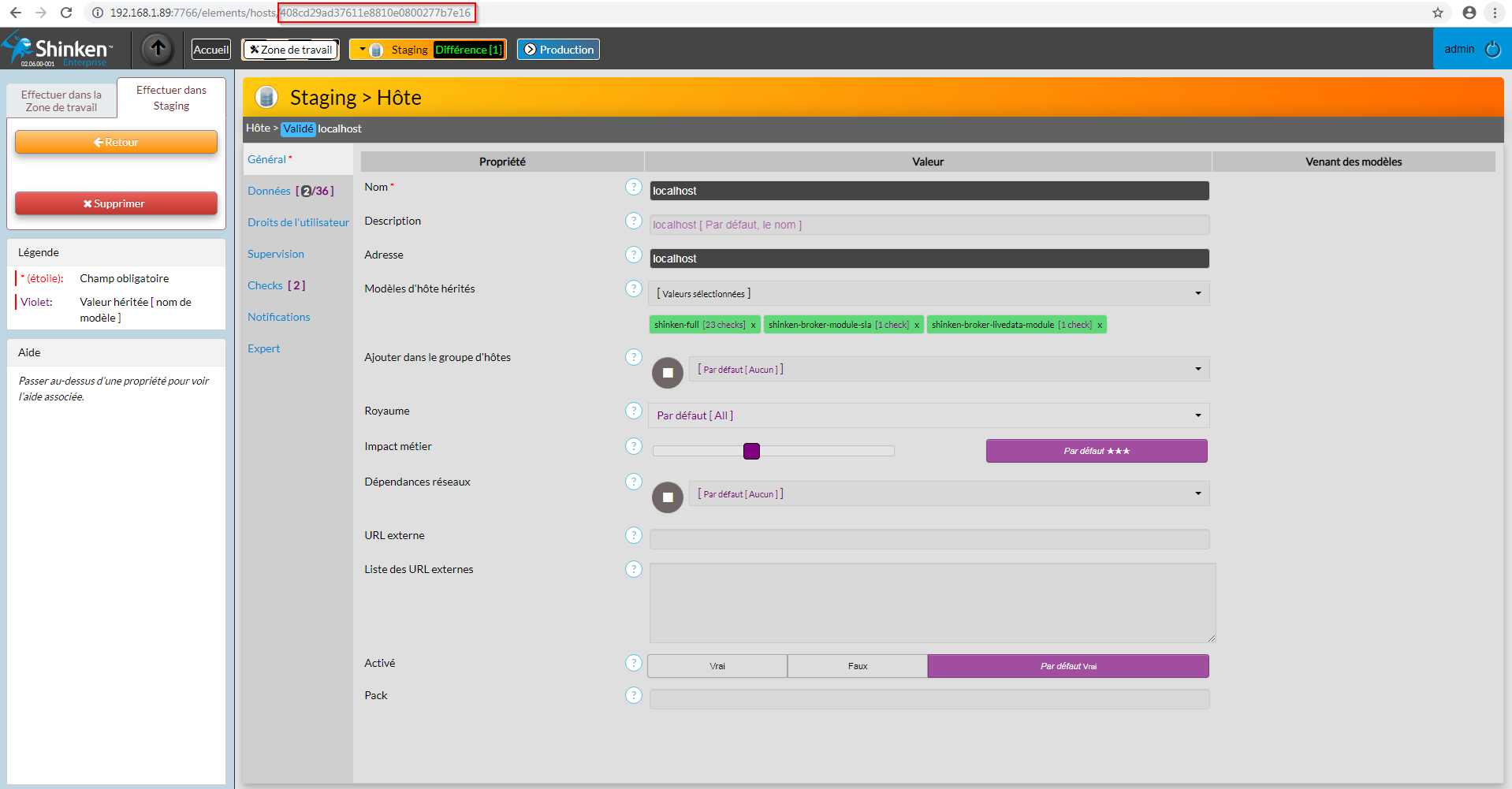
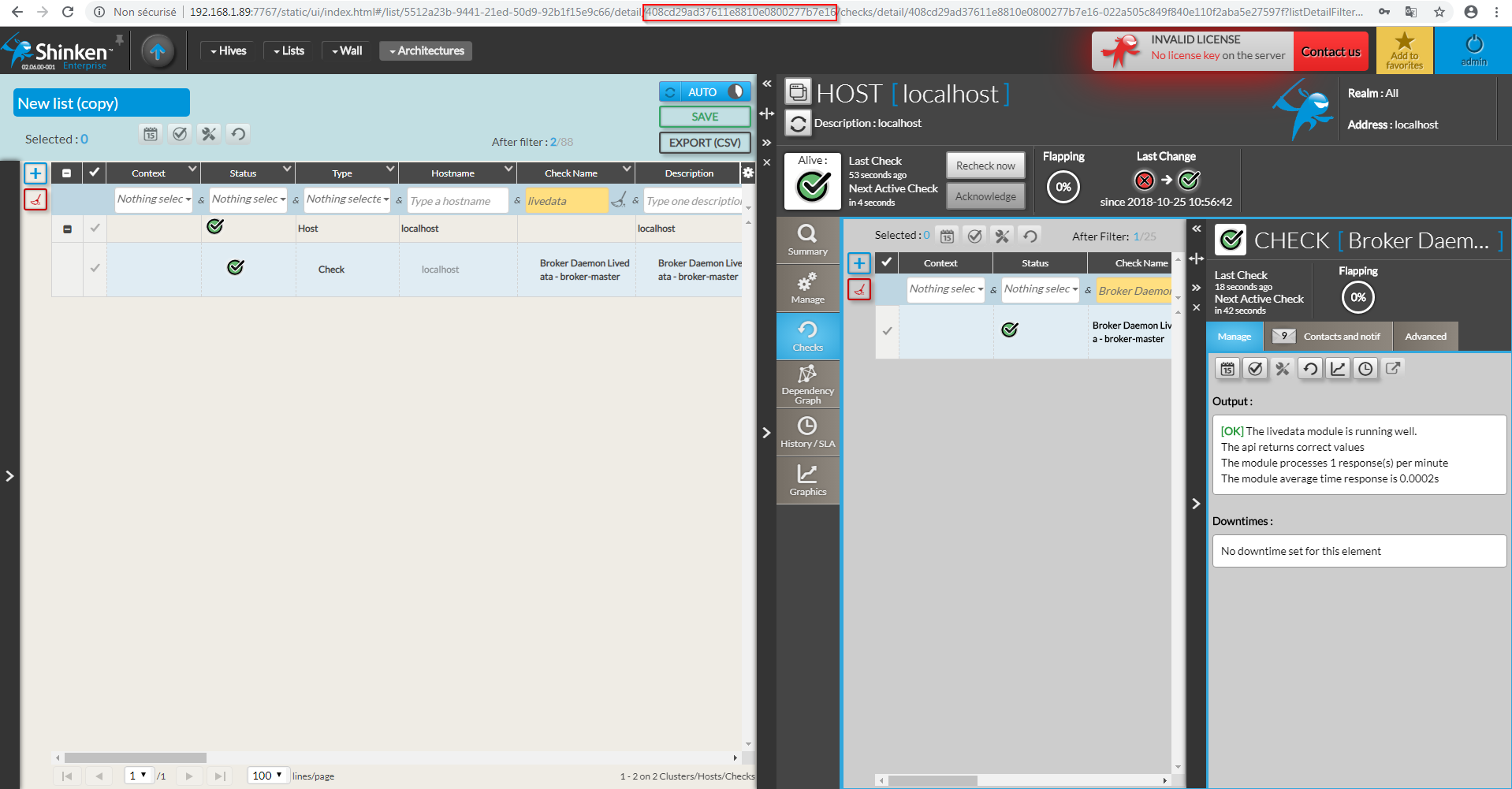
Pour récupérer l'uuid d'un hôte ou d'un cluster il suffit de se rendre dans sa page de configuration sur l'UI de Configuration, ou de le sélectionner dans l'UI de Visualisation. Il se trouve alors dans l'url tel que :
Checks attachés
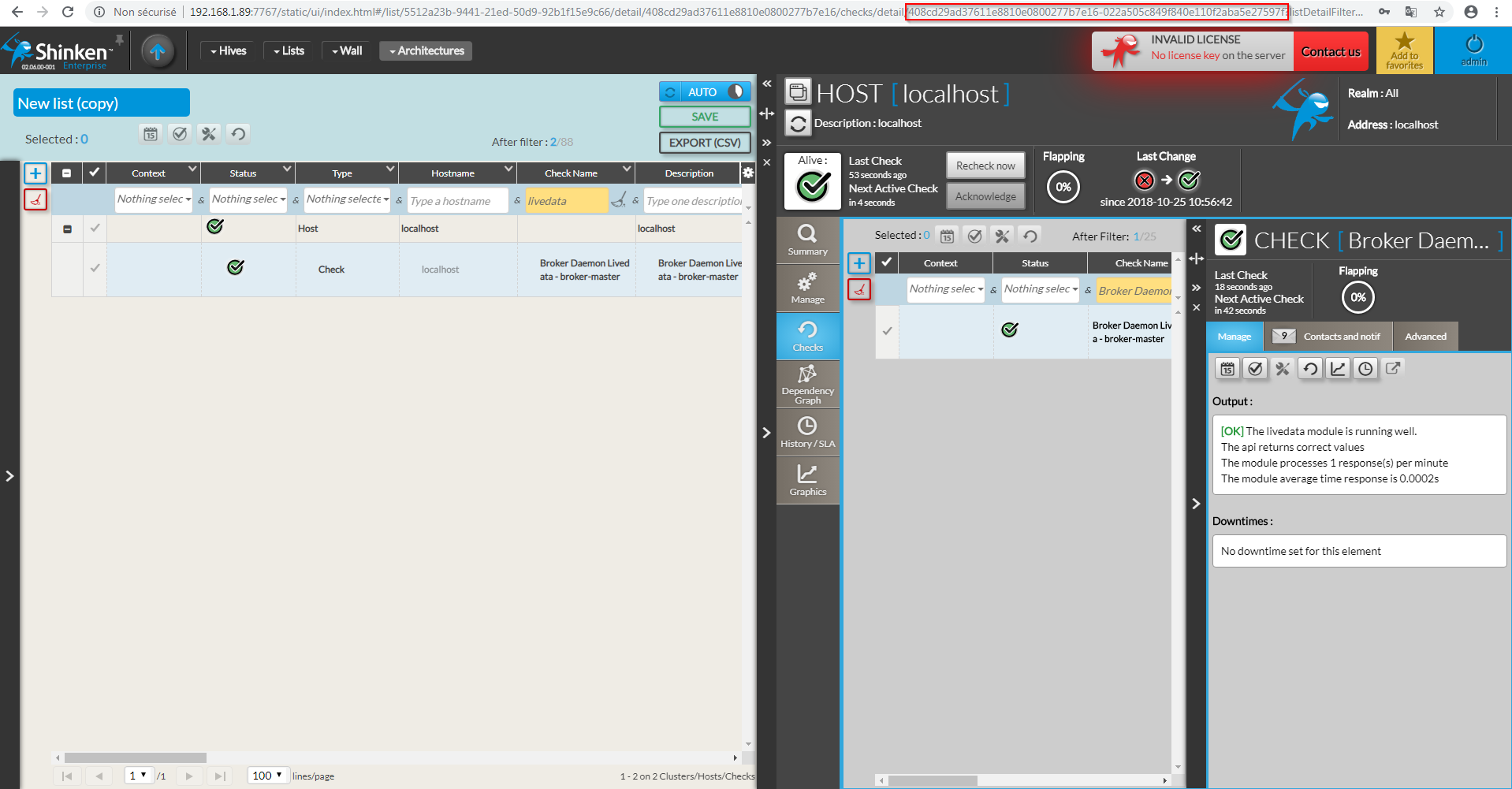
Pour récupérer l'uuid d'un check attaché à un hôte ou à un cluster, il suffit de se rendre dans sa page de configuration sur l'UI de Configuration en y rajoutant l'uuid de l'hôte ou du cluster sur lequel il est attaché, suivit d'un tiret. Ou plus simplement dans l'UI de Visualisation.
Test de performance
Sur une machine avec 1782 hôtes, le broker n'a aucune latence à la réception de 15 requêtes api par seconde de 10 sources différentes (150 au total) et renvoi le résultat en moins de 0.01 seconde.
...