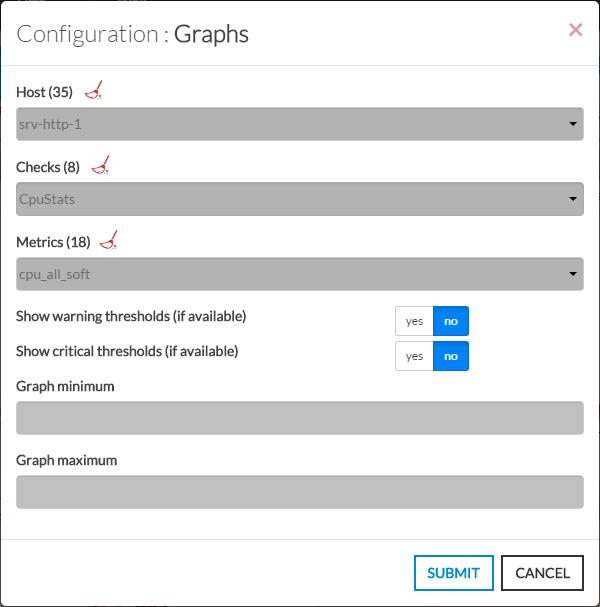
- Open the configuration box:
- Type the host in the edit field under Host.
- The total number of host and cluster will be displayed near host (119 in our exemple).
- It will automatically show the list of available hosts.
- If you type characters, the list will be automatically filtered.
- As soon as you have typed 1 letter, a matching list of checks will be displayed below.
- Once the host is selected, it will fill the check area with all available checks with metrics.
- Type or Select the checks.
- Once the check is selected, it will fill the metrics area with all available metrics.
- Then select the metrics.
- activate the display of warning and critical limits threshold (if set in the configuration for this metric).
- Define the maximum and the minimum value displayed on the graph.
For example, if you set a maximum value to 75 and the metric has values like 125, only will be displayed values under 75.
| 
|