...
You can force if you want a refresh using this button 
Advanced Filtering
The filter panel can be opened by clicking on the left bar (Overview image : 4). In this menu, you will be able to stack “and/or rules”.
“AND” filters are in a block
By default, the following filters are defined
| 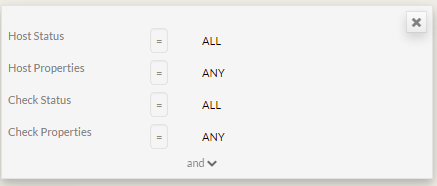 |
|---|---|
You can select host matching status type.
| 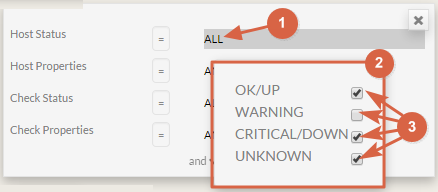 |
You can select host properties
|  |
To add other filters:
|  |
ADD a new block to set a “oR” BETWEEN 2 “AND” BLOCKS
To add a block, click on the “or” button.
Validate the filter
Simply click on
In the list, you will see only elements matching the defined filter.