...
Add a member to group
Then in the Hostgroup Form, select hosts you want to add by opening the select list | 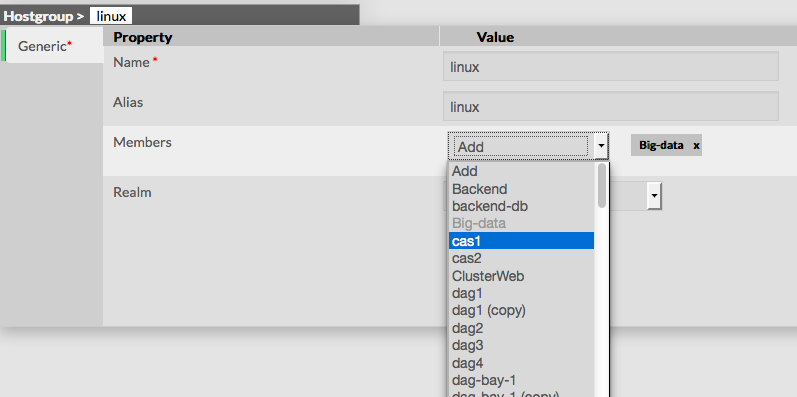 |
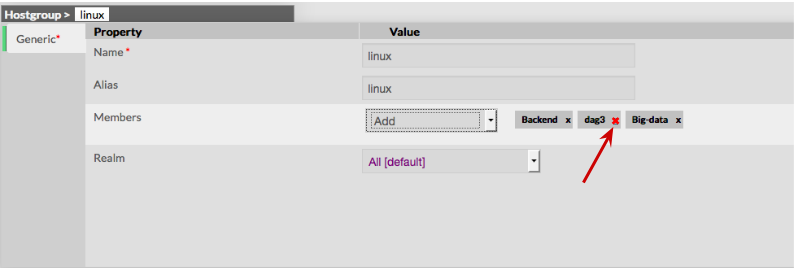
Add a member to group To remove a member, click on the mark displayed in the member.
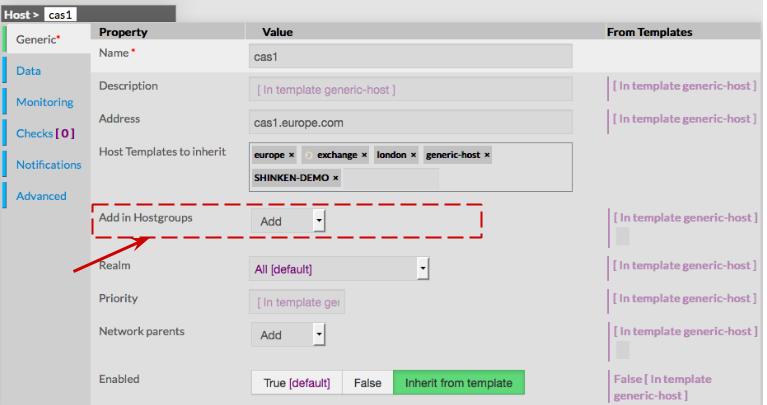
Add a host to a hostgroup To attach a hostgroup to a host, first go to the Hosts Page, then click on the Host of your choice. Form of the host is displayed, letting the ability to add the Host in one or more Hostgroups. |
|
Delete a Hostgroup
To delete a hostgroup, you can use the form of the host, or delete it directly from the list page.
From the Form page First go to the Hostgroups page, from the Main menu, then click on the hostgroup name you want to delete. Once in the page displaying the form, click on the Delete button available on the left menu. A confirmation popup will be displayed. | |
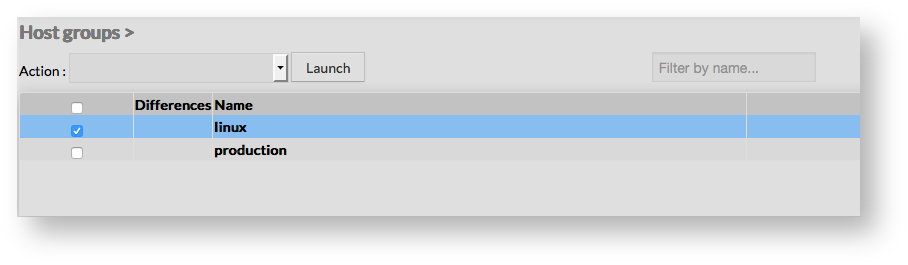
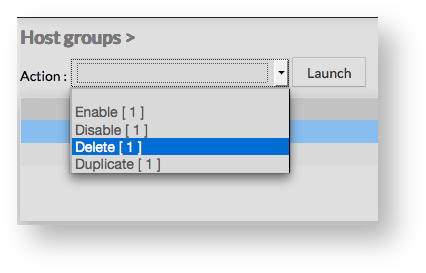
From the Main page First go to the Hostgroups page, from the Main menu, then click on the check box placed on the first column of the table. Use the Action menu on the top to select Delete, and click to the Launch Button. A confirmation popup will be displayed. |
|
Duplicate a Hostgroup
Duplication operation is very useful when similar Hostgroups must be added.
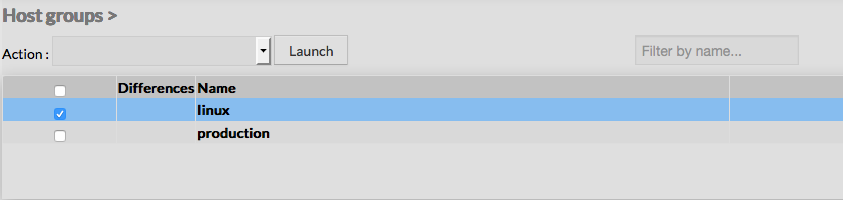
To duplicate a hostgroup, first go on the Main page listing all hostgroups, then select a hostgroup by clicking on the check box placed on the first column.
|  |
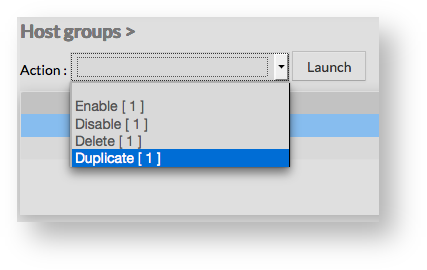
Once selected, the hostgroup can be duplicated by selecting Duplicate in the select Action of the tool bar. Duplication is executed by clicking the Launch button.
|  |
Using the Main page gives Administrators ability to Dublicate many Hostgroups at once.
All properties are kept whent duplicating operation, as well as Members.
Duplicated Hostgroups are totaly detached and independant of the duplicant Hostgroup. No relation is made in the configuration.