...
Visualize all metrics availables of checks for the opened host.
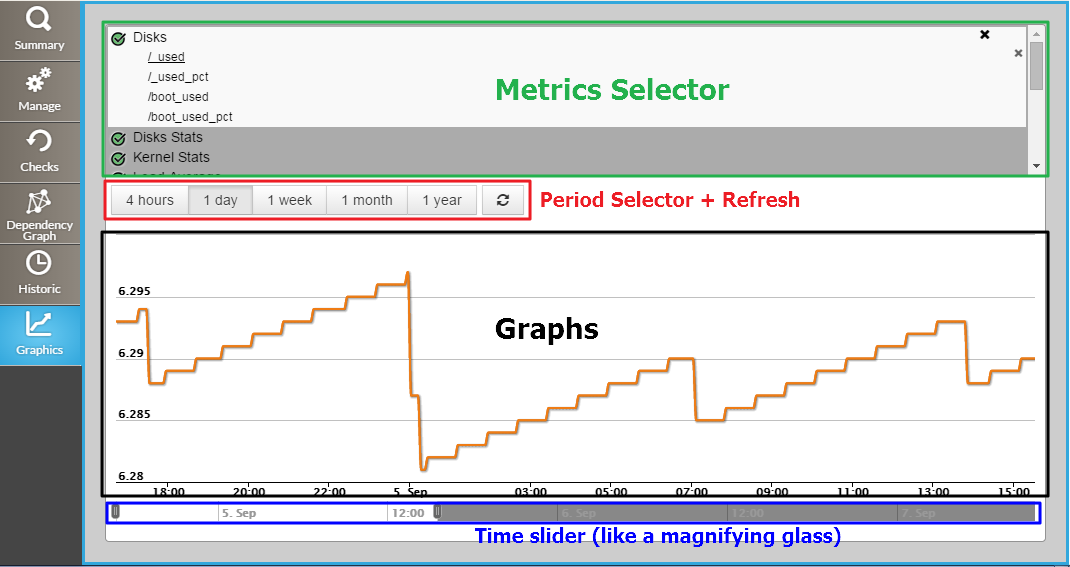
Metrics Selector
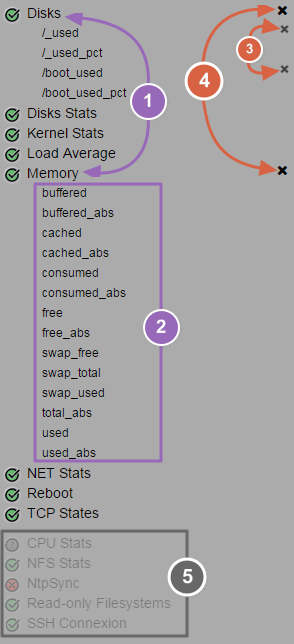
(1) Click on check name to develop his list of metrics (2) Click on desired metrics name to select these (3) To deselect a metric | To deselect all metrics from a check, click on the cross on the right of the | check metric name (4) To deselect all metrics from a | metriccheck, click on the cross on the right of the | metric namecheck name | to develop his list of metrics(5) | Checks without metrics are dimmed at the end of | list list |
|
 Note that if you came from the Checks Tab, the check will be already developed in the metrics selector.
...