Versions Compared

Key

  • This line was added.
  • This line was removed.
  • Formatting was changed.

...

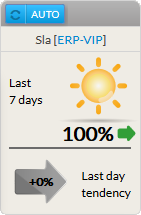
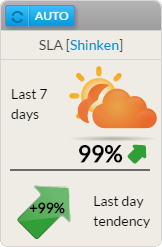
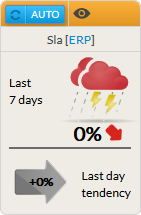
The aim of the SLA widget is to print percentage of availability disply the availability (%) of the chosen element (cluster, host or check) for the last 7 x 24 hours.

2 SLA values are present:

  • Last 7 days:


      • Between 99% to 100%
    • of the time, the status will be
      • :
        • Status = OK.
    • A sun will be displayed.
        • Icon = Sun
      • Between 97%
    • to
      • and 99% (not included => 98,9%)
    • of the time, the status will be
      • :
        • Status = Warning.
    • Some orange cloud are
        • Icon = Orange clouds hiding the sun.
      • Between 0%
    • to
      • and 97% (not included => 97,9%)
    • of the time, the status will be
      • :
        • Status = Critical.
        • A red cloud with lightning will be displayed.


  • The previous day trend:
    • It shows if displays the SLA trend during the last day, the SLA has been gobaly improving or not.


Usage

As the SLA refers to the availability of an element, a click in on the widget will will directly open the Detail panel of this element on in the historic tab historic (see the Host Detail View and History Tab chapter for more details).

...