Overview
The checks tab display displays all the checks attached to the host.
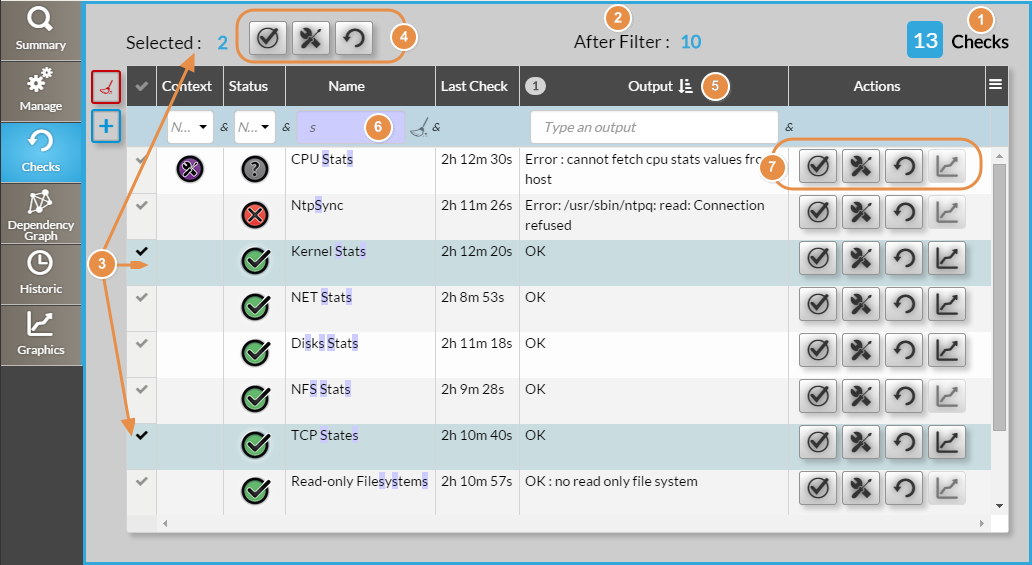
On the top,
...
the header
...
displays :
(1) Total Count of checks
(2) Count of checks after filterfiltering (6)
(3) Count of selected check rows in the list. On the selection you can perform 3 group actions (4) :
...
(6) can be filtered (possible multiple filters)
(7) The same 3 header actions In "Actions" column, 4 buttons are available instantly for each check row in "Actions" column.
Another action is available here The same 3 actions already available in the header plus a fourth action : it which opens the Graphs Tab with the check already developed.
...