Description
The aim of this tab is to show This tab shows the dependency tree of a host or a cluster.
It has the same behaviour than the Widget Dependency Graph.
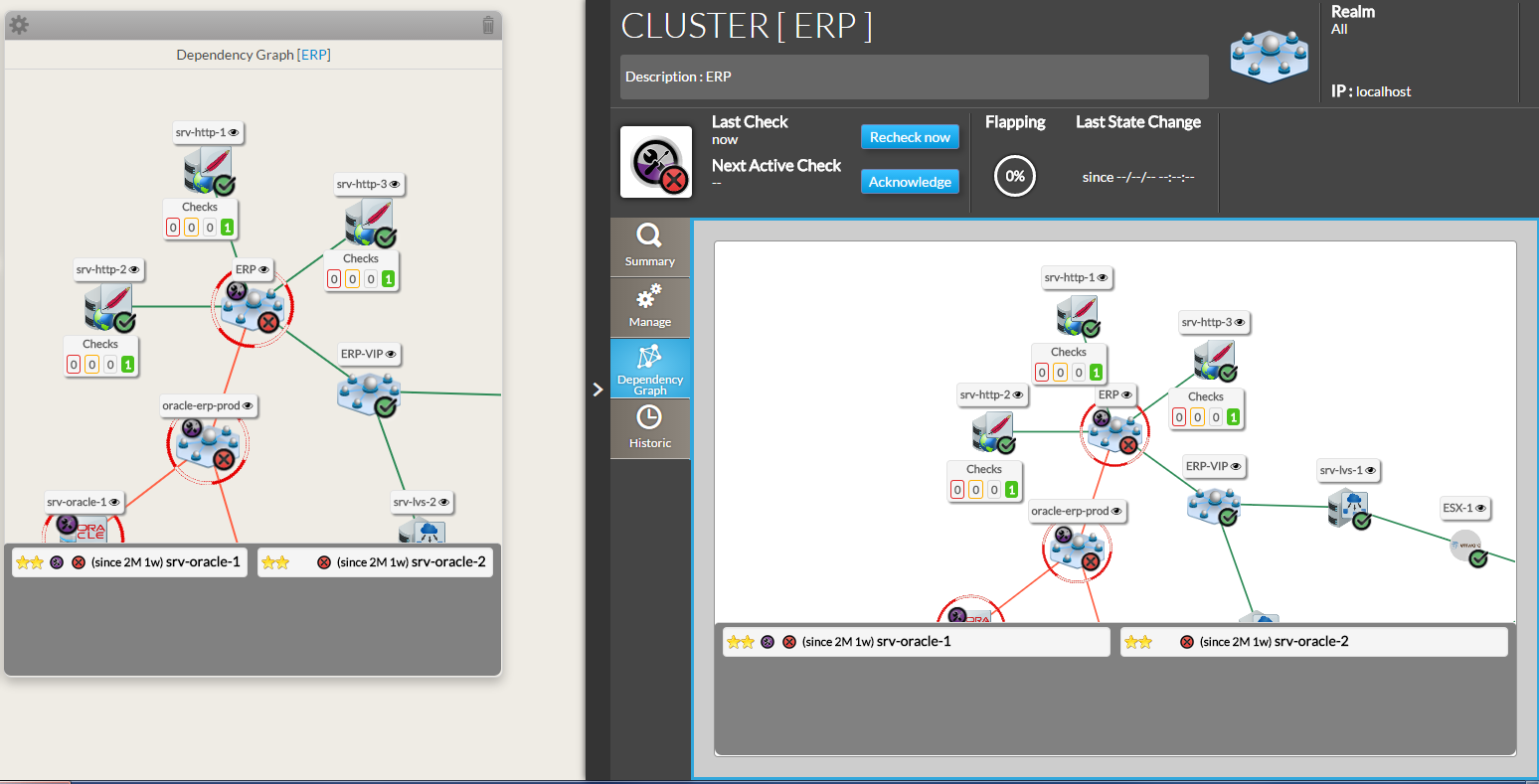
- It displays in 2 dimensions the 2D tree starting from the chosen element (host or check), displaying dependency links:
- A Node will be the representation of either of a host, a cluster or a check.
- Each element has 4 components:

| - Its name.
- Its icons representing its type.
- Its status (icon state => see the Status & Context for the list).
- If the elements is a host, available Checks will be displayed in 4 boxes below
sorted by their status (Critical, Warning, Unknow, Ok). - You can access to the “Detailed view” of this element by clicking on the eye icon.
| | | |
|
- If, in the dependency graph, there are some elements not in “OK” state, they will be listed in at the bottom of the graph.
|
...
Shift the tree- Maintain the left or right mouse button pressed to shift the tree in the 4 directions.
| |
Center the tree on none not OK elements displayed in the bottom list- Click on the element name to center on this element.
| |
Re-Center on the chosen element- To come back to the monitored element, press on the reload button.
| |
Open the detailed view of a specific node | |
...