Versions Compared

Key

  • This line was added.
  • This line was removed.
  • Formatting was changed.

Overview


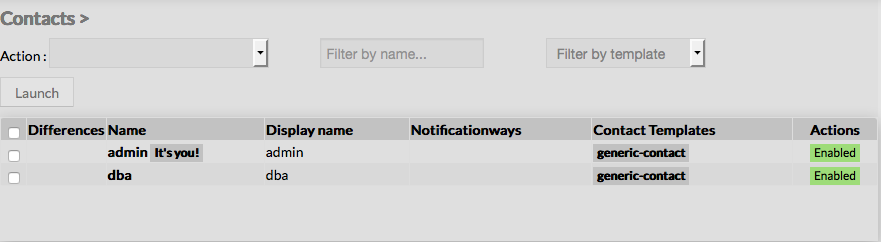
When accessing the Contacts Configuration Page, a Contact Table is displayed, listing all existing contact objects.

This table contains the following informations :

  • a check box to select one or more contacts
  • Differences
  • Name of the contact
  • Display Name of the contact
  • Notification ways
  • Contact Templates 
  • States

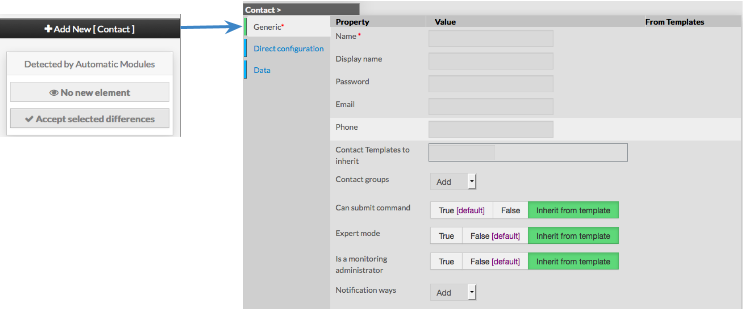
This page also provides, on the left, an action Menu, used to :

  • Add a new Contact
  • Show Contacts detected by Automatic Modules
  • Accept differencies on selected elements

On the top of the table, A tool bar let Administrators the ability to :

  • Delete or Duplicate selected Contacts
  • Filter List by Name
  • Filter List by Template applied on Contact


Create a new Contact

 
To create a new Contact, use the button "Add new [Contact]" located in the Action Menu 

Contact creation form will be displayed.

This form is composed of tabs, corresponding to categories of properties :

  • Generic

  • Direct Configuration

  • Data

Image Modified


The left menu give to Administrators the ability to :

  • Validate the new contact
  • Cancel the action
  • Delete the contact


For each category, a corresponding form is displayed.

...