Overview | |
| This element of configuration is used to group contacts together. Contact groups can be attached | |
...
| to Hosts |
...
| or Checks, to notify many contacts at the same time. | |||
| You can access to the Contact groups configuration by using the link in the main menu. | 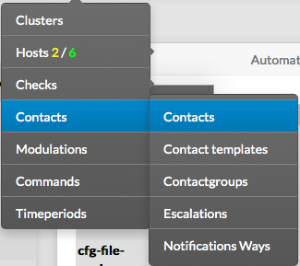 | ||
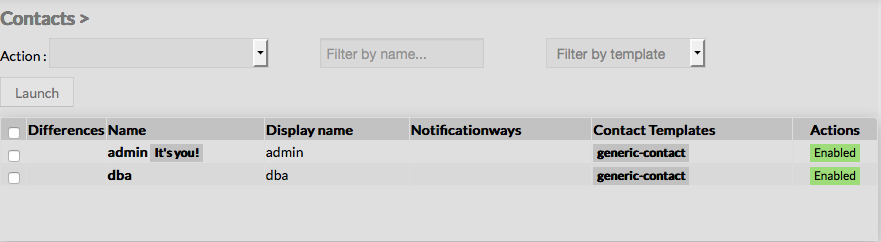
The main page of contact groups Configuration is composed of a table, listing all existing contact groups. This table contains following informations :
A tool bar on top of the table, gives administrators the ability to do the following :
|  | ||
Like other configuration element pages, an action menu is displayed on the left. This Menu provides following operations :
| |||
Create a now Contactgroup | |||
| To create a new Contact Group, use the button "Add new [Contact Group]" located in the Action Menu. | |||
Empty Contact form will be displayed : 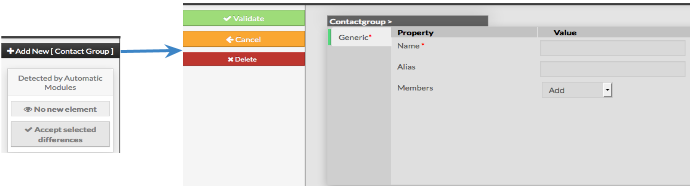 This form is composed of one tab, containig the following properties :
| Like on other forms, the left menu give to Administrators the ability to :
| | |
...
| Once validated, the new contact group will be saved in the New configuration database, and will appear in the list. | |
Modify a Contact Group | |
| To modify properties of a Contact Group, first go on the Contact groups page, from the Main menu, and then click on the contact group name you want to modify. | |
The form displayed is the same form used to create a new Contact group.
All fields are filled using the contact group properties. | 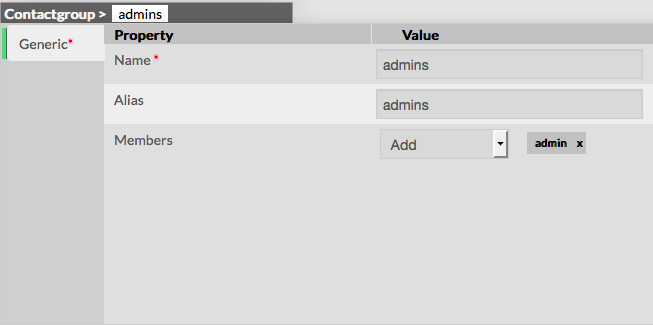 |
| Once validated, the modified contact group will be saved in | |
...
| the Stagging |
...
| configuration database. | |
Add or remove Members
Members can be added or deleted either by editing the groups, either by editing the contacts.
...