Concept
...
This feature aims to provide time based modulations, used to modify the Business Impact on elements such as Hosts and Checks.
It provides ability to define a higher or lower priority during a defined period of time, to consider an application more or less critical during this period.
For example, if you consider the payroll service as critical only during working hours, you can create a Business Impact modulation like this one :
- name : NightlyLowerImpact
- priority : 1
- modulation period : night
To apply such a modulation, you have to modify elected hosts, and select this modulation in the field "Business Impact Modulation" of the "Advanced Tab".
...
When accessing the Business Impact Modulation, a table listing all modulations is displayed.
This table contains the following informations :
- A CheckBox to select one or more modulations
- Differencies
- Name
- Priority
- Modulation Period
- Status
...
Create a Business Impact Modulation
...
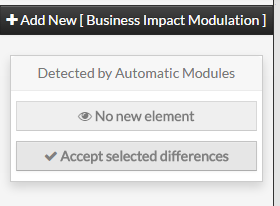
To create a new Business Impact Modulation, use the button "Add new [Business Impact Modulation]" located in the Action Menu
...
Business Impact Modulation form will be displayed.
The following properties define a Business Impact Modulation :
- Name :
- used to set the name of the modulation
- this name will be used to identify and select modulation in other elements (Hosts and Checks)
- this field is required
- Priority :
- used to set the priority that will be applied when this modulation becomes effective
- the priority must be an integer from the range 0 to 6
- this field is required
- Modulation Period :
- used to set the time period that will make the modulation effective
- the value must be choosen from the dropdown list, showing all available timeperiods
...
Modify a Business Impact Modulation
...
To modify a modulation, first go on the Business Impact Modulations page, by using the Main menu.
Then click on the modulation name you want to modify.
...
The form displayed is the same as the form used to create a new Business Impact Modulation.
All fields are filled with modulation properties.
Once changes have been made, configuration of the modulation must be saved by clicking the Validate button
available on the left menu.
Cancel button revert all changes to previous configuration.
...
Delete a Business Impact Modulation
...
From the Form page
First go to the Business Impact Modulations page, from the Main menu,
then click on the modulation name you want to delete.
Once in the page displaying the form, click on the Delete button available on the left menu.
A confirmation popup will be displayed.
...
From the Main page
First go to the Business Impact Modulations page, from the Main menu,
then click on the check box placed on the first column of the table.
Use the Action menu on the top to select Delete, and click to the Launch Button.
A confirmation popup will be displayed.
...
Duplicate a Business Impact Modulation
...
Duplication operation is very useful when similar Modulations must be added.
To duplicate a modulation, first go on the Main page listing all Business Impact Modulations,
then select a modulation by clicking on the check box placed on the first column.
...
Once selected, the modulation can be duplicated by selecting Duplicate in the select Action of the tool bar.
Duplication is executed by clicking the Launch button.
...
Using the Main page gives Administrators ability to Dublicate many modulations at once.
Cette fonctionnalité a pour objectif de proposer une modulation basée sur le temps, afin de modifier l'impact métier sur des éléments comme Les Hôtes et Checks.
On peut ainsi définir un niveau de priorité haut et bas sur une période définie, pour considérer une application comme plus ou moins critique sur cette période.
Par exemple, si vous considérez un hôte comme moins critique en dehors des heurs de travail, vous pouvez créer une modulation de l'impact qui modifiera cet hôte avec un impact métier inférieur dans cette période.
Pour appliquer une telle modulation, vous devez modifier les hôtes et sélectionner la modulation dans le champs "Modulation de l'impact métier" dans l'onglet "Avancé".
Onglet général
- Impact Modulation Name
- Cette propriété définit le nom de la modulation basée sur le temps qui permet de modifier l'impact métier sur des éléments comme les Hôtes et Checks.
- Business impact
- Cette propriété définit l'impact métier, ou le niveau de priorité sur une période définie, pour considérer une application comme plus ou moins critique sur cette période. Par exemple, si vous considérez le service de paye comme critique durant les heures de travail, vous pouvez créer une modulation de l'impact à 1 durant la nuit.
- Modulation Period
- Cette propriété définit la période de temps durant laquelle la modulation d'impact métier sera appliquée.
- Enabled
- Cette propriété permet de définir si cette modulation d'impact métier est activée ou non.
- Pack
- Cette propriété permet de définir dans quel pack se trouve la Modulation d'Impact Métier
...
Duplicated Modulations are totaly detached and independant of the cloned Modulation.
...
- .