List
...
...
In a Dashboard, you can use the following list of widgets
...
:
...
...
- (Service Level Agreement)
- Dependency Graph
...
...
Overview
Widgets are included in a Dashboard. They have a different behaviour if the Dashboard is in visualization or in edit mode (see Dashboard chapter).
All widgets are composed of 3 parts:
The Action bar
- In Visualization mode
- only the refresh button is available
- only the refresh button is available
- In Edit mode
- the refresh button is replaced by action button (configuration, delete and set favorite only for status and SLA widgets)
- the refresh button is replaced by action button (configuration, delete and set favorite only for status and SLA widgets)
| Panel |
|---|
|
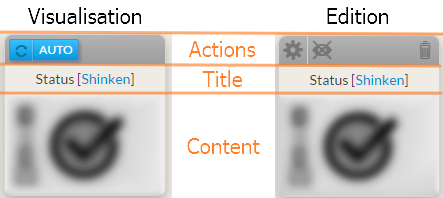
The title section which contains
This field contains:
- the type of widget
- The name of the element use as source data to display the widget content.
The content section is specific to each type of widget
- In Visualization mode
- the user can click inside the title or content section to open the detailed view of the reference element (see Host Detail Panel chapter)
- In Edit mode
- widget can be moved by dragging them
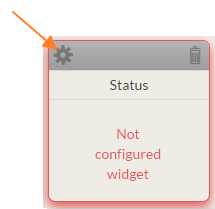
Configuration
...
...
...
...
...
...
...
in chapters describing the widget behaviour.
| Panel |
|---|
|
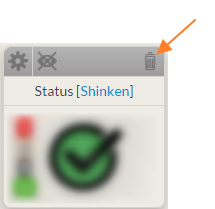
Delete
You can remove the widget by clicking on the garbage can icon.
| Panel |
|---|
|
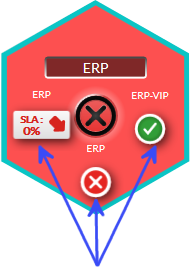
Favorite widget
...
...
...
...
...
So widget state summary will be available in the main hive view.
...
| Panel |
|---|
|
| Panel |
|---|
|
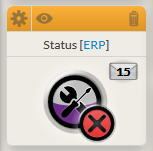
...
...
...
...
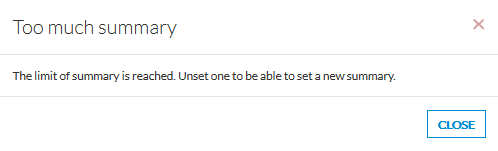
pop-up will be displayed to warn you that setting a new one is impossible.
| Panel |
|---|
 |