...
Shinken Enterprise Daemon roles
This part is analysed described on the daemon page.
The smart and automatic load balancing
...
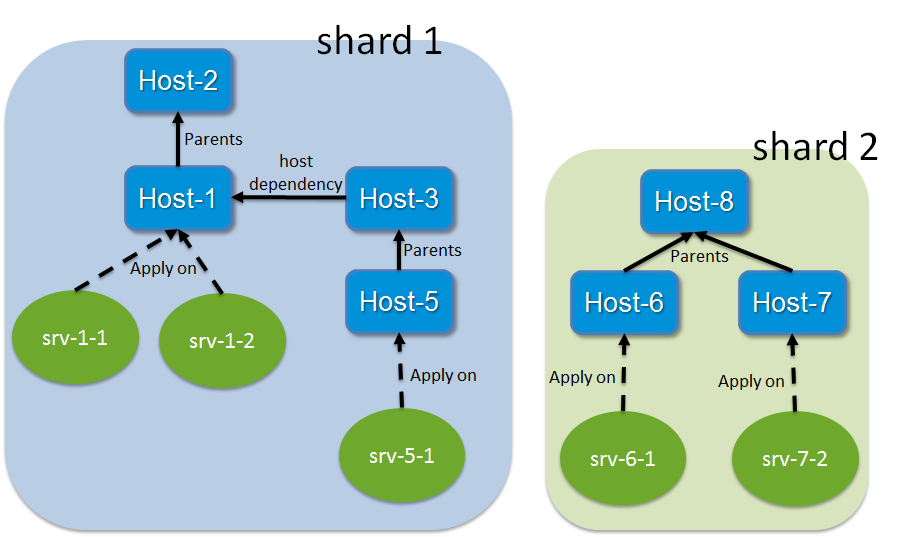
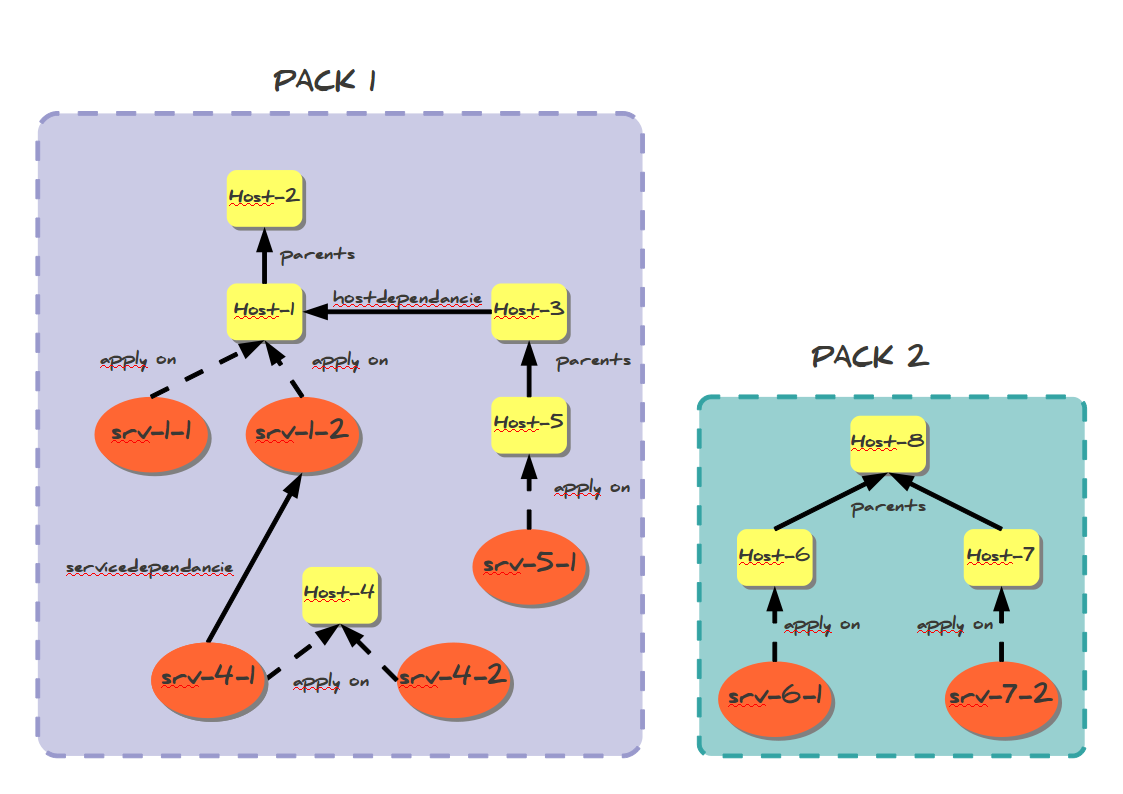
Shinken Enterprise looks at all these relations and creates a graph with it. A graph is a relation shard. This can be illustrated by the following picture :
In this example, we will have two shards:
- shard 1: Host-1 to host-5 and all their checks
...
- shard 2: Host-6 to Host-8 and all their checks
...
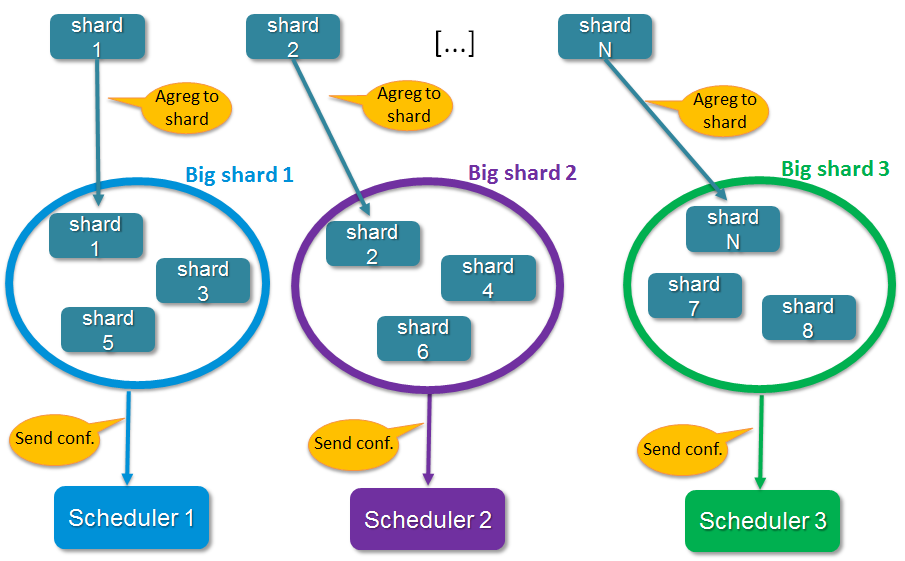
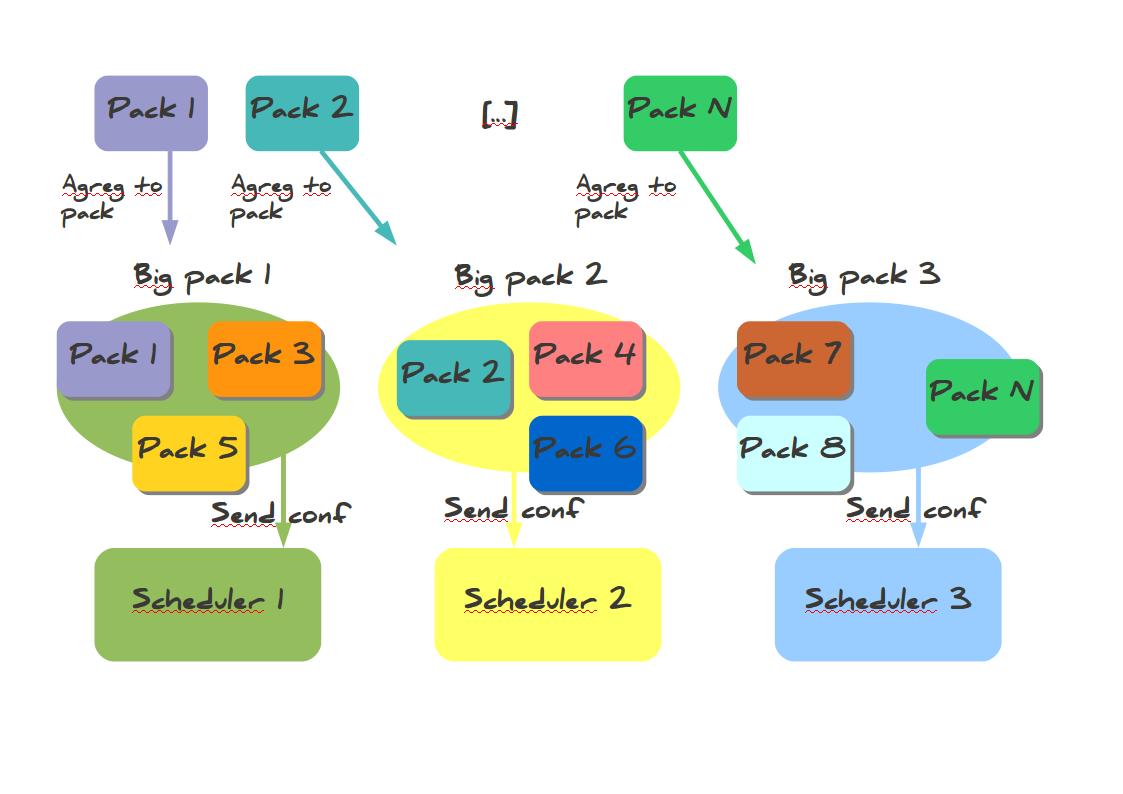
When all relation shards are created, the Arbiter aggregates them into N configurations if the administrator has defined N active schedulers (no spares). shards are aggregated into configurations (it's like "Big shards"). The dispatch looks at the weight property of schedulers: the higher weight a scheduler has, the more shards it will have. This can be shown in the following picture :
The configurations sending to satellites
When all configurations are created, the Arbiter sends them to the N active Schedulers. A Scheduler can start processing checks once it has received and loaded it's configuration without having to wait for all schedulers to be ready(v1.2). For larger configurations, having more than one Scheduler, even on a single server is highly recommended, as they will load their configurations(new or updated) faster. The Arbiter also creates configurations for satellites (pollers, reactionners and brokers) with links to Schedulers so they know where to get jobs to do. After sending the configurations, the Arbiter begins to watch for orders from the users and is responsible for monitoring the availability of the satellites.
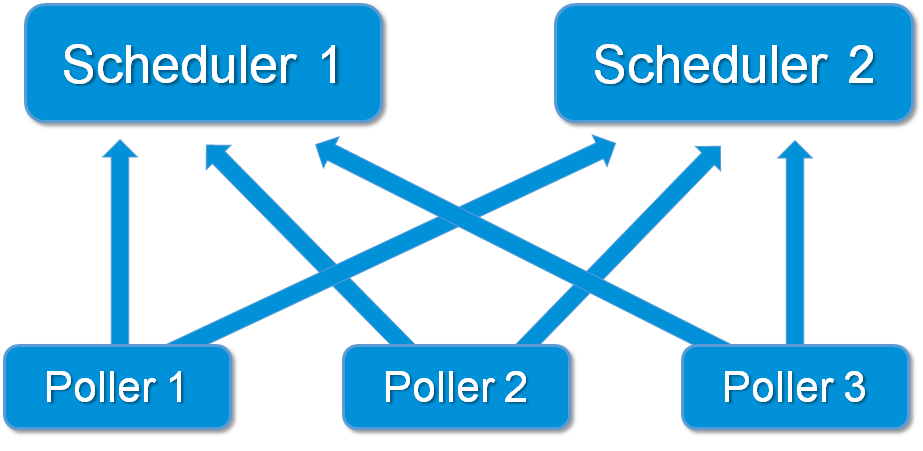
Pollers connections with more than one scheduler
The high availability
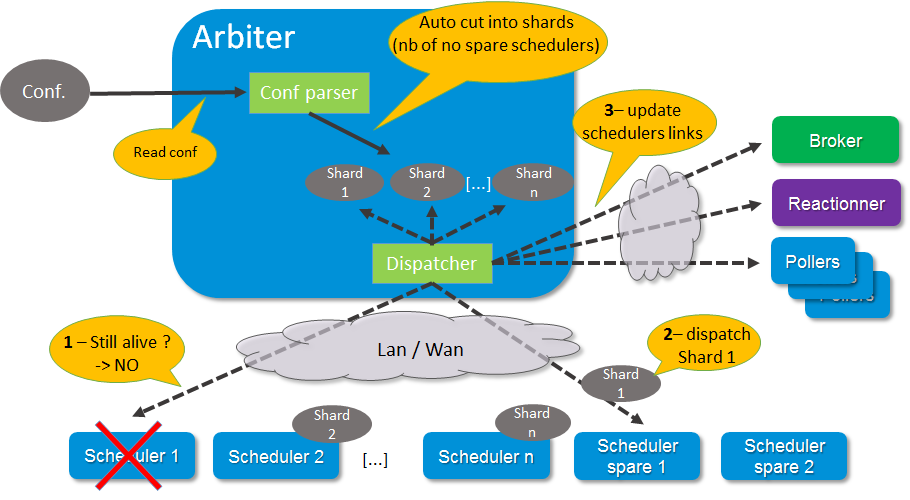
The Shinken Enterprise architecture is a high availability one. Before looking at how this works,let's take a look at how the load balancing works if it's now already done.
...
The availability parameters can be modified from the default settings when using larger configurations as the Schedulers or Brokers can become busy and delay their availability responses. The timers are aggressive by default for smaller installations. See daemon configuration parameters for more information on the three timers involved.
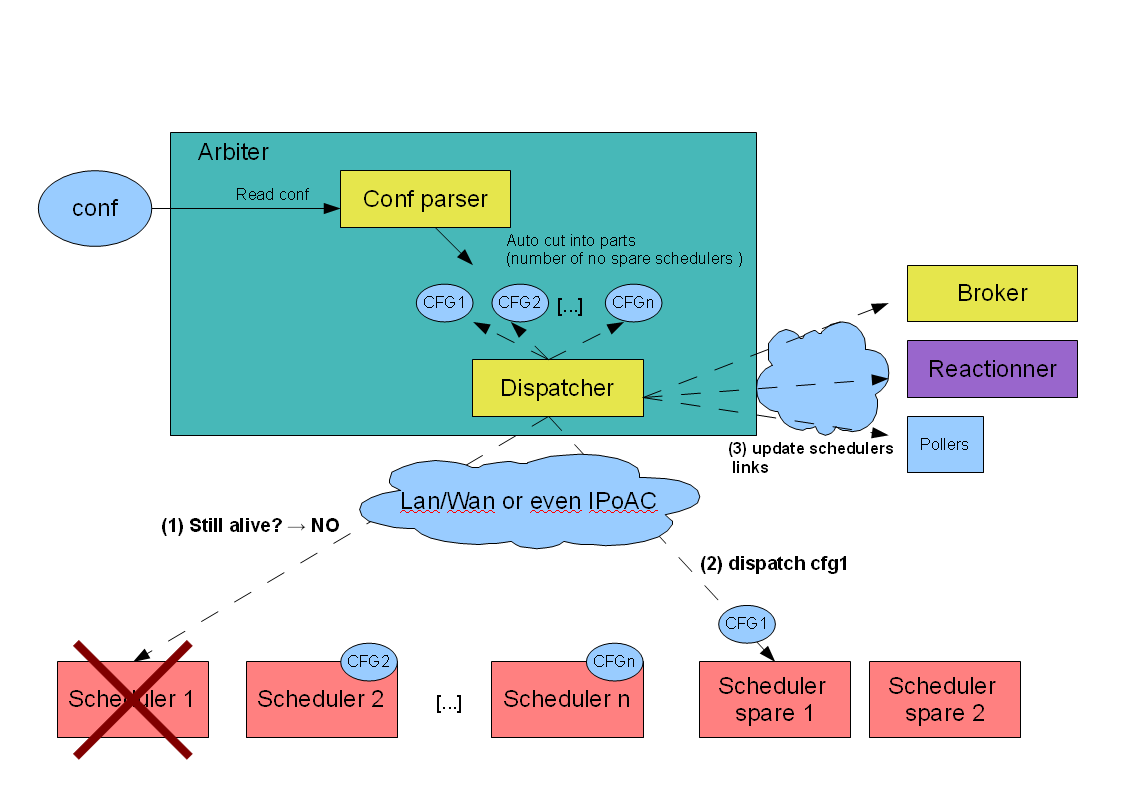
This can be explained by the following picture :
External commands dispatching
...
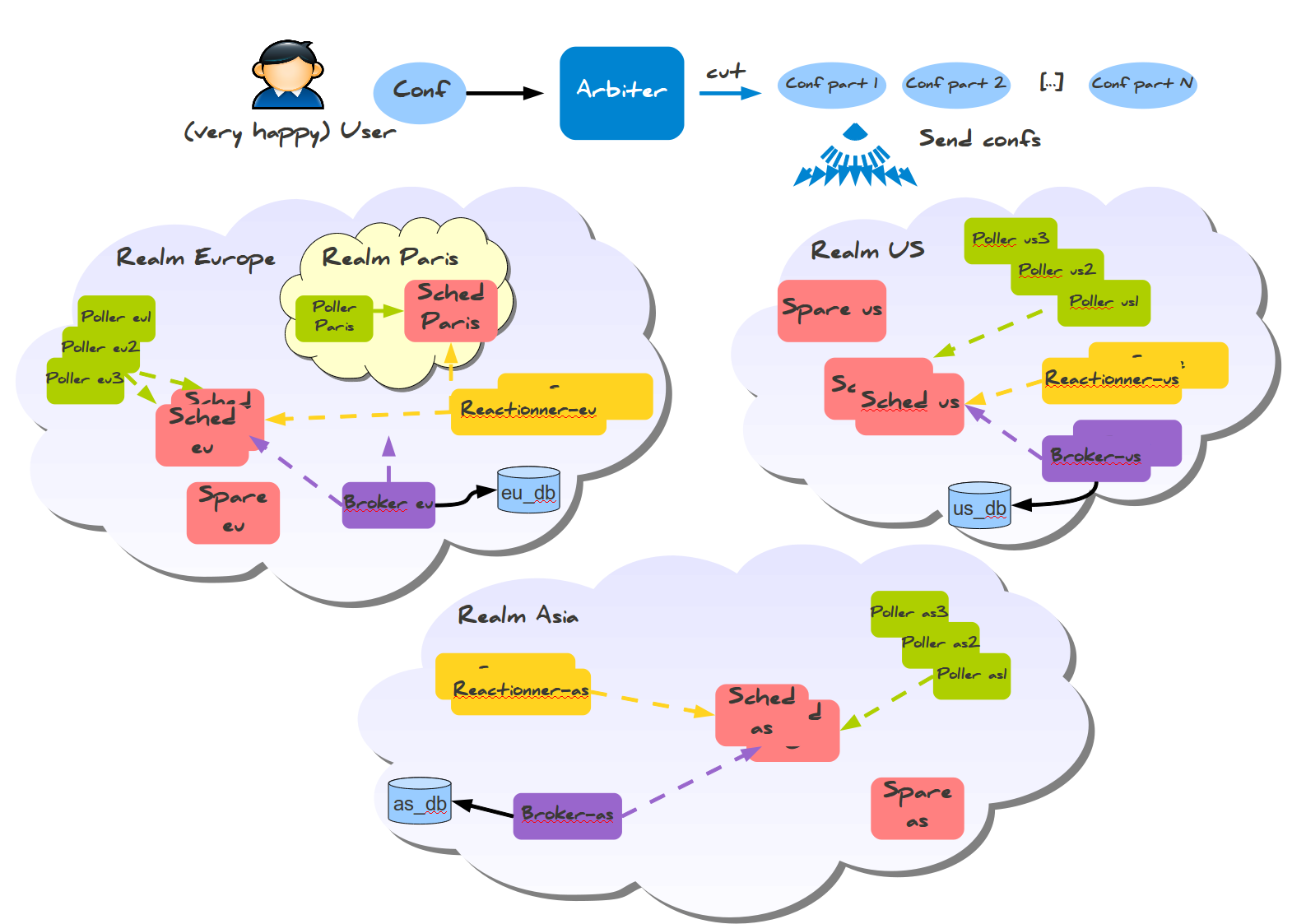
Let's take a look at two distributed environnements. In the first case the administrator wants totally distinct daemons. In the second one he just wants the schedulers/pollers to be distincts, but still have one place to send notifications (reactionners) and one place for database export (broker).
Distincts realms :
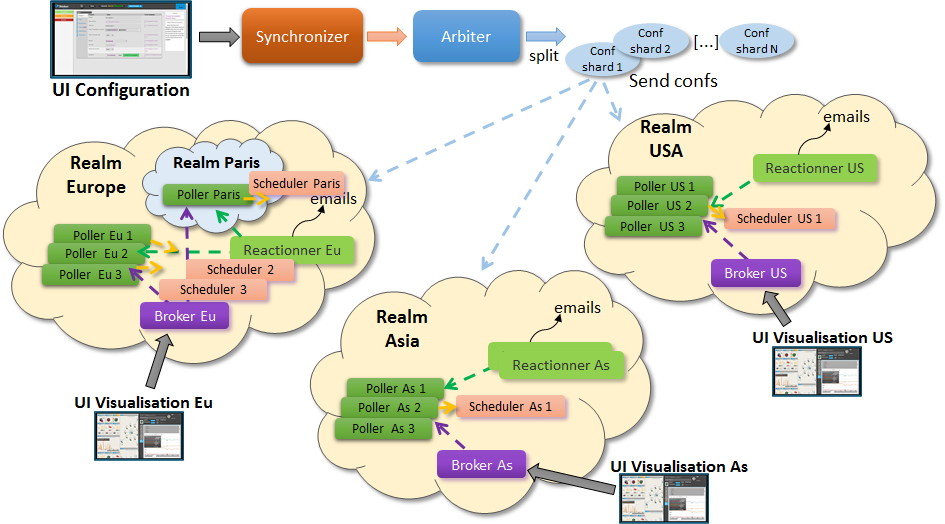
More common usage, the global realm with reactionner/broker, and sub realms with schedulers/pollers:
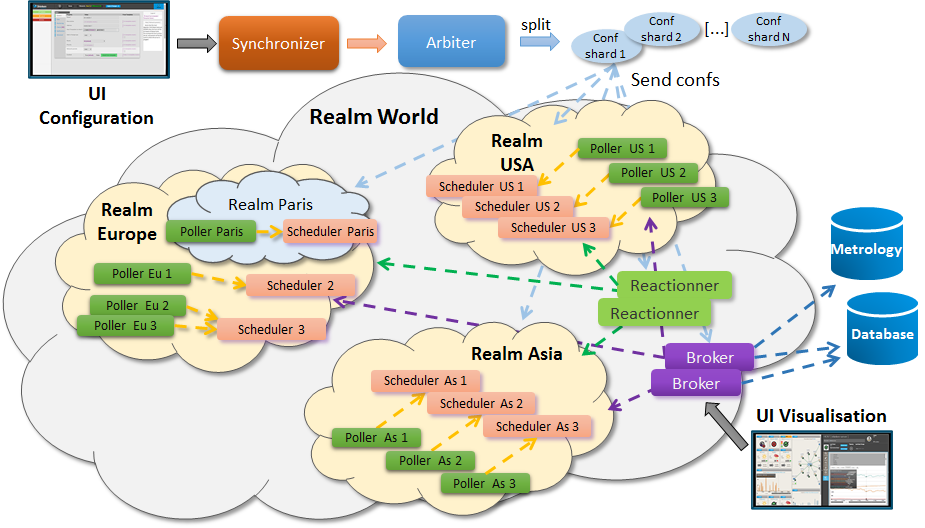
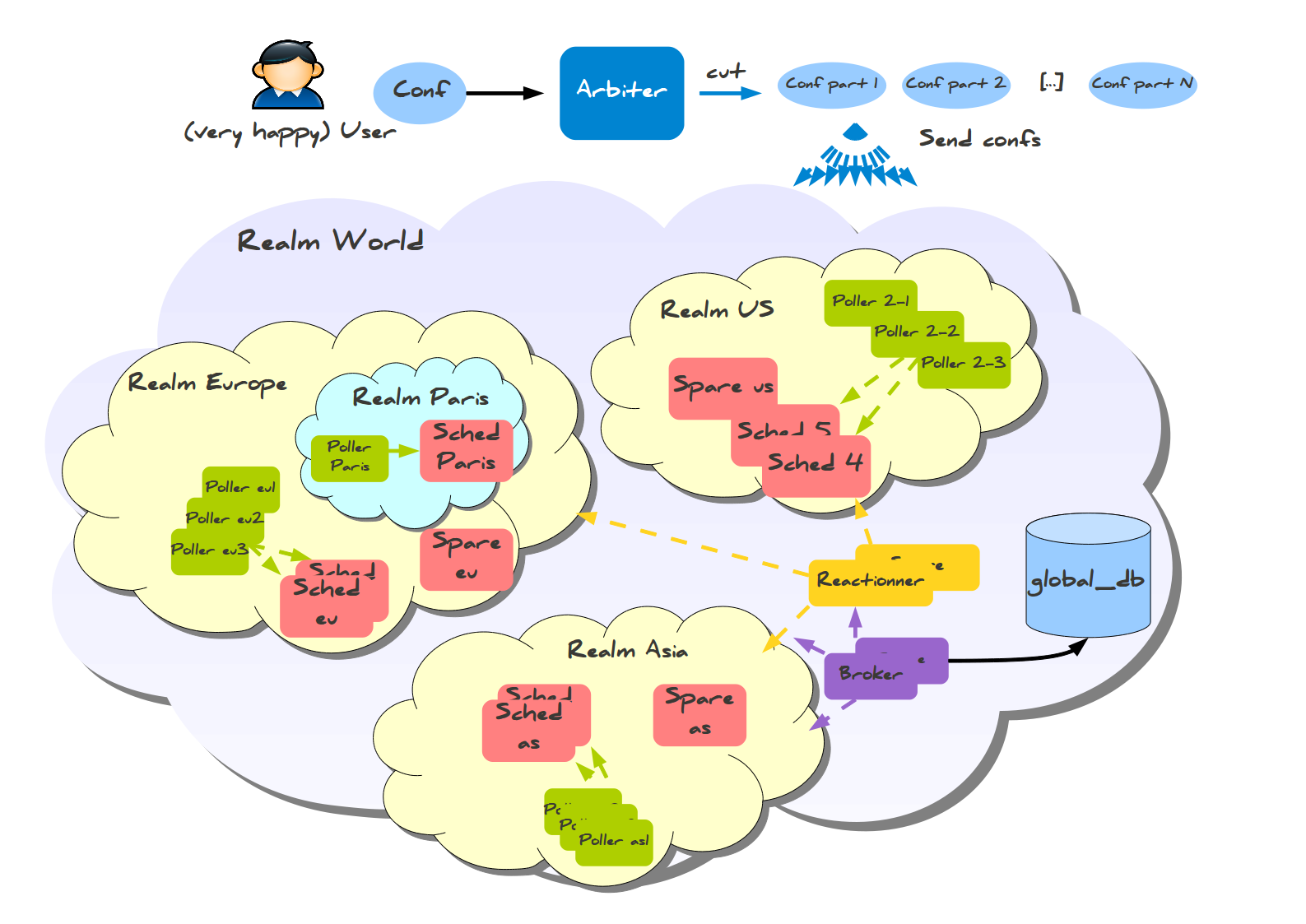
Satellites can be used for their realm or sub realms too. It's just a parameter in the configuration of the element.
...