...
Overview |
Once connected, you will be redirected on the Home page of the Configuration Tool.
It contains an overview of data located in the New and Stagging configuration database.
The page is divided in 3 parts:
Data shown on this page are retreived from Shinken Backend |
loaded. It is |
automaticaly refreshed every 30 seconds.
|
|
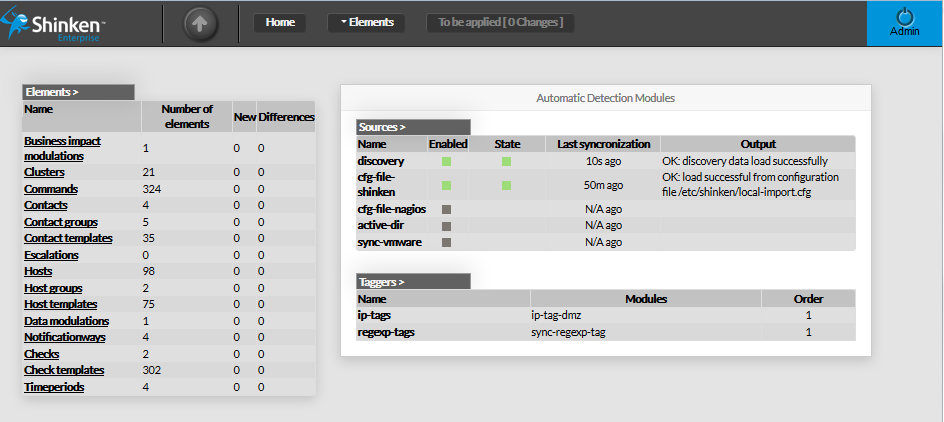
Elements Summary Table | |
| This panel shows a table containing all type of configuration elements. For each type, following values are given :
Each name of list is a link, giving direct access to the configuration | |
|
| |
Automatic Detection Modules | |
This panel shows 2 tables :
|
|
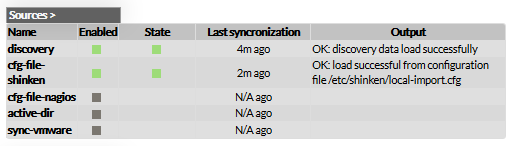
Sources Sources table shows, for each known source:
|
|
| The list of Sources presented in this table depends on the configuration objects inside the directory named "sources".
| |
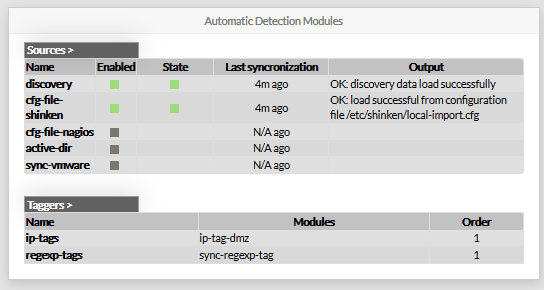
Taggers This table shows all known Taggers:
|
|
| Like other tables of this page, Taggers' name are pointing at the corresponding configuration. | |
