Contexte
Le Pack Shinken est inclus dans votre installation de Shinken Entreprise afin d'avoir une bonne visibilité de la santé de votre architecture de supervision.
Afin de pouvoir superviser les démons de l'architecture, la source cfg-file-shinken comprend un certain nombre de modèles d'hôte qu'il faudra importer et appliquer sur vos serveurs hébergeant vos démons Shinken.
Les différents modèles mis à votre disposition sont les suivants :
- shinken-arbiter
- shinken-broker
- shinken-broker-module-sla
- shinken-poller
- shinken-reactionner
- shinken-receiver
- shinken-scheduler
- shinken-synchronizer
| Panel | ||||
|---|---|---|---|---|
| ||||
|
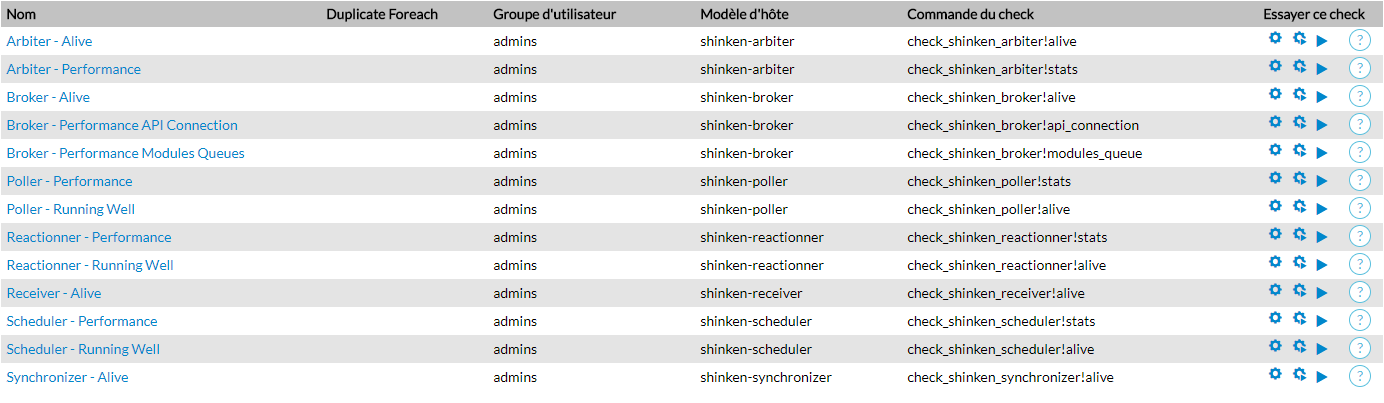
Une fois les modèles appliqués, les checks apparaitront dans l'onglet "Checks" de votre hôte.
Voici un exemple des différents checks du pack Shinken sur un hôte.
| Panel |
|---|
|
Arbiter
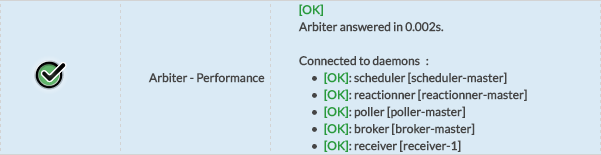
Afin de superviser le démon Arbiter, le modèle shinken-arbiter appliqué à votre hôte, attachera deux checks qui vérifieront la santé et la performance de ce démon.
Checks

Checks settings
Arbiter checks can be configured via datas provided by the template.
The following datas are available for the Arbiter:
Broker
Corresponding host template: shinken-broker
Checks



Check settings
Broker checks can be configured via datas provided by the template.
The following datas are available for the Broker:
Poller
Corresponding host template: shinken-poller
Checks

Check settings
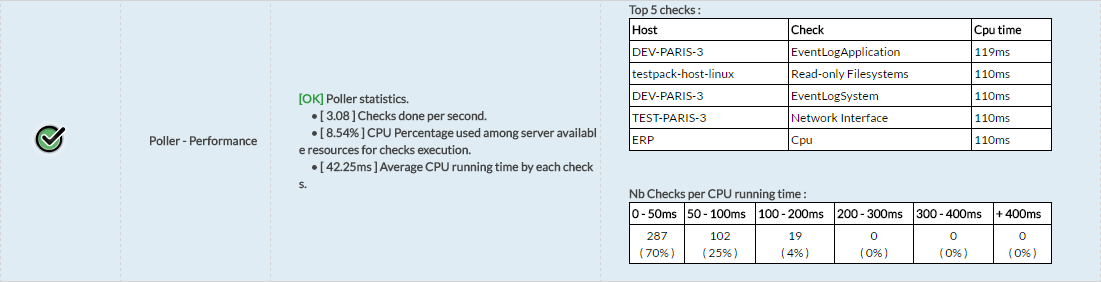
Poller checks can be configured via datas provided by the template.
The following datas are available for the Poller:
Reactionner
Corresponding host template: shinken-reactionner
Checks

Checks settings
Reactionner checks can be configured via datas provided by the template.
The following datas are available for the Reactionner.
Receiver
Corresponding host template: shinken-receiver
Checks


Check settings
Receiver checks can be configured via datas provided by the template.
The following datas are available for the Receiver:
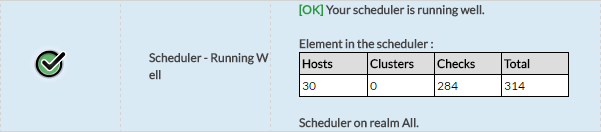
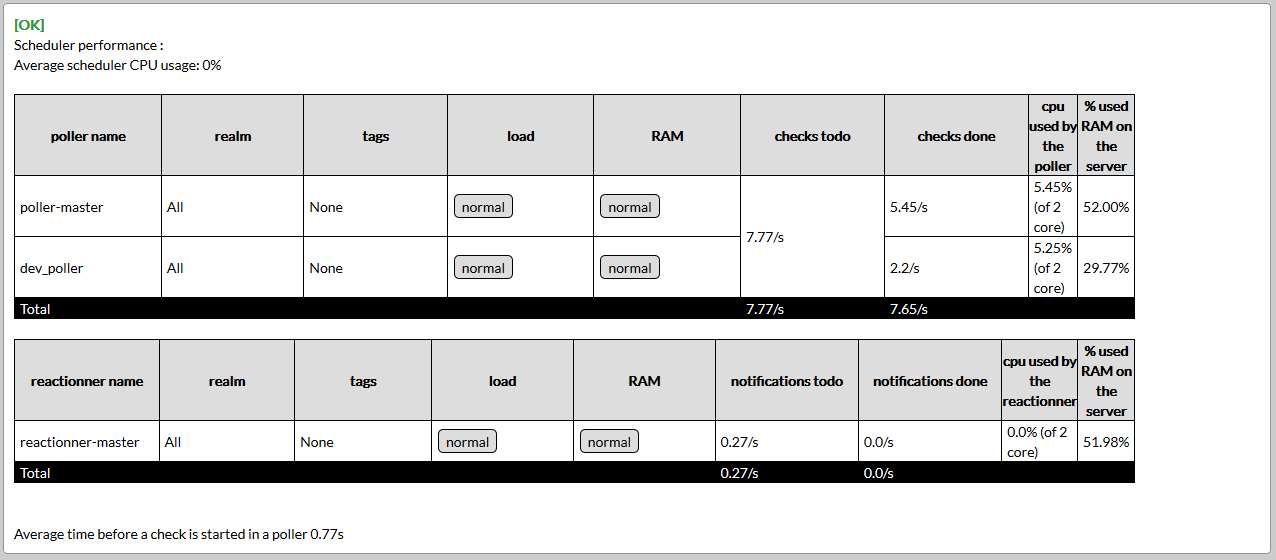
Scheduler
Corresponding host template: shinken-scheduler
Checks
Cas particuliers
Détection de la haute disponibilité
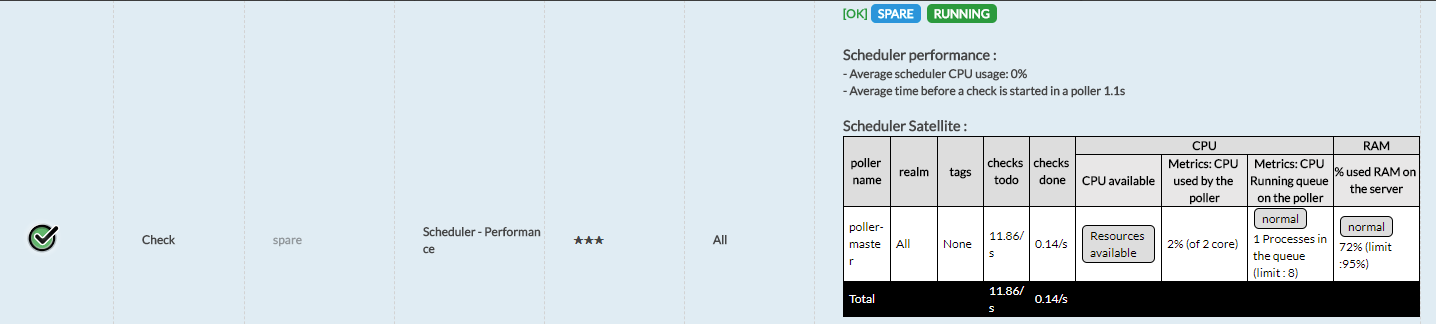
Les modèles d'hôte du pack Shinken permettent de détecter les environnements distribués avec des démons configurés en Spare.
Dans le cas ou un démon est spare, une pastille bleue "SPARE" est affichée a coté du statut de la vérification:
| Panel |
|---|
|

Lorsqu'un Spare prend le relais, une pastille "RUNNING" est rajoutée à la mention "SPARE" :
| Panel |
|---|
|
Détection d'erreurs de communication entre démons
Les checks du pack Shinken ont la capacité de détecter les problèmes de communication entre les démons.
En effet, si le démon supervisé lance un appel (API) et qu'il échoue, alors l'erreur sera écrite dans les logs de ce démon (Les fichiers Logs) et un Warning sera remonté :
| Panel |
|---|
|

La vérification se base sur les dernières 24h. Si toutes les communications aboutissent correctement durant les dernières 24h, le message disparaîtra et vous retrouverez un état OK.
| Info |
|---|
Les erreurs de communication peuvent ne pas être graves et ne pas avoir d'incidence sur votre architecture Shinken. Cependant, si vous recevez des erreurs et que vous avez des doutes sur l'origine de ces problèmes de communication, par prévention, envoyez nous votre log pour analyse. |
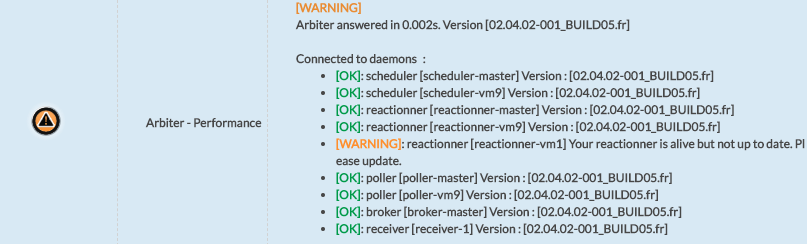
Détection des différences de versions
Les checks du pack Shinken sont également capables de détecter des différences de version entres les démons, et d'afficher l'information dans le retour du check.
Par exemple ici le retour du check "Arbiter - Performance" :
| Panel |
|---|
|
Par exemple ici le retour du check "Scheduler - Performance", indiquant une différence de version avec un Poller :
| Panel |
|---|
|
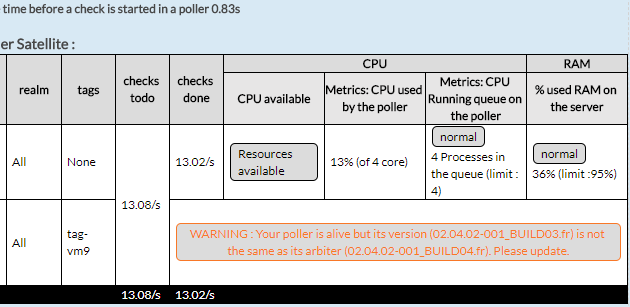
Détection du mode Passif des démons Poller et Reactionner
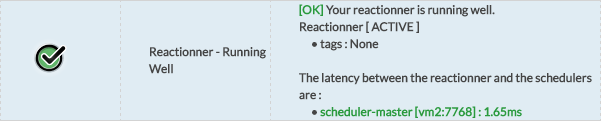
Les checks "Poller - Running Well" et "Reactionner - Running Well" du pack Shinken permettent de détecter et donc afficher si un démon est en mode passif.
Voici un exemple avec le check du Reactionner :
| Panel |
|---|
|

Check settings
Scheduler checks can be configured via datas provided by the template. SSH parameters are fully described in Rétention Mongodb
The following datas are available for the Scheduler:
Synchronizer
Corresponding host template: shinken-synchronizer
Checks


Check settings
Synchronizer checks can be configured via datas provided by the template. SSH parameters are fully described in Rétention Mongodb
The following datas are available for the Synchronizer:
7765