Comment
Pour créer un nouveau Check, utilisez le bouton "ajouter un nouveau [Check]" situé dans la barre d'action
Le formulaire de création du check apparaîtra
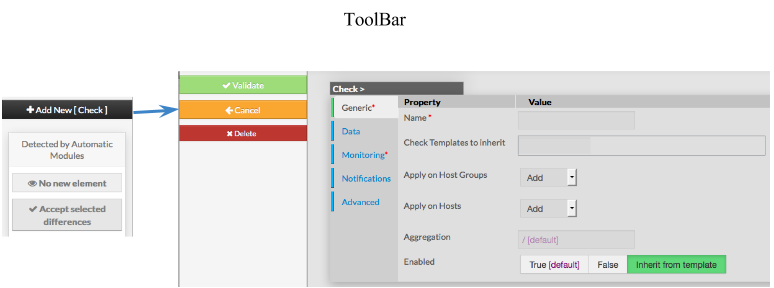
Ce formulaire est composé d'onglets correspondant aux propriétés suivantes :
Générique
Données
Supervision
Notifications
Avancé
Pour chaque catégorie, une page correspondante s'affichera .
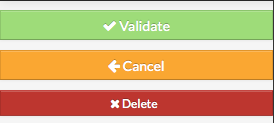
Le menu à gauche permet de :
- Valider un nouveau check
- Supprimer l'action
- Supprimer le check
Générique
Les propriétés générique contiennent les propriétés nécessaires à minima pour créer un hôte :
- Nom
le nom du check
ce champs est obligatoire
- Templates d'hôte à hériter
- liste des templates dont doit hériter le nouvel hôte
- le nom des templates est proposé en commençant à remplir le champs
- Appliquer sur les groupes d'hôtes
- liste des groupes d'hôtes sur lequel le check doit s'appliquer
- on peut sélectionner plus d'un groupe
- Appliquer sur les hôtes
- liste des groupes d'hôtes sur lequel le check doit s'appliquer
- on peut sélectionner plus d'un hôte
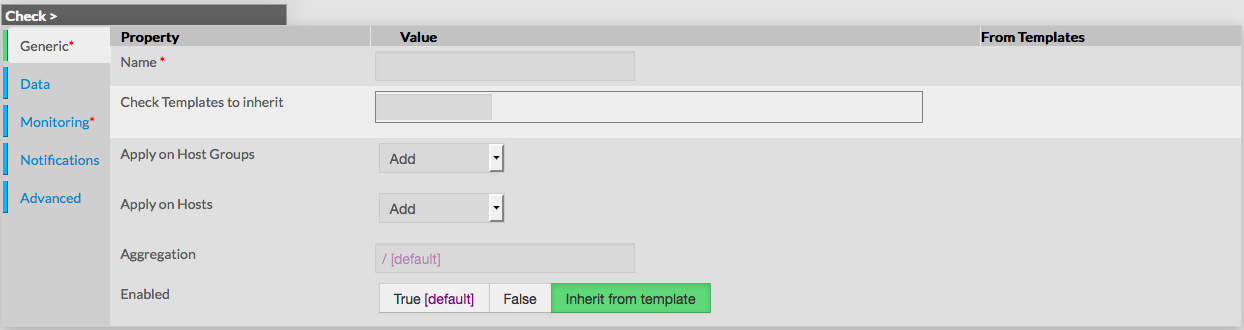
- Agrégation
- Chemin pour placer le check dans l'arbre de l'interface de visualisation
- Activé
- cette propriété détermine si le check sera utilisé
- un check sésactivé est toujours présent dans la configuration, mais n'est pas planifié pour être appliqué et n'est pas visible dans l'UI
- par défaut, la valeur du template est utilisée
Données
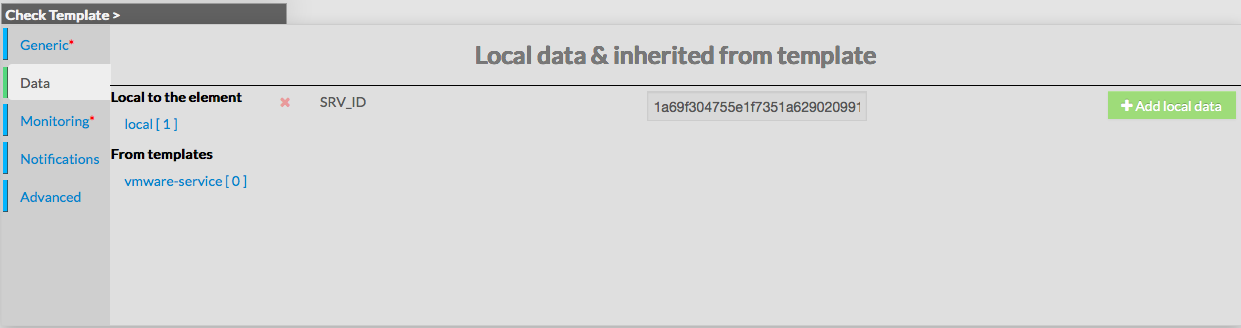
Data is used to show and create variables used by Shinken to perform checks.
Those values are also called Macros.
As shown on the picture, when creating a new check, no data are available,
even if the new check inherit from Template
To see data that will be applied to check, it is necessary to first validate the new check,
and come back to its configuration.
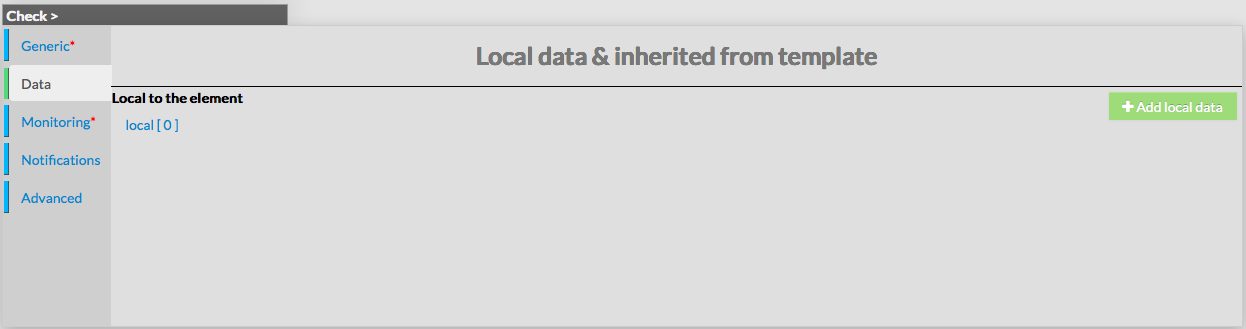
Data are displayed in two sections :
- Local : data for this check only (custom data)
- From Templates : data inherited from one or more templates
Data from templates are seperated by template names.
This allow Administrators to see what and where data have been get.
Data are represented by a Key and a Value.
When data are local, both of them can be modified.
When data are inherited, only values can be modified.
Monitoring
Monitoring is defined by the following properties :
- Maintenance Period
- defines a reccuring downtime for the check. During the selected period, no notifications are sent
- value is taken from the list of Time Periods
- value is none per default, which means no downtime for the check
- Check Period
- defines the period on which check will be executed
- field is a list of values, corresponding to timeperiods defined in Time Periods
- value is taken from templates if any, or default value is filled
- Check Command
- defines the short name of the command used to execute the check
- field is a list of choices, defined by the Commands configuration
- value is taken from templates if any, or default value is filled
- Args
- used to pass arguments to the Check Command
- by default this value is empty
- Max Check Attemps
- defines the number of failed check attempt before declaring the check as critical
- value is taken from templates if any, or default value is filled
- Check Interval
- defines the number of minutes between two execution of the check
- value is taken from templates if any, or default value is filled
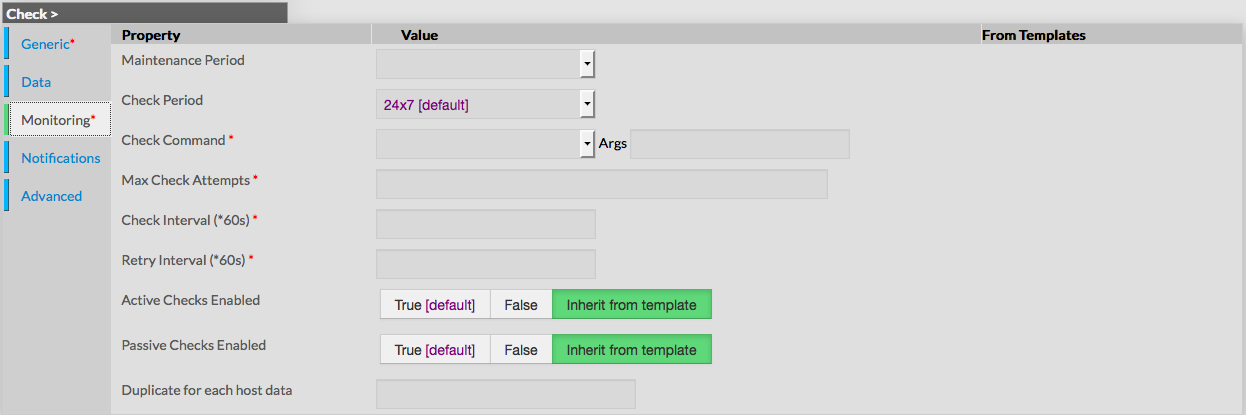
- Retry Interval
- defines the number of minutes before scheduling a re-check
if the last one returned a non-OK state - value is taken from templates if any, or default value is filled
- defines the number of minutes before scheduling a re-check
- Active Checks Enabled
- defines if scheduled will be enabled or not for this check
- value is taken from templates if any, or default value is filled
- Passive Checks Enabled
- defines if passive value will be enabled or not
- value is taken from templates if any, or default value is filled
- Duplicate for each host data
- used to generate many instances of the checks,
based on a list of Values from DATA - the value must be an existing KEY of DATA,
registered on one or more host the check applies on - value is empty by default
- used to generate many instances of the checks,
Notifications
Notification is a form displaying all required fields to configure notifications properties :
- Notification Enabled
- used to enable or disable notifications for the check
- value is taken from templates if any, or enabled by default
- Contacts
- multi-value field, used to define contacts to notify
- values are taken from Contact Configuration, displayed as a list of name
- value is taken from templates if any, or none by default
- Contact Groups
- multi-value field, used to define contact groups to notify
- values are taken from Contact Group Configuration, displayed as a list of name
- value is taken from templates if any, or default value is provided
- Notification Interval
- used to set the number of minutes before re-notifying contacts
- value is taken from templates if any, or default value is provided
- Notification Period
- directive used to specify the time period during notifications will be sent
- list of value corresponds to Time Periods defined
- value is taken from templates if any, or default value is provided
- Notification Options
- list of flags, used to dertmine what state should generate a notification
- field is a list of values seperated by a comma :
- w : warning
- c : critical
- u : unknown
- r : recovery
- f : flapping
- s : scheduled downtime
- n : none
- list of value is taken from templates if any, or default value is provided (c,w,u,r,f)
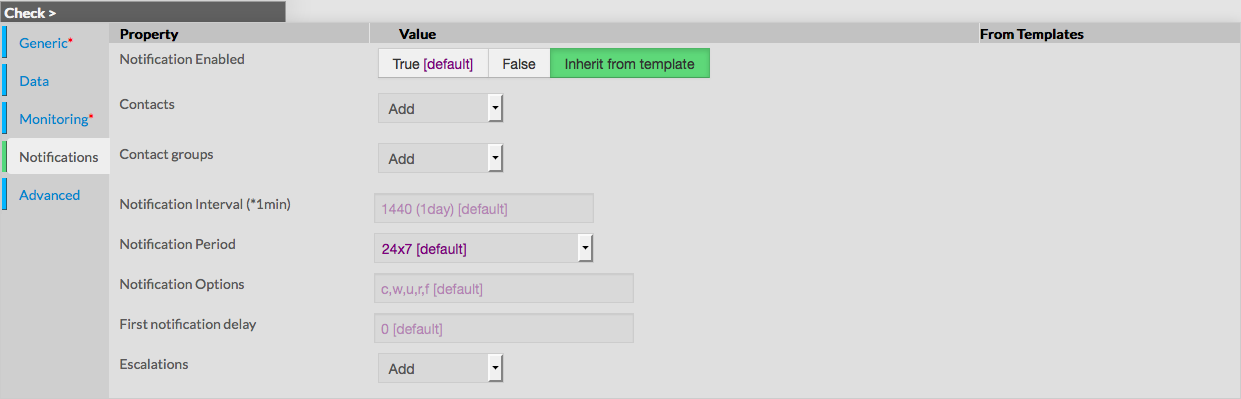
- First notification delay
- number of minutes, used to set the delay before sending a notification
- if 0 is provided, notifications are sent immediatly for the check
- value is taken from templates if any, or default value is provided
- Escalations
- multi values field, used to set escalations object on the check
- list of values is taken from Escalation Configuration
- value is taken from templates if any, or default value is provided
Advanced
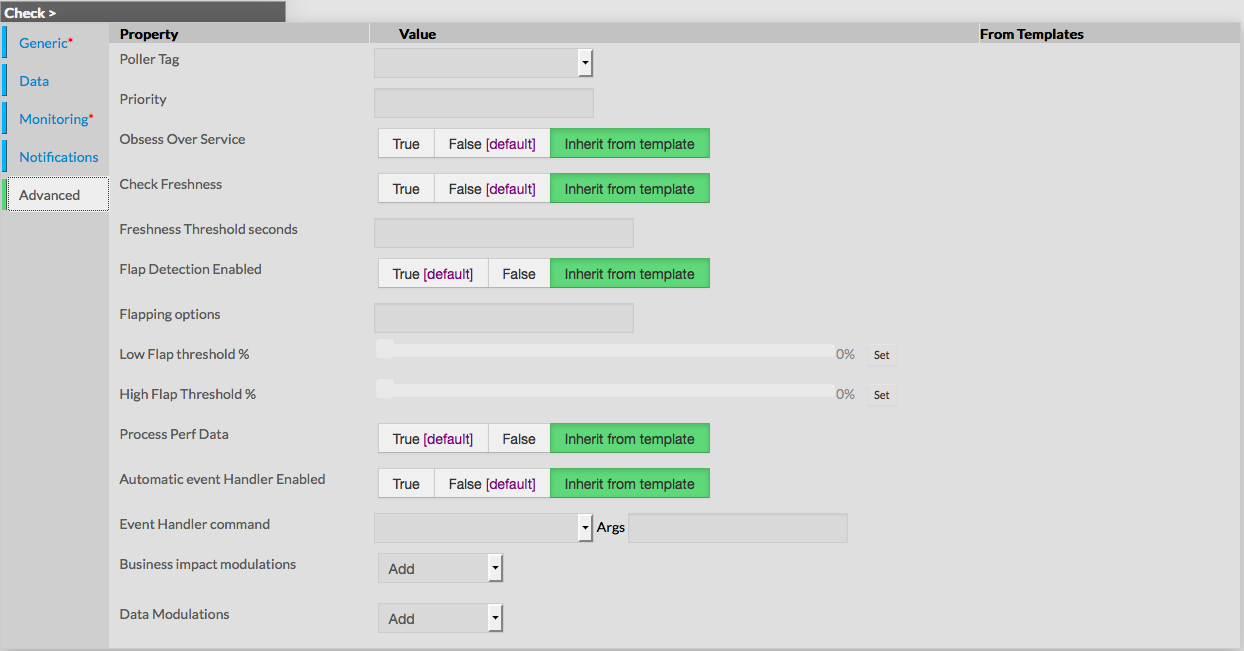
Advanced form is used to set advanced features of monitoring.
Following values can be set :
- Poller Tag
- this field provides a list of Pollers configured (see Define new pollers)
- only one value can be provided
- value is taken from templates if any, or default value is provided
- Priroty
- the priority is a feature used to show the criticality level of checks, taking value from 1 to 6
- there is no impact on check method or notifications
- by default, level of Check Template is used
- Obsess Over Service
- used to determine if check will be obsessed or not
- useful to launch a command after every completed check, using the oscp
- Check Freshness
- used to determine if freshness must be enabled or disabled
- value is taken from templates if any, or default value is provided
- Freshness Threshold
- used to set the freshness threshold, in seconds
- if 0 is provide das value, Shinken will try to set it automaticaly
- value is taken from templates if any, or default value is provided
- Process Perf Data
- used to enable or disable the Perf Data Process for the check
- value is taken from templates if any, or default value is provided
- Flap Detection Enabled
- used to enable or disable the flap detection for the check
- value is taken from templates if any, or default value is provided
- Flapping Options
- used to determine what host states should be used to detect flapping
- value is a list of comma seperated flags, making a combination of following values :
- o : OK
- c : CRITICAL
- w : WARNING
- u : UNKNOWN
- Check Freshness
- used to determine if freshness must be enabled or disabled
- value is taken from templates if any, or default value is provided
- Freshness Threshold
- used to set the freshness threshold, in seconds
- if 0 is provide das value, Shinken will try to set it automaticaly
- value is taken from templates if any, or default value is provided
- Process Perf Data
- used to enable or disable the Perf Data Process for the check
- value is taken from templates if any, or default value is provided
- Flap Detection Enabled
- used to enable or disable the flap detection for the check
- value is taken from templates if any, or default value is provided
- Flapping Options
- used to determine what host states should be used
to detect flapping - value is a list of comma seperated flags,
making a combination of following values :- o : OK
- c : CRITICAL
- w : WARNING
- u : UNKNOWN
- value is taken from templates if any, or default value is provided
- used to determine what host states should be used
- Low Flap
- percentage used to determine the low state threshold
for the flap detection calculation - value is set using an horizontal cursor
- if value of 0 is provided, the global threshold will be used
- default value is 0
- percentage used to determine the low state threshold
- High Flap
- percentage used to determine the high state threshold
for the flap detection calculation - value is set using an horizontal cursor
- if value of 0 is provided, the global threshold will be used
- default value is 0
- percentage used to determine the high state threshold
- Automatic Event Handler
- value used to determine if event handler is enabled or disabled
- value is taken from templates if any, or default value is provided
- Event Handler command
- used to set the command that should be run
when a change of state is detected - field is a list of Commands configured
- Args can be provided to the selected command
- value is taken from templates if any, or default value is provided
- used to set the command that should be run
- Business impact modulations
- used to set modulation using Bussiness Impact Modulation objects
- the field is a list of Bussiness Impact Modulation objects
- value is taken from templates if any, or default value is provided
- Data modulations
- used to set a modulation of macro values,
giving possibility to set different threshold based on time period - the field is a list of Data Modulation
- value is taken from templates if any, or default value is provided
- used to set a modulation of macro values,