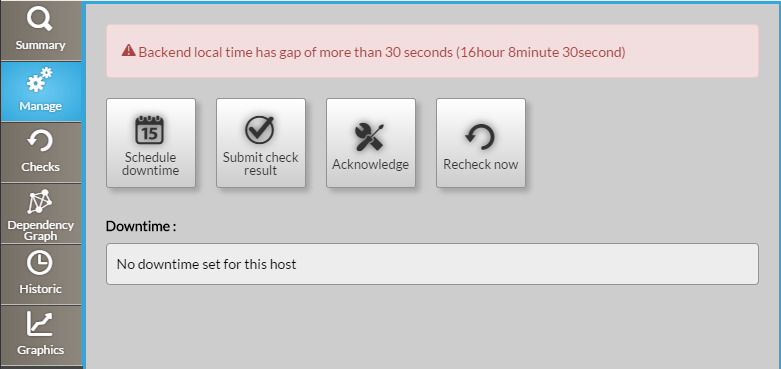
The manage tab is split in 2 rows :
An error could be displayed if the backend server has a gap of more than 30 seconds with the client.
The form presents two calendars and two hour selectors, you have to defines a Start and a End for the downtime period.
A comment can be written to precise to other users the reason of the downtime. | 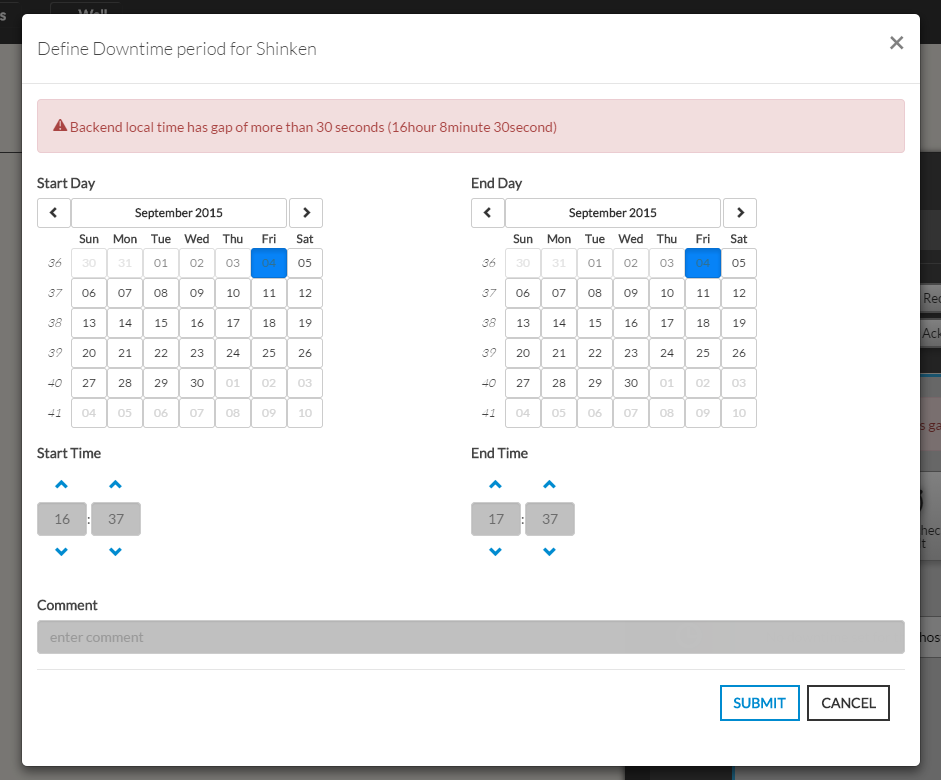 |
|---|
You have to select a status and give an output. On submit, the element status will update with your selection and the new output will be displayed in the Summary tab.
The new "forced" status will be valid until the next check. | 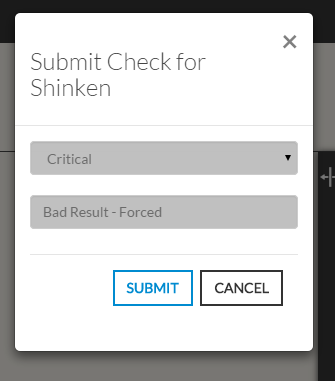 |
|---|
If no downtime for the host, the list is empty (like the first image in 'overview'), else a list of scheduled downtimes is shown:
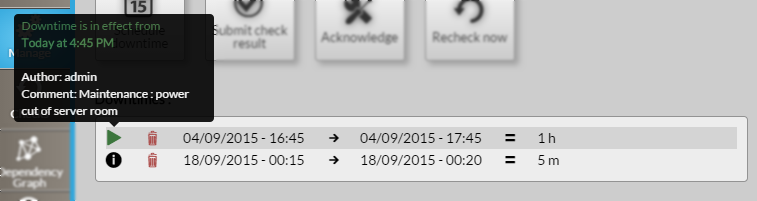
For each downtime in list : Start Date/Time → End Date/Time = Duration
The first icon  , on hover, shows the author of the downtime and the comment given (like explained in "Action Buttons : Schedule downtime").
 icon (like shown in this picture, in green).
To delete a downtime, you just have to click on bin icon  in the desired downtime row.