Description
Shows only ROOTS problems in a list that are linked to an element.
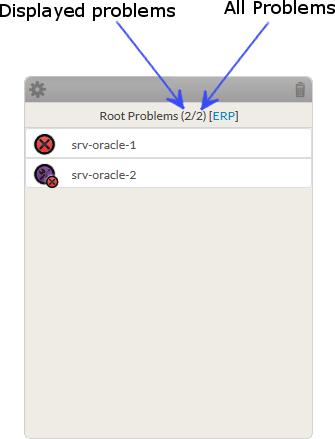
In the exemple, 2 hosts are roots problem of ERP.
- So first select the element via the configuration window
- Then will be displayed all elements that prevent the element to run correctly.
- The title indicates:
- the number of displayed problems.
- the number of problems of the element.
- the name of the reference element
- The content is a list of each root problems element. Each line contains:
|  |
Configuration
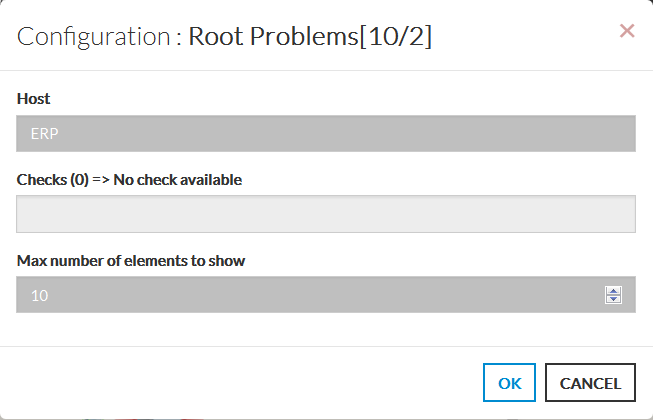
- Open the configuration box.
- Type the host or cluster name in the edit field under Host.
- The total number of host and cluster will be displayed near host (119 in our exemple).
- It will automatically show the list of available hosts.
- If you type characters, the list will be automatically filtered.
- As soon as you have typed 1 letter, a matching list of checks will be displayed below.
- Once your element is selected, if you want to monitor a specific check,
you just have to type check name inside this second box.- All element listed will be only appear if they impact the check.
- You can set the max number of elements displayed in the list
- When configured, press the OK button.
|  |