Overview
When accessing the Hosts Configuration Page, Administrators see an Host Table, listing all Hosts objects. This table contains following informations :
| 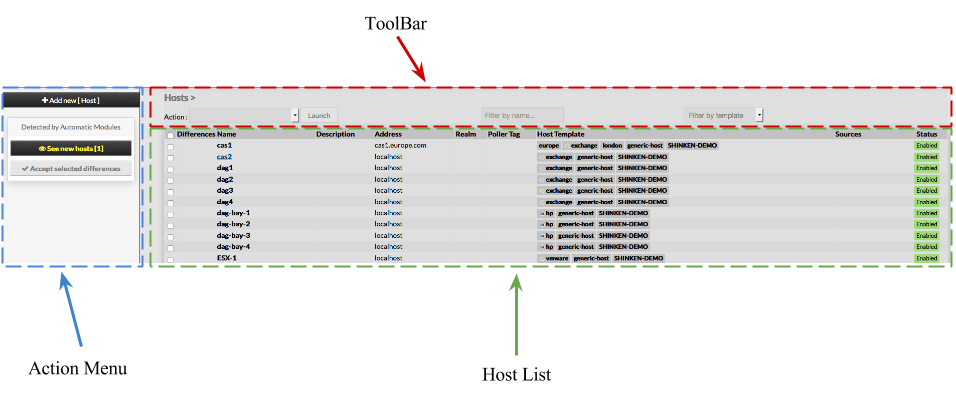 |
This page also provides, on the left, an action Menu, used to :
| |
On the top of the table, A tool bar let Administrators the ability to :
|
Create a new Host
To create a new Host, use the button "Add new Host