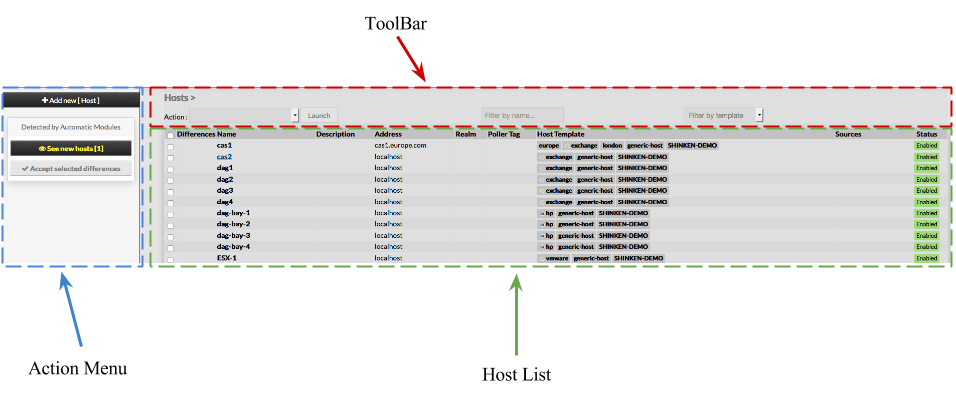
Host creation form will be displayed. This form is composed of tabs, corresponding to categories of properties : Generic Data Monitoring Checks Notifications Advanced
For each category, a corresponding form is displayed. | 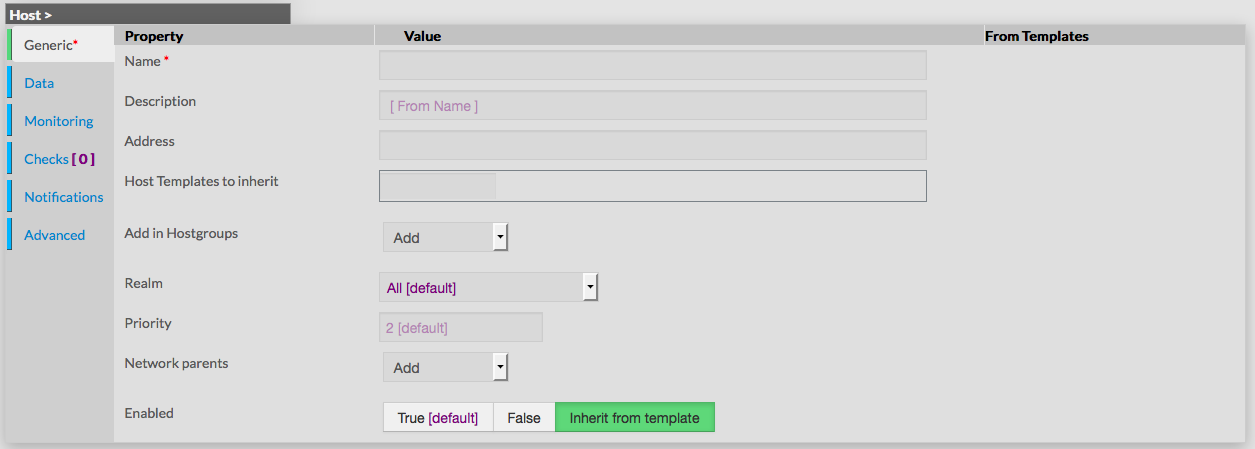 |
GenericGeneric properties contains the minimum properties requiered to create an Host : - Name
the name of the Host this field is requiered
- Description
- extended description, displayed in Host Widget
- Name is used if nothing is filled
- Address
- address used to join the host on the network
- can be an IP Address, or a resolvable hostname (Short or FQDN)
- Host Templates to inherit
- list of templates the new host should herit to
- templates name are suggested when starting to fill the field
- Add in Hostgroups
- a list of available Hostgroups the new host should be in
- more than one hostgroup can be selected
- Realm
- realm from which the host should be monitored
- only one choice can be made
- Priroty
- the priority is a feature used to show the criticality level of hosts
- there is no impact on check method or notifications
- by default, level of Host Template is used
- Networks parents
- this field is used to determine hosts located between poller and the new Host
- filling this property helps in problem resolution, and in impact calculation
- Enabled
- this property determines if the host will be used or not by Shinken
- a disabled host is still present in configuration, but is not scheduled, and is not visible on the WebUI
- by default, the value is inherited by the template
DataMonitoringChecksNotificationsAdvanced |  |