List
In a Dashboard, you can use the following list of widgets in Shinken Enterprise :
- Status,
- SLA (Service Level Aggrement)
- Dependency Graph,
- Root problems,
- Graphs,
- Web Page,
- 360
Overview
Widgets are included in a dashboard. They have a different behaviour if the dashboard is in visualisation or edit mode (see Dashboard chapter).
All widgets are composed of 3 parts:
- Action bar:
- In visualisation mode, only the refresh button is valid.
- In Edition mode, the refresh button is replaced by action button (configuration, delete and set favorite only for status and SLA widgets)
- The title section which contains:
- the type of widget
- The name of the element use as source data to display the widget content.
- The content section is specific to each type of widget.
In visualisation, the user can click inside the title or content section to open the detailed view of the reference element (see Host Detail Panel chapter)
When a dashbord is in Edit mode, widget can be moved by dragging them.
Configuration
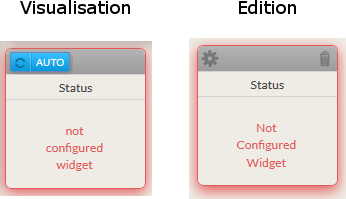
Each widget which is added to a dashboard needs to be configured in order to display what you need.
It will be easy to locate un-configured widget:
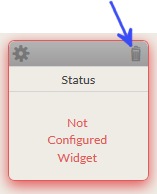
- they are surrounded by a red shadow.
- The text "Not Configured Widget" is displayed inside.
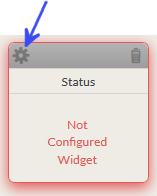
Enter in Dashboard configuration mode and click on the wheel icon (in the top left corner of the widget box) to open the configuration pop-up.
Configuration options are différents per widget and will be detailed in each chapter describing the widget behaviour.
Delete
You can remove the widget by clicking on the garbage icon.
Favorite widget
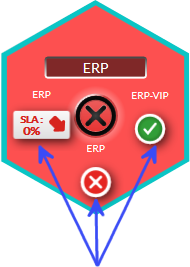
In the hive, the tile status is determined by up to 3 favorite widget. The summary of these 3 widgets is displayed around the status.
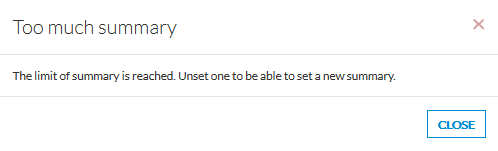
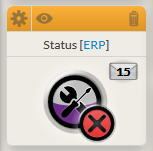
You can select up to 3 widgets as favorite by clicking on the eye icon in the widget (in top left corner of a widget box in edit mode).
Only 2 widgets can be set as favorite :
- Status
- SLA
Once set as favorite, the header is orange and the eye icon is displayed.