You will find in this directory, a log file for each Shinken daemon :
and an other more global :
Note : there is a daily rotation of log files (for X days by default but you can edit this in configuration ?).
Those files are also in this directory and they are suffixed with a date like this : arbiterd.log.2015-09-02
To launch Shinken in debug mode :
service shinken -d [debug level] restart
or (only one)
service shinken-[daemon name] -d [debug level] restart
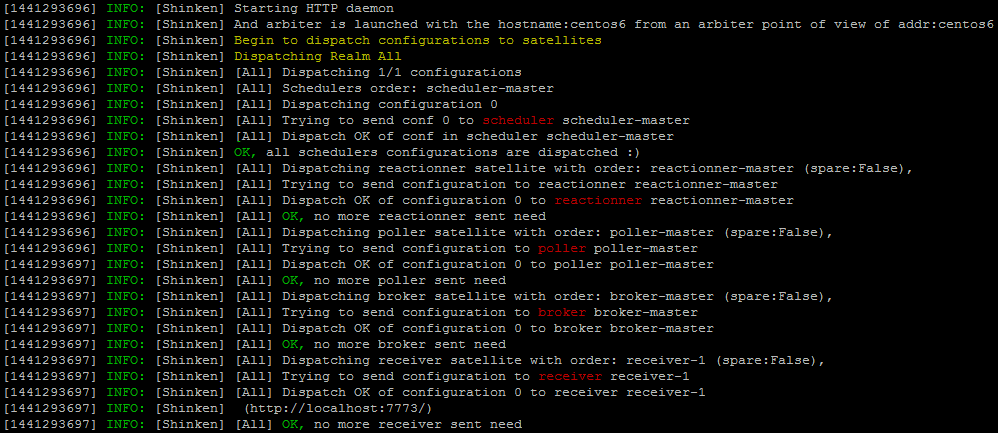
In this one, you will find all events about your Shinken Architecture, because the arbiter daemon is used to check and dispatch configuration to the others daemons ( but not the Synchronizer ).
In error case :

Very useful in complex architecture with spare daemons where you will see here high availability events.
In this one, you will find all events about data management, because the broker daemon is used to export and manage data ( from schedulers ), for example, making those logs files ( and rotation ).
In this one, you will find all events about checks plugins, because the poller daemon is used to launch checks and return results to the schedulers.
In this one, you will find all events about communication ( mail, RSS, ... ) , because the reactionner daemon is used to issue notifications and launch event_handlers.
In this one, you will find all events about passive checks, because the receiver daemon is used to receives passive check data and serves as a distributed passive command buffer that will be read by the arbiter daemon.
In this one, you will find all events about checks (dispatch, returns, ...), because the scheduler daemon is used to manage the dispatching of checks and actions to the poller and reactionner daemons respectively.
You will see for example all checks returns :
