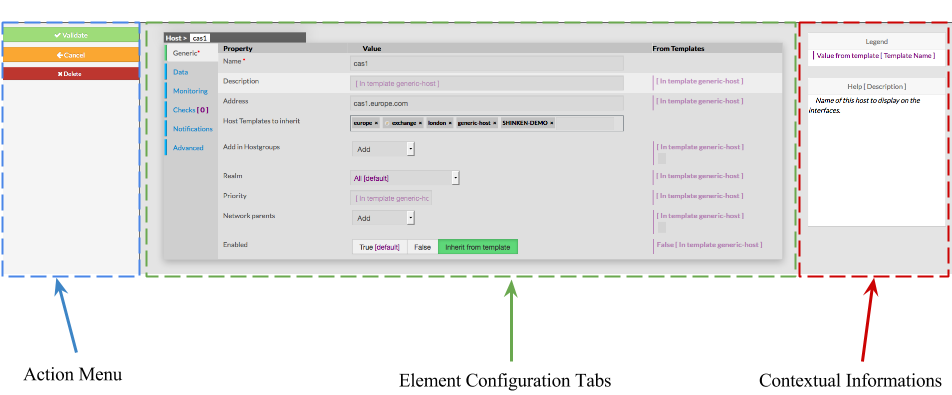
The Layout is devided in 3 sections :
- Action Menu
- Element Configuration Tabs
- It contain all information of an element
- Contextual Informations and Help
Every page for elements configuration are organized in the same way.
The Layout is devided in 3 sections :
|
This Menu provides to the Administrator the common actions to Validate, Cancel, or Delete the selected object.
|
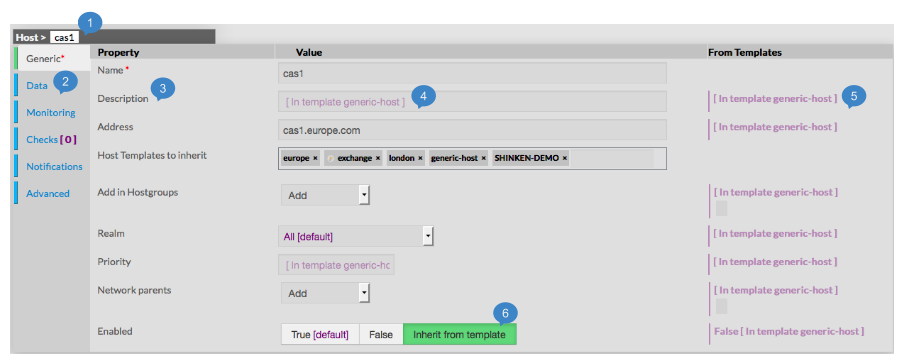
As they are numerous, data are sortedThis section shows all properties of the selected category, for the selected object. Informations shown by this section are very similar for each type of element.
|
This Panel is used to help the Administrator, by showing two kind of informations :
To see Help about an element, simply place your cursor over this element on the page, description and configuration help will be immediatly shown in the right box. | 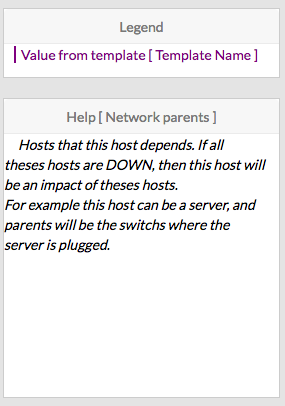 |
sqdg