Overview
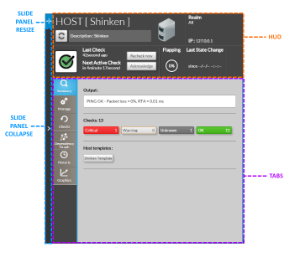
This view contains all data for an element (Host or Cluster).
The view is splitted in two zones :
- HUD : Identification and State Summary of the host
- TABS : each tab is dedicated to a specific concept.
- Summary : overview on all the other tabs.
- Manage : main actions for this element.
- Checks : the list of checks attached to this element.
- Historic : a day by day historic of status and context changes of the element.
- Graphics : A more powerfull view of metrics than the Widgets Graphs as you overlap multiple
metrics in the same graph.
|
Usage
Colapse the panel
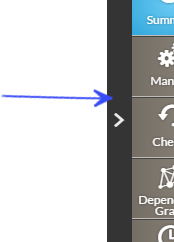
- You can hide the panel by clicking on the left side bar of the detailed view.
Resize the panel
- On the top left corner of the pannel, click on the resize area and drag it to the left or the right.
- if you reach the maximum size, the background of the resize area will become red.