What are network dependencies ? | |
Network dependencies are a way to manage large outage resolution. Assuming its a technical problem, you begin to search for the root problem. Perhaps the user's computer is turned off, maybe their network cable is unplugged, or perhaps your organization's core router just took a dive. Whatever the problem might be, one thing is most certain - the Internet isn't down. It just happens to be unreachable for that user. Shinken Enterprise is able to determine whether the hosts you're monitoring are in a DOWN or UNREACHABLE state. These are very different (although related) states and can help you quickly determine the root cause of network problems. Such dependencies are also possible for applications problems, like your web app is not available because your database is down. Theses cases are managed by cluster definitions. | |
Example Network | |
Take a look at the simple network diagram below. For this example, lets assume you're monitoring all the hosts (server, routers, switches, etc) that are pictured by defining a check_command for each host. | 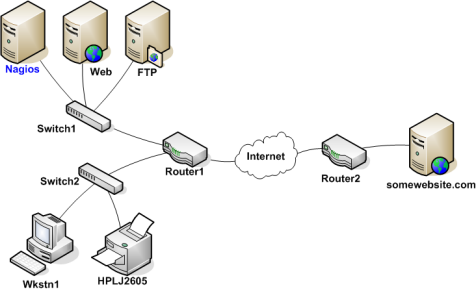 |
Defining Parent/Child Relationships | |
The network dependencies will be named "parent/child" relationship. The parent is the switch for example, and the child will be the server. In order for Shinken Enterprise to be able to distinguish between DOWN and UNREACHABLE states for the hosts that are being monitored, you'll first need to tell Shinken Enterprise how those hosts are connected to each other - from the standpoint of the Shinken Enterprise daemon. To do this, trace the path that a data packet would take from the Shinken Enterprise daemon to each individual host. Each switch, router, and server the packet encounters or passes through is considered a "hop" and will require that you define a parent/child host relationship in Shinken Enterprise. Here's what the host parent/child relationships looks like from the viewpoint of Shinken Enterprise: | 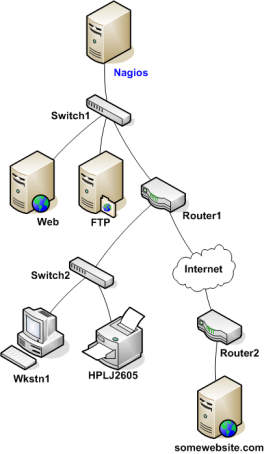 |
| Now that you know what the parent/child relationships look like for hosts that are being monitored, how do you configure Shinken Enterprise to reflect them? The parents directive in your :ref:`host definitions <configobjects/host>` allows you to do this. Here's what the (abbreviated) host definitions with parent/child relationships would look like for this example: | |
| For the Web host: | 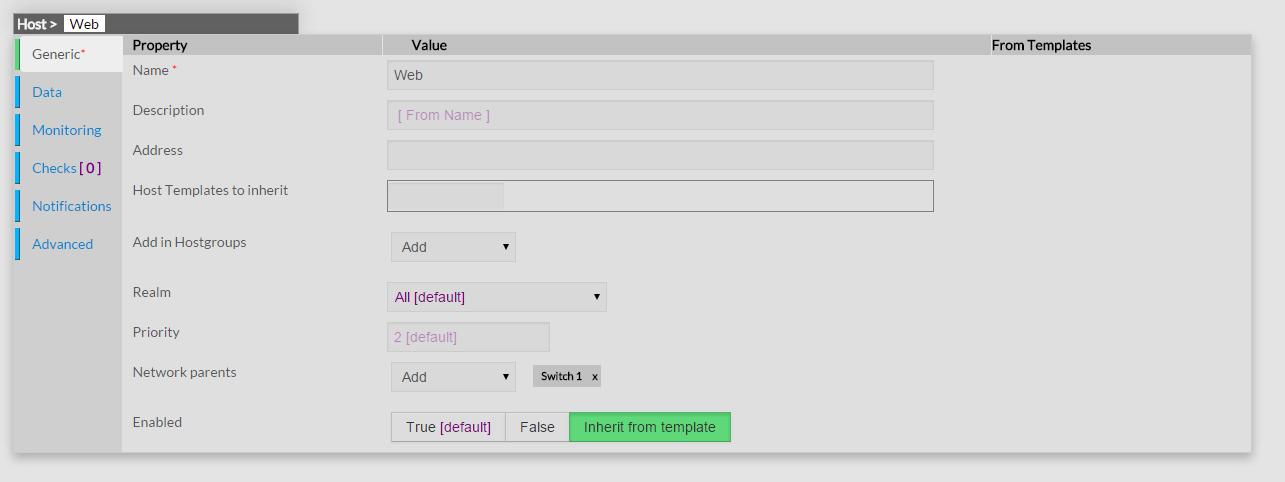 |
| For the FTP host: | 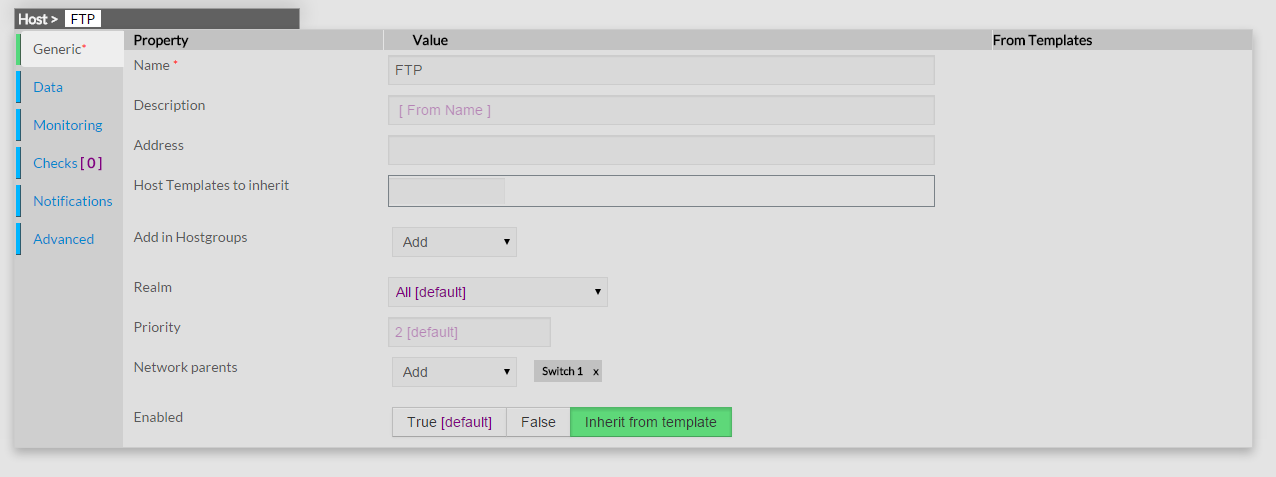 |
| For the Router 1 host: | 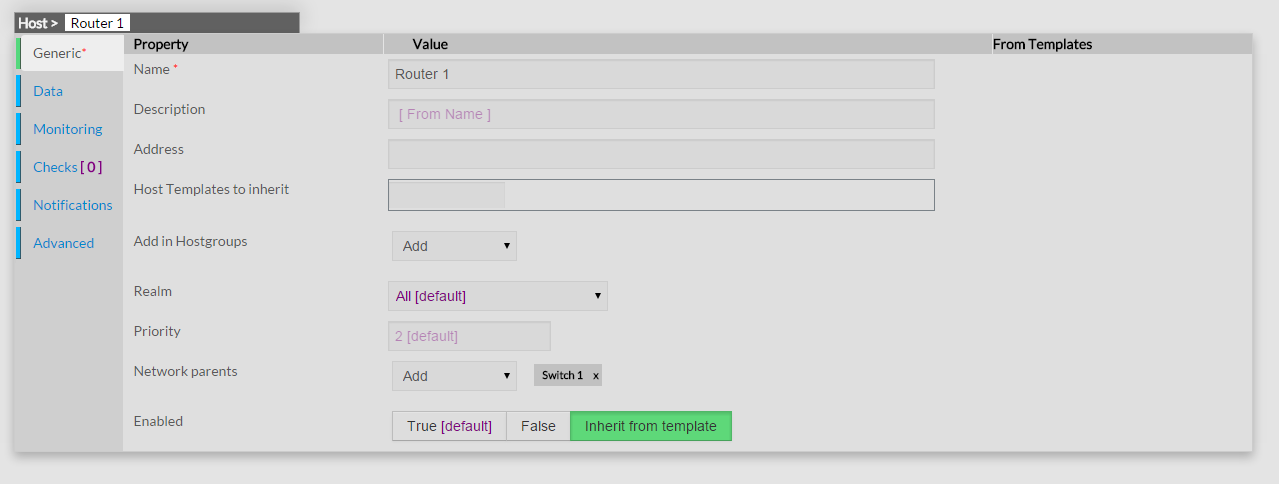 |
| And for the Switch 2 host: | 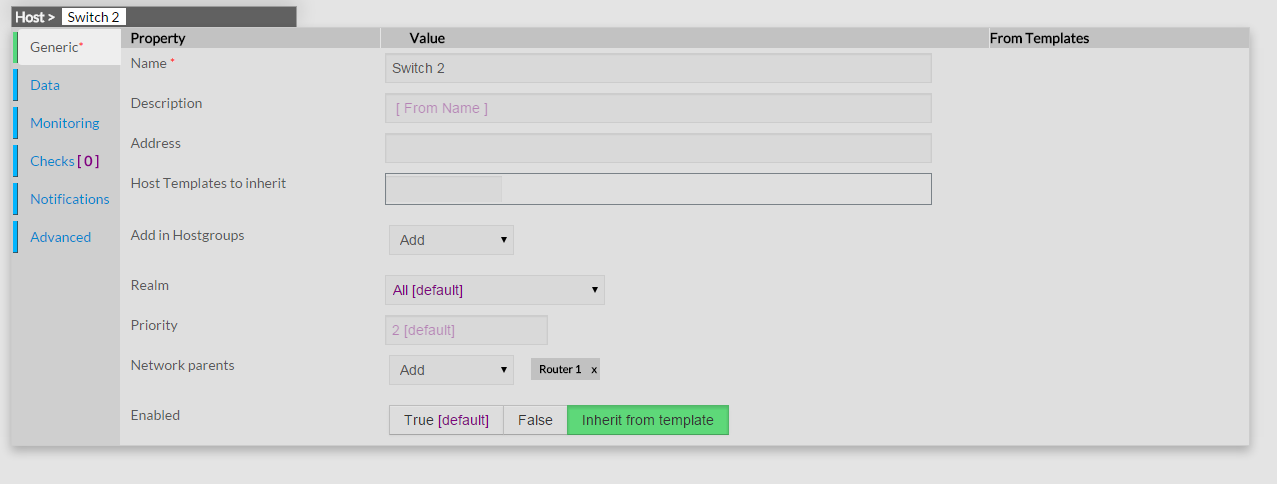 |
| In summary: the network declaration is done on the child, that call for his parent(s). | |
Reachability Logic in Action | |
| Now that you've configured Shinken Enterprise with the proper parent/child relationships for your hosts, let's see what happen when problems arise. Assume that two hosts - Web and Router1 - go offline... | 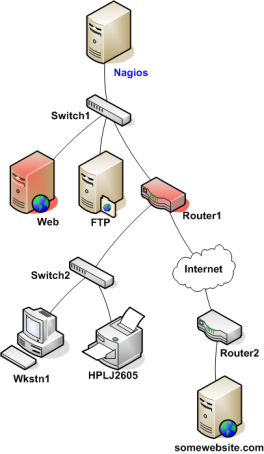 |
| When hosts change state (i.e. from UP to DOWN), the host reachability logic in Shinken Enterprise kicks in. The reachability logic will initiate parallel checks of the parents and children of whatever hosts change state. This allows Shinken Enterprise to quickly determine the current status of your network infrastructure when changes occur. During this additional check time, the notification for the web and router1 hosts are blocked because we don't know yet **WHO** is the root problem. | 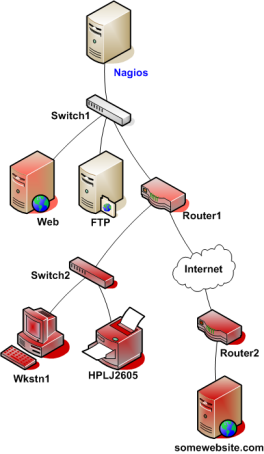 |
In this example, Shinken Enterprise will determine that Web and Router1 are both in DOWN states because the "path" to those hosts is not being blocked (switch1 is still alive), and so **it will allow web and router1 notifications to be sent**. Shinken Enterprise will determine that all the hosts "beneath" Router1 are all in an UNREACHABLE state because Shinken Enterprisecan't reach them. Router1 is DOWN and is blocking the path to those other hosts. Those hosts might be running fine, or they might be offline - Shinken Enterprise doesn't know because it can't reach them. Hence Shinken Enterprise considers them to be UNREACHABLE instead of DOWN, and won't send notifications about them. Such hosts and services beneath router1 are the impacts of the root problem "router1" | |
What about more than one parent for a host? | |
You see that there is a 's' in parents. Because you can define as many parent as you want for a host (like if you got an active/passive switch setup). **The host will be UNREACHABLE only, and only if all it's parents are down or unreachable**. If one is still alive, it will be down. See this as a big *OR* rule. | |
UNREACHABLE States and Notifications | |
| One important point to remember is Shinken Enterprise only notifies about root problems. If we allow it to notify for root problems AND impacts you will receive too many notifications to quickly find and solve the root problems. That's why Shinken Enterprise will notify contacts about DOWN hosts, but not for UNREACHABLE ones. | |
What about notification about check of a down or unreachable hosts? | |
| You will not be notified about all critical or warning errors on a down or unreachable host, because such service states are the impacts of the host root problem. You don't have to configure anything, Shinken Enterprise will cancel these useless notifications automatically. | |
Overview
Content Tools
Tasks