...
Once connected, you will be redirected on the Home page of the Configuration Tool. It contains an overview of data located in the New and Staging configuration database. | |
The page is divided in 3 parts:
Data shown on this page are retreived from Shinken Backend It is also is automaticaly refreshed every 30 seconds.
| 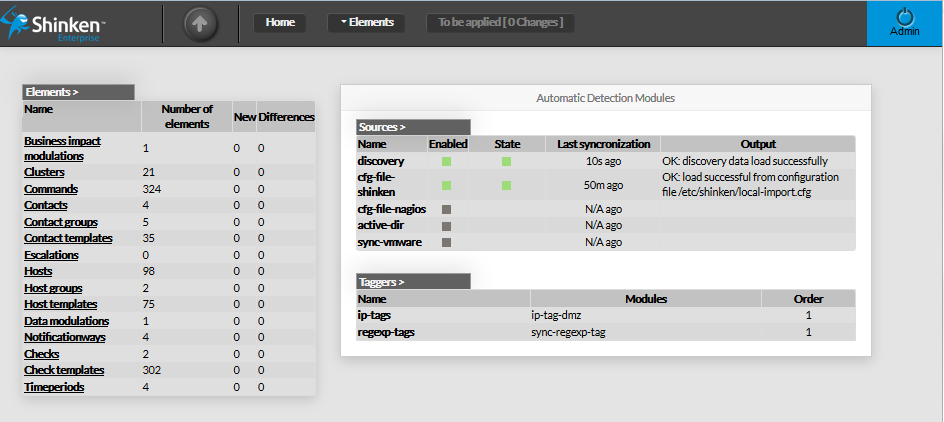 |
Elements Summary Table
This panel shows a table containing all type of configuration elements. For each type, following values are given :
Each name of list is a link, giving direct access to the configuration
|