Overview |
Once connected, you will be redirected on the Home page of the Configuration Tool. It contains an overview of data located in the New and Stagging configuration database. |
| |
The page is divided in 3 parts: - The top bar (Menu, and logout button)
- Elements overview panel on the left
- Automatic Detection Modules panel on the right
Data shown on this page are retreived from Shinken Backend
each time the page is loade. It is also is automaticaly refreshed every 30 seconds. | 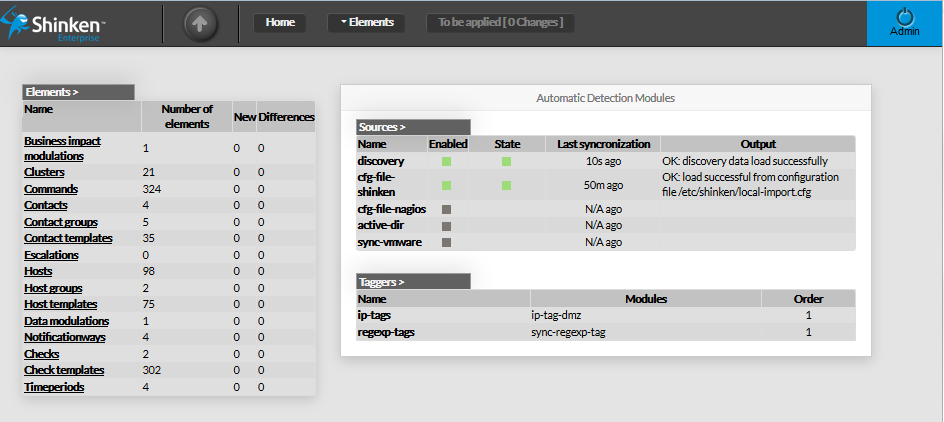 Image Added Image Added |
| Image Removed | |
Elements Summary Table |
| This panel shows a table containing all type of configuration elements. For each type, following values are given : - Name
- Number of elements present in Staging Database
- New elements detected (in New Database)
- Differences detected
Each name of list is a link, giving direct access to the configuration
of selected element. 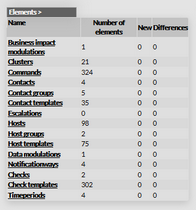 Image Removed Image Removed | 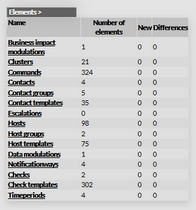 Image Added Image Added |
| | |
Automatic Detection Modules |
This panel shows 2 tables : - List of modules Sources (which retreive data from an external source).
There are 5 available sources by default:- The discovery source (network scan use defined range ip
to detect new host and collect data) - The Shinken Framework config file import source.
- The Nagios config file import source.
- The Active Directory source (collect data from the Microsoft Active Directory service)
- The VMWare source (collect data from VMWare Vsphere)
- List of defined Taggers (which complete objects detected by the sources):
- By default, 2 taggers are provided as example
For both table, each row gives a link pointing to the correspondant configuration.
| 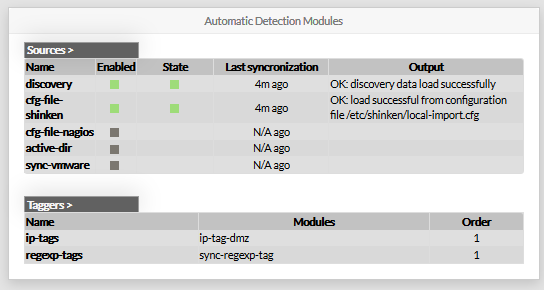 |
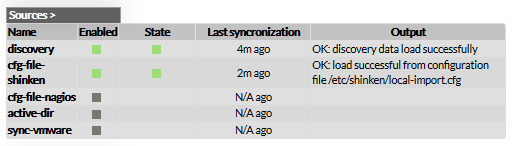
Sources Sources table shows, for each known source: Its name. If the source is enabled or not. The state of the source (if enabled). - green if it's running well
- red if something went wrong
- Since when the last synchronization occured.
The output generated by the last synchronization.
The list of Sources presented in this table depends on the configuration objects
inside the directory named "sources".
|  |
Taggers This table shows all known Taggers: - Its name.
- Its associated modules
- Its order (each tagger can modify objects,
and so first tagger can add properties read by later taggers)
Like other tables of this page, Taggers' name are pointing at the corresponding configuration. |  |