Description
...
- A 2D tree starting from the chosen element (host or check), displays dependency links:
- Cluster definition (see Clusters).
- Links defined manualy between elements in the UI configuration Host chapter.
- Cluster definition (see Clusters).
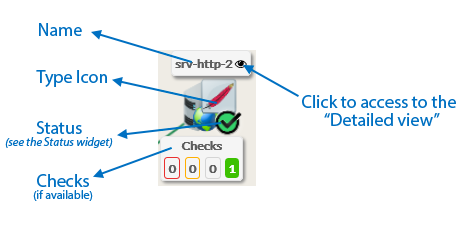
- A Node will be the representation of either a host, a cluster or a check.
...
|
...
...
...
...
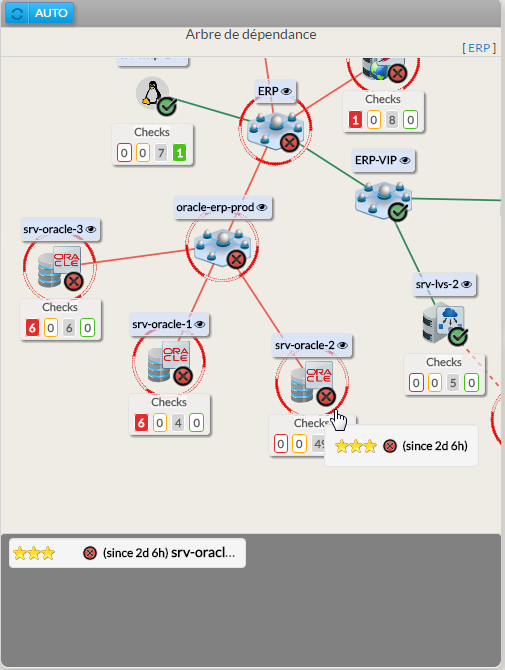
- If, in the dependency graph, some elements are not in “OK” state, they will be listed in at the bottom of the graph.
...
Usage
You can navigate in the tree to see the dependencies.
Shift the tree
| |
Center the tree on not OK elements displayed in the bottom list
| |
Re-Center on the chosen element
| |
Open the detailed view of a specific node |
- You can access the “Detailed view” of this element by clicking on the eye icon, near to the name of the node.
Configuration
...
|
| Panel |
|---|
|
| Panel |
|---|
|

Utilisation
Configuration
|
| Panel |
|---|
|
...
|