Layout of the edition page | ||||||||||||||
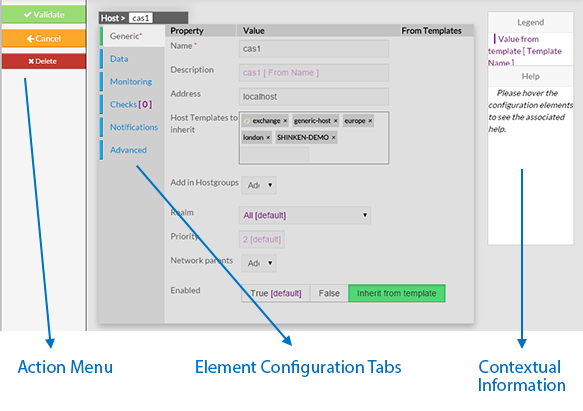
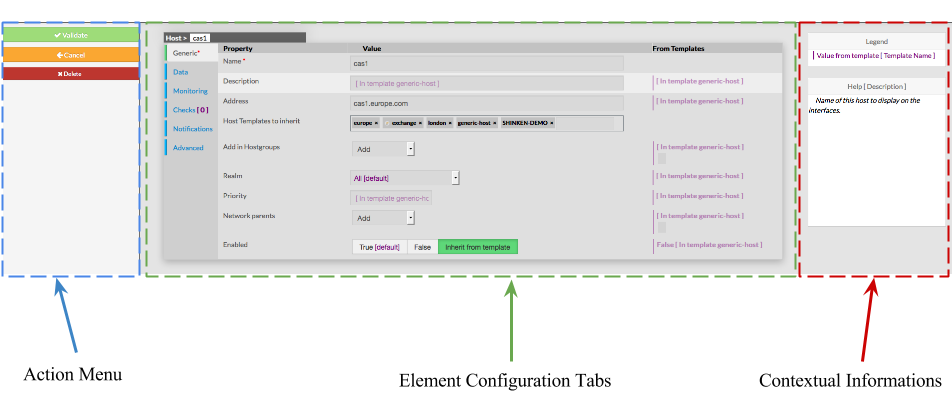
| Every page for elements configuration are organized in the same way. The Layout is devided in 3 sections :
| Informations
| |||||||||||||
 | ||||||||||||||
| | ||||||||||||||
Action Menu | ||||||||||||||
This Menu provides to the Administrator the common actions to Validate, Cancel, or Delete the selected object.
| precedent
| |||||||||||||
Element Configuration Tabs | ||||||||||||||
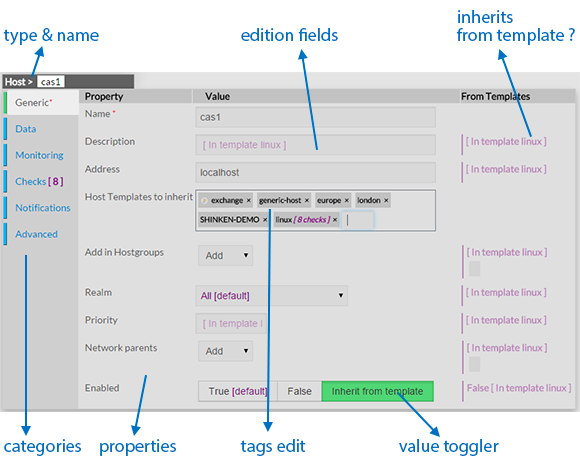
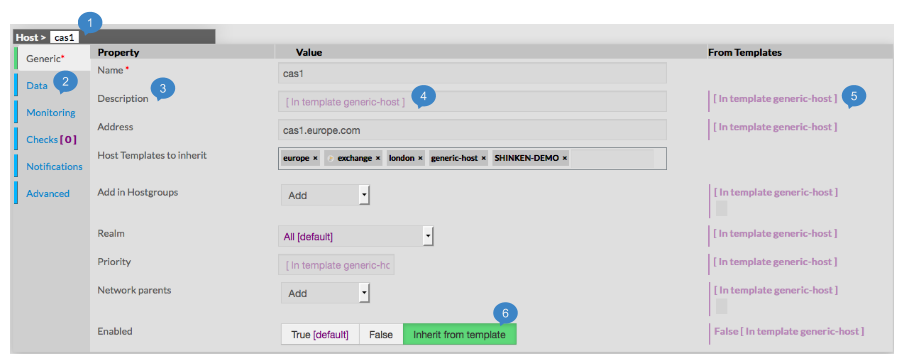
| he type of the element and its name are displayed on the top of the Area.
As they are numerous, elements properties are | splited split by category among tabs.
| different
| The
| of a tab
| .
|
| , if available||||||||
Contextual Informations
| ||||
|  | |||
|  | |||
Note: You can't create tag for this value. |
| |||
Note: Only one value is possible for this fied. |
| |||
Note: the green one is the one selected. |
| |||
|
| |||
Contextual Informations | ||||
This panel | This Panel is used to help the Administrator, by showing two kind of informations :
| about
| whole
| Help about a property shown when cursor points to it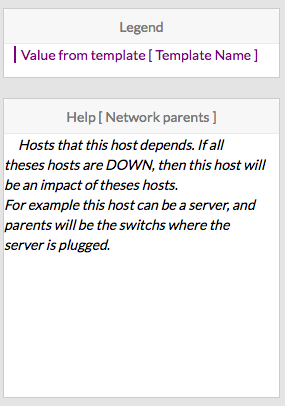 |




...
| |