Welcome to Shinken Enterprise!
This guide will provide you all the keys to understand, configure and manage your monitoring strategy with Shinken Entreprise.
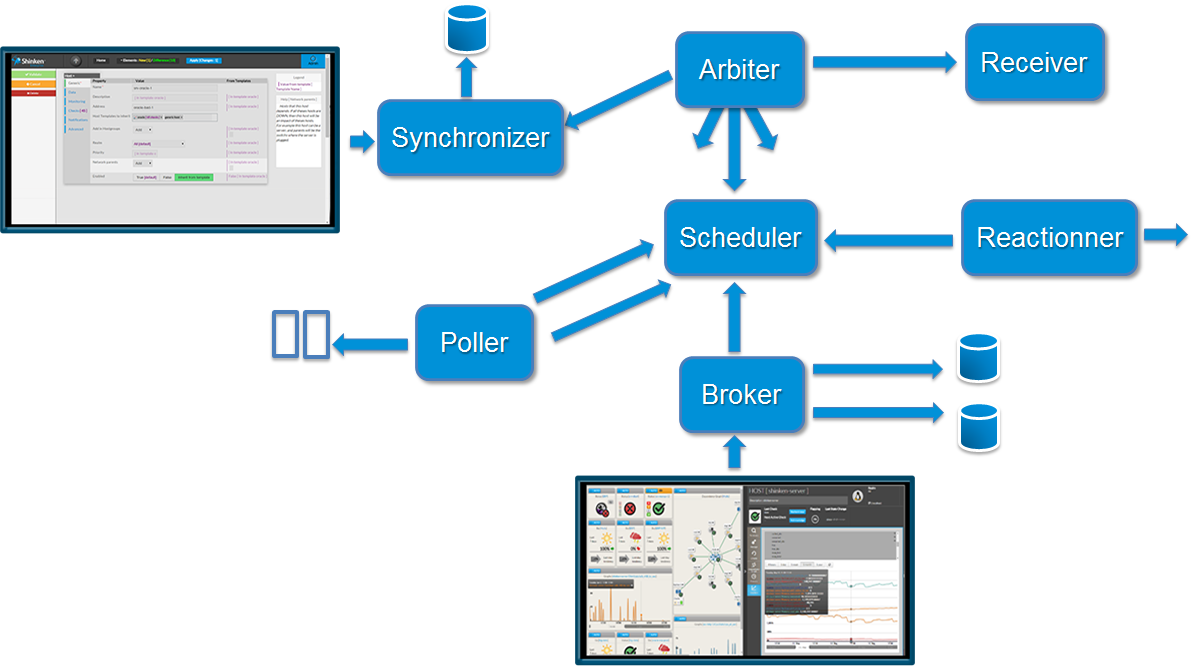 Image Added Image Added
Let's do it step by step.
In order to install Shinken Enterprise, you need to understand:
how is organized the Shinken Enterprise Engine,
how to manage your monitoring architecture from a simple network to a big distributed Architecture.
Once you have installed Shinken Enterprise, this chapter explains: This user guide explains:
Describes available commands to manage Shinken Enterprise: - how to check the health of your installation
- how to backup and restore your Shinken Enterprise data
IMPORTANT: Shinken entreprise don’t use a flat file for its configuration but Databases. - It imports all data from configured sources (Active directory, Shinken Framework or Nagios cfg file, … ) and combined them in a database.
- It uses a 2 levels configuration system:
- Pre-Production configuration database: the one where can be done modifications and which is used to the display the configuration interface. It allows adminstrators to modify the configuration, see potential problems without impacting the current IT supervision.
- Production configuration database: the one used by the Shinken Enterprise engine.
Once administrator are satisfied by the Pre-Production configuration, he can copy (commit) it to the Production configuration.
|