| Shinken Enterprise allows you to detect network checks and physical type of your servers located in your IT. | |
Edit and add new network scan list | |
| The network scan can be setup directly in | |
...
| the Administration Interface. | |
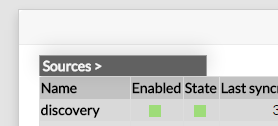
| First click on the |
...
| discovery source in the home page. |
...
 | |
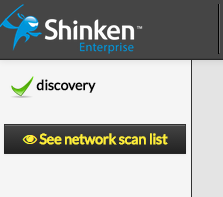
| Then click on the "See nework scan list" button: |
...
 | |
You can list the current network scan in |
...
the Discovery |
...
menu. You can enable new scan with |
...
the Add new scan |
...
button. |
...
|  |
| And you will see the configuration of a new scan: |
...
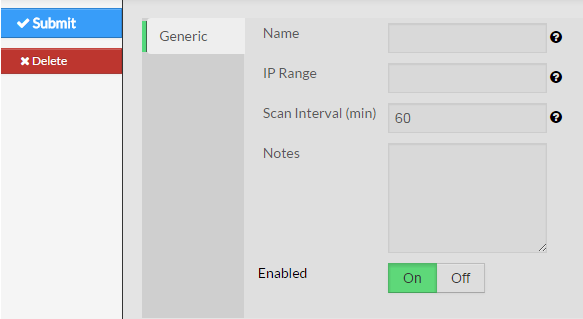 | |
You must set up the following parameters:
|
...
|
...
Adding a new scan will automatically enable it and your new hosts or your new tags will appears in a few minutes. | |||
Add new port to host template rule | |||
...
| Without rules, the raw data that is being generated by the discovery scripts is useless. The rules are defined in the /etc/shinken/discovery_rules.cfg |
...
| file. | |
Here is an example of how to set the ftp host template |
...
for anything that is detected by nmap with the TCP/21 port open: There are three main parts for a rule:
|
|
...
- discoveryrule_name: should be unique
- creation_type: should be host
- openports: regexp about the port that will be match. The ^ and $ is for the regexp thing, so 21 and only 21 will be match, and not 210 for example.
- +use: This mentions the template from which the generated object will inherit from. You can add as many properties as you want.
...
Here is the list of the default port to Host templates rules: | |||||||||||||||||||||||||||||||||||||||||||||||||||||||||||||||||||||||||||
|
|
|
|
|
|
|
|
|
|
|
|
|
|
|
|
|
|
| |||||||||||||||||||||||||||||||||||||||||||||||||||||||||
Security: nmap command parameters | |||||||||||||||||||||||||||||||||||||||||||||||||||||||||||||||||||||||||||
Here are the the parameters used by the nmap command used by this module:
| |||||||||||||||||||||||||||||||||||||||||||||||||||||||||||||||||||||||||||