Each user have its own hive of dashboards which can be customized as needed, organizing the monitoring view in the most efficient way.
In the Pre-installed VM, the admin user has already a hive predefined that can be used and modified.
Let’s study this hive to learn the possibility of the visual monitoring interface.
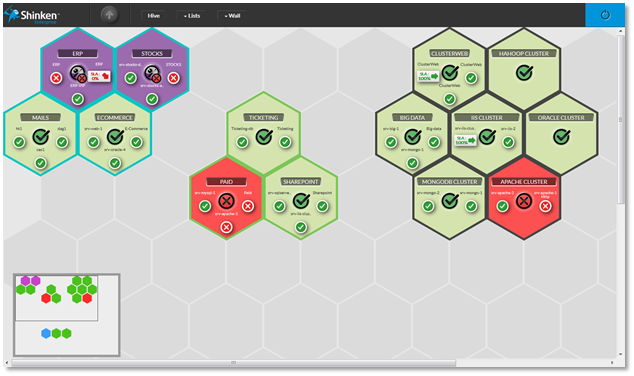
The hive consists in empty alveolus or tile hiding empty alveolus.
Each tile of the hive is a summary of a dashboard.
A dashboard is a visual container of information which will help you to investigate issues (see Dashboard chapter for more details).
The hive will help you to organize visually your overview of elements that need to be monitored.
In the hive, you can:
- Create a new tile:
- Go on an empty alveolus and click on it.
- An empty tile with the default name will then be created.
- Move a tile / switch 2 tiles:
- Drag a tile to the empty alveolus to move it.
- Drag a tile to an occupied one to switch both tiles.
- Delete one:
- Drag a tile and bring it in the garbage that appears at the bottom right corner of the screen.
COLOR GROUP:
You will notice that some tiles have the same border color. You can set this color to tiles group. It will be then very easy to locate a type of tile.
It is up to you to choose you organization. As an example, you can choose a color to differentiate data centers. This color can be set when editing a tile (see the next chapter)
(the example of the green group).