Description
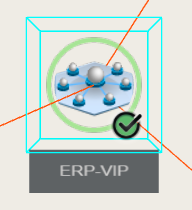
3 dimensional view of a host dependency tree.

From the chosen host, it displays in 3D the dependency tree up to 10 jumps (dependency links between elements defined in the configuration)
Note: only hosts are displayed but if a check on the host is in critical or in warning state, the host in the 360 widgets will also be displayed in the same state.
Each tree node contains the following information of the host:
- an icon of the type of the host. The icon is determined based on tags detected during the configuration phase.
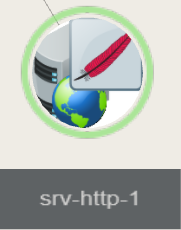
(For a host having a Apache host, the icon will be the feather)
Usage
- Double click to pan and scan to the selected element,
a blue wired box will surrounds this element. - With left mouse button down, move the mouse
to orbit around the selected element. - Maintain the right mouse button pressed to shift the tree in the 4 directions.
|  |
| | |