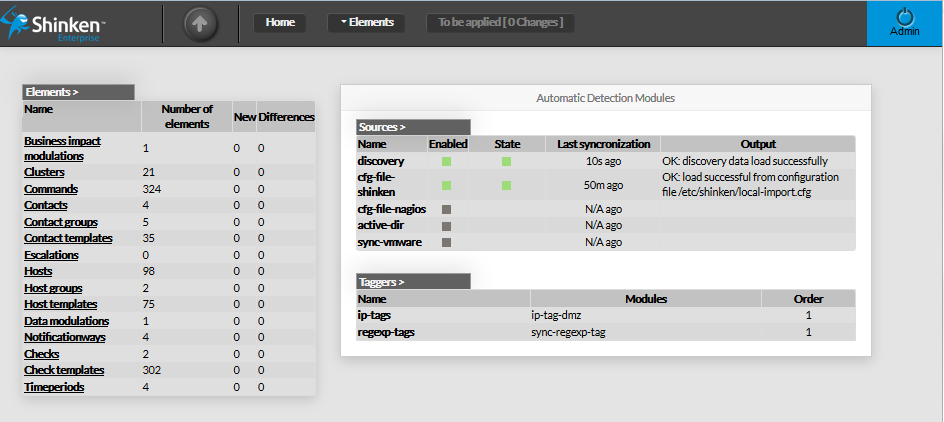
Once connected, you will be redirected on the Home page of the Configuration Tool.
It contains an overview of data located in the New and Staging configuration database.
The page is divided in 3 parts:
- The top bar (Menu, and logout button)
- Elements overview panel on the left
- Automatic Detection Modules panel on the right
Data shown on this page are retreived from Shinken Backend
each time the page is loade.
It is also is automaticaly refreshed every 30 seconds.