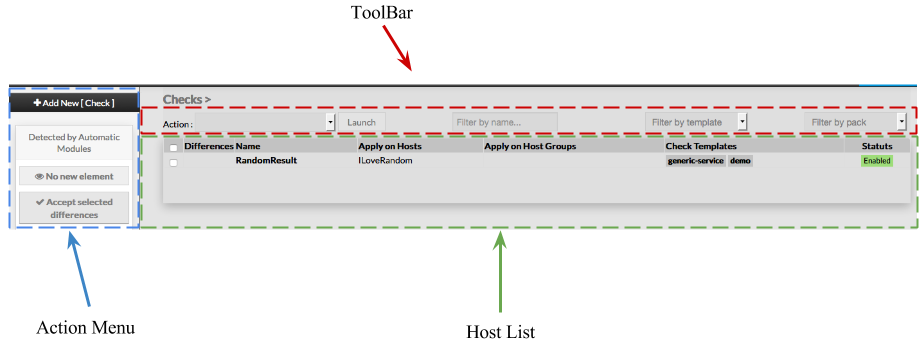
When accessing the Hosts Configuration Page, an Host Table is displayed, listing all Hosts objects.
This table contains the following informations :
- A check box to select one or more checks
- Differences
- Name
- Apply on Hosts
- Apply on Host Groups
- Check Templates
- Status
This page also provides, on the left, an action Menu, used to :
- Add a new Check
- Show Checks detected by Automatic Modules
- Accept differencies on selected elements
On the top of the table, A tool bar let Administrators the ability to :
- Enable, Disable, Delete or Duplicate selected Checks
- Filter list by Name
- Filter list by Template applied on Checks
- Filter list by pack