Go to a List
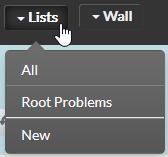
- You can access the list in the navigation bar.
- Access to a list is alsopossible via the EN - Favourites panel ( The management of its views )
Attention, Attention, the menu "New list" is not displayed if the user does not have the rigth to write into its Private space. (cf EN - User rights on bookmark sharing)
Table des matières
Concepts
The menu provides 2 predefined lists :
- All items:
The list shows all the Hosts, Clusters and Checks you have access to.
- Source Problems:
The list presents all the elements that are the source of a problem, either for them or for several pieces of equipment.
For example: if a check is critical but its host doesn't respond, only the host will appear in this list, as it is at least the reason why the check is critical.
Overview
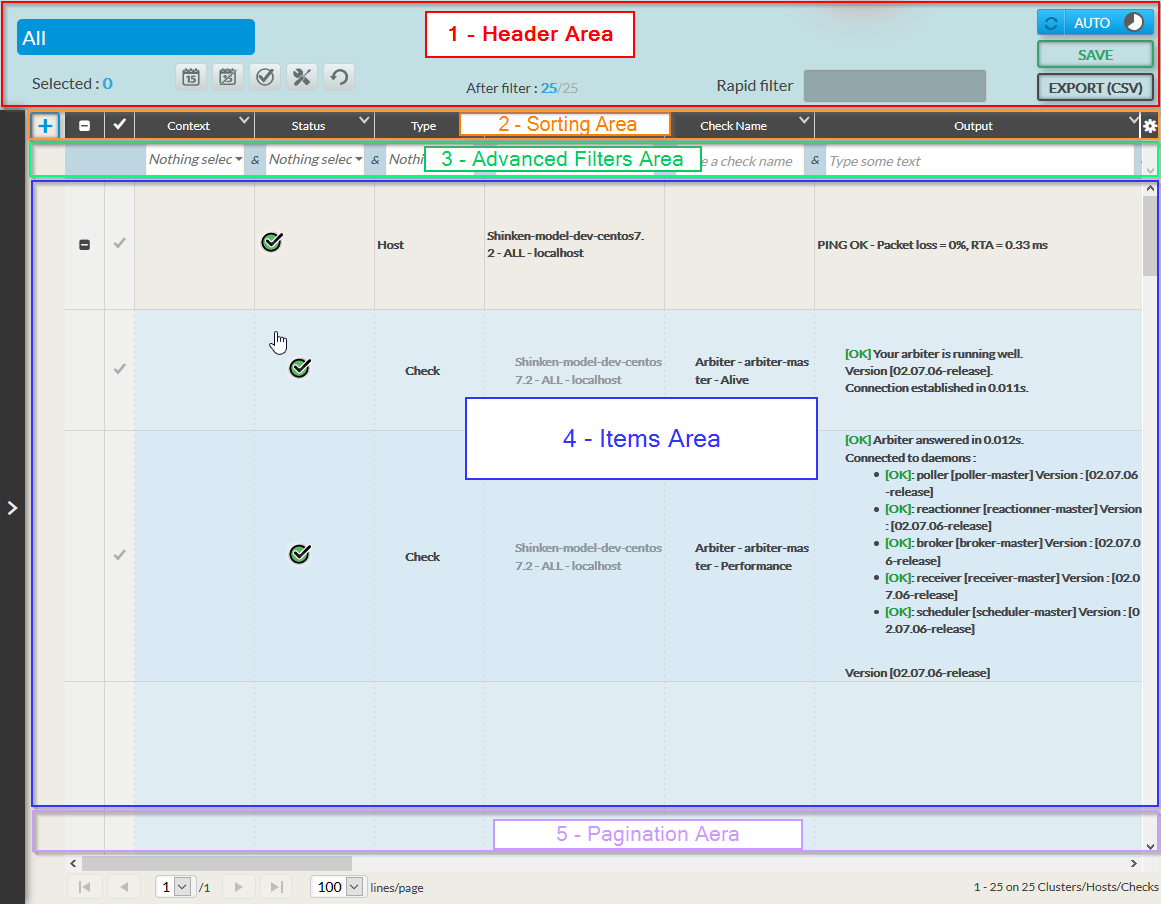
Visually, the list is divided into 5 areas:
- Header area
- It contains the list name, mass actions, refresh management buttons, CSV export of the list, and the quick filter.
- It contains the list name, mass actions, refresh management buttons, CSV export of the list, and the quick filter.
- List Sorting and Setting area
- The sort field is used to sort the items in the list.
- The toothed wheel will allow you to access the list settings (choice of columns, display of rows).
- Advanced Filters Area
- You will be able to define combined filters between each column,
- and add filter lines for more selective lists.
- Items Area
- The listing of all the elements corresponding to the filters and sorted by column.
- The listing of all the elements corresponding to the filters and sorted by column.
- Pagination Area
- Allows you to choose the number of items per page and to move from page to page.