Introduction
Shinken Enterprise has the ability to distinguish between “normal" checks and "volatile" checks. The Is Volatile option in each check definition allows you to specify whether a specific check is volatile or not. The majority of all monitored checks will be mainly non-volatile (i.e. “normal"). However, volatile checks can be very useful when used properly in the right context.
How to enable this option?
| This option can be enabled on the Check configuration page | 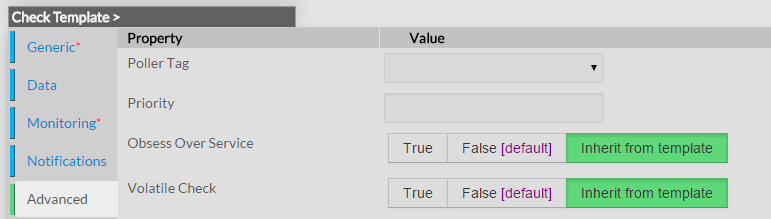 |
What Are They Useful For?
Volatile checks are useful for monitoring...
- Things that automatically reset themselves to an "OK" state each time they are checked
- Events such as security alerts which require attention every time there is a problem (and not just the first time)
What's So Special About Volatile checks?
Volatile checks differ from “normal" checks in three important ways. Each time they are checked when they are in a HARD non-OK state, and the check returns a non-OK state (i.e. no state change has occurred)...
- The non-OK check state is logged
- Contacts are notified about the problem (if that's what should be done). Notification intervals are ignored for volatile checks.
- The event handler for the check is run (if one has been defined)
These events normally only occur for checks when they are in a non-OK state and a hard state change has just occurred. In other words, they only happen the first time that a check goes into a non-OK state. If future checks of the check result in the same non-OK state, no hard state change occurs and none of the events mentioned take place again.