Main Menu | |
At the top of the page, you can see the Main Menu. This Menu is always available. 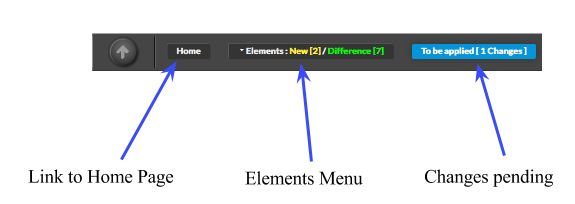 As shown on the image, this menu let you access to main configuration sections :
| |
Elements Menu | |
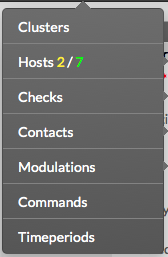
Elements Menu give the Administrator an easy access to each elements of the configuration that are used to build and maintain the monitoring system. This menu provides the following access :
The menu also provides information about changes, showing the Administrator how many and what type of changes have been detected. New elements appears in YELLOW, and changes appears in GREEN.
In the example, we can see 2 new hosts and 7 changes detected. |
|
Logout | |
| You can logout from the current session by using the button located at top right. |  |