Description
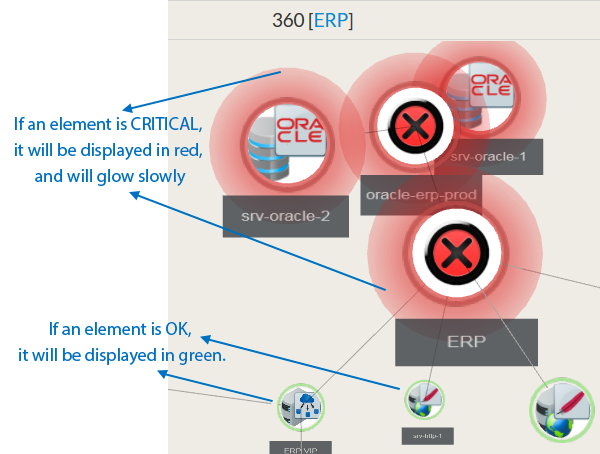
This widget 360 provides a 3D view of a host dependency tree.
This widget can be very usefull for complex dependency tree:
A complex dependency tree is difficult to see in the Dependency Graph Widget.
The Widget 360 provides a clear overview of the tree.
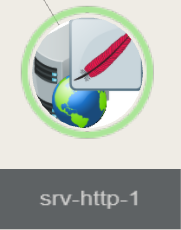
Each tree node contains the following information of the host:
|
From the chosen host, it displays the 3D dependency tree up to 10 jumps (dependency links between elements defined in the Configuration UI)
Usage
Center an element in the view:
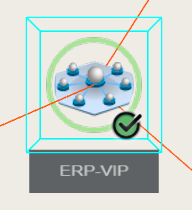
- Double click on an element, a blue wired box will surround, indicating it's now selected.
- The view will pan and update zoom level accordingly.
Orbit around the selected element:
- While keeping left mouse button pressed, move the mouse to orbit around the selected element.
- to change the orbiting center, center the view on an other element.
Pan View:
While keeping the right mouse button pressed, move mouse to pan view.
Configuration
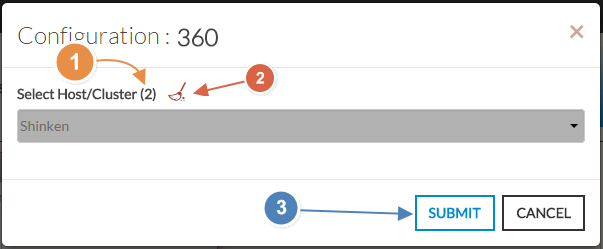
- Select a host or cluster name in the first list.
- The total number of hosts and clusters will be displayed near "Select Host/Cluster" (1).
- If no host selected yet, the list of available hosts will automatically opened.
- You can search (filter) for a host name, typing into the input on top of the list.
- You can clean the current selection by clicking on the swipe icon (2).
- When configured, press the SUBMIT button (3).