Principe | |||||
| Cet élément de configuration est utilisé pour regrouper des contacts. Les groupes peuvent être rattachés aux Hôtes ou Checks, pour notifier plusieurs contacts en même temps. | |||||
| Vous pouvez y accéder en cliquant dans le menu principal | |||||
Overview | |||||
| This element of configuration is used to group contacts together. Contact groups can be attached to Hosts or Checks, to notify many contacts at the same time. | |||||
| You can access to the Contact groups configuration by using the link in the main menu. | 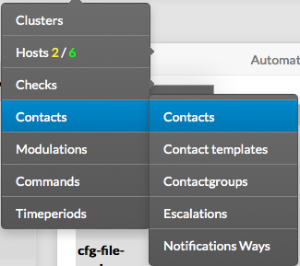 | ||||
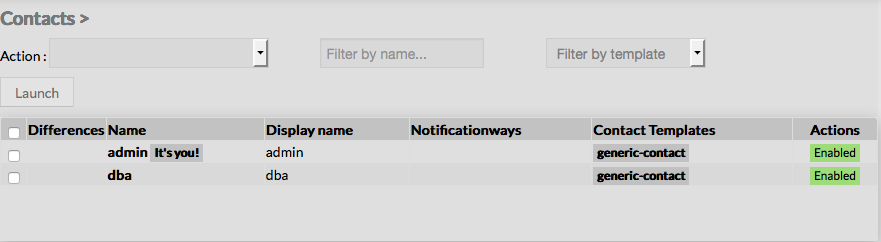
The main page of contact groups Configuration is composed of a table, listing all existing contact groups. This table contains the following informations :
A tool bar on top of the table, gives administrators the ability to do the following :
|  | ||||
Like other configuration element pages, an action menu is displayed on the left. This Menu provides following operations :
| |||||
Create a now Contact group | |||||
| To create a new Contact Group, use the button "Add new [Contact Group]" located in the Action Menu. |
| ||||
La page principale est composée d'une table , listant tous les groupes existant. Cette table contient les informations suivantes
Une barre d'outil est disponible en haut, permettant de :
| | ||||
Comme pour les autres éléments de la configuration, un menu d'action apparaît à gauche . Ce menu permet de :
| |||||
Créer un nouveau groupe | |||||
| Pour cela, utilisez le bouton "Ajouter nouveau [Contact Group]" situé dans le menu d'action. |
| ||||
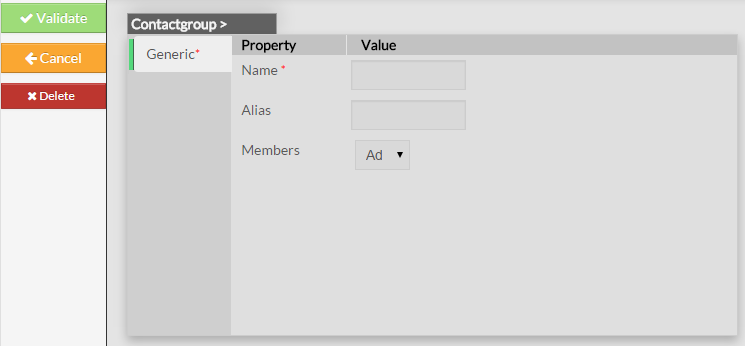
Un formulaire vide apparaît : Il est composé des propriétés suivantes :
Le menu de gauche permet également de :
Empty Contact form will be displayed : This form is composed of one tab, containig the following properties :
Like on other forms, the left menu give to Administrators the ability to :
|
| Once validated, the new contact group will be saved in the New configuration database, and will appear in the list. | |||
Une fois validé, le nouveau groupe doit être sauvegardé dans la nouvelle base de configuration pour apparaître dans la liste | |||||
Modify a Contact Group | |||||
| To modify properties of a Contact Group, first go on the Contact groups page, from the Main menu, and then click on the contact group name you want to modify. | |||||
Modifier un groupe | |||||
| Pour modifier les propriétés d'un groupe, aller sur la page Groupe de Contacts dans le menu principal et cliquer sur le nom du groupe à modifier | |||||
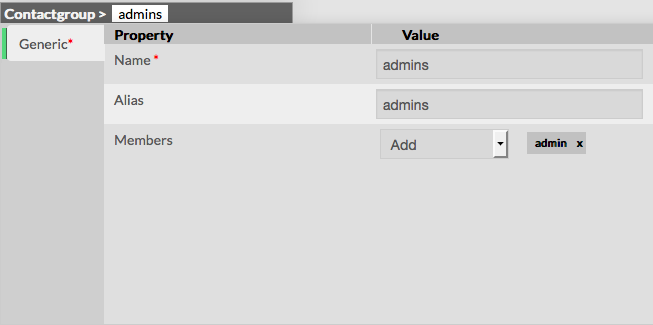 | |||||
| Une fois validé, le groupe sera sauvegardé en état Stagging dans la base de configuration | | Once validated, the modified contact group will be saved in the Stagging configuration database . | |||
Add or remove Members | |||||
| Members can be added or deleted either by editing the groups, either by editing the contacts. | |||||
Ajouter ou enlever un membre | |||||
| Les membres peuvent être ajoutés ou supprimés de 2 façons : | |||||
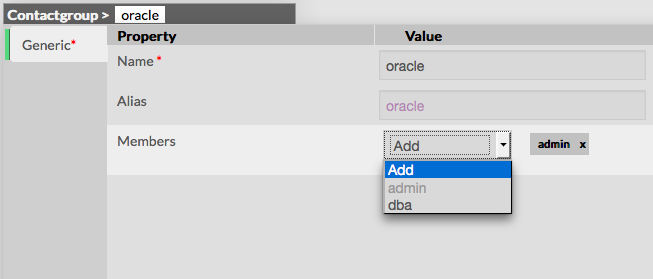
Ajouter un membre au groupe Commencez par éditer le groupe choisi, Puis sélectionner le contact choisi dans la liste déroulante
Add a member to group To add one or more members, first edit the group of you choice. Then in the Contact Group Form, select contacts you want to add using the drop down list of existing contacts
|  | ||||
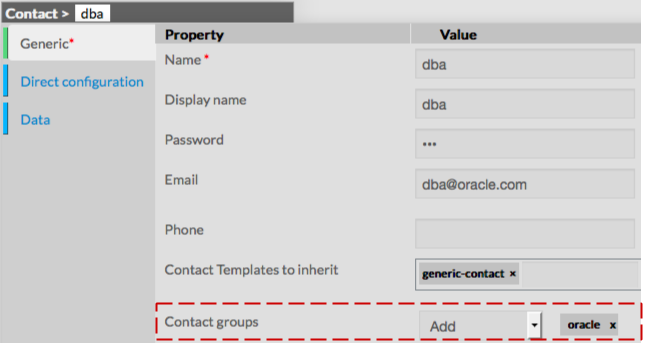
Ajouter un contact au groupe Allez à la page Groupe de contacts, cliquer sur le contact choisi . Le formulaire de rajouter le contact à un ou plusieurs groupes Add a contact to a Contact Group To include a contact in a contact group, first go to the Contacts Page, then click on the Contact of your choice. The Form for the contact displayed gives the ability to add the Contact in one or more Contact Groups .
|  | ||||
Delete a Contact group | |||||
| To delete a contact group, you can use the form of the contact, or delete it directly from the list page. | |||||
From the Form page First go to the Contact Groups page, from the Main menu, then click on the contact group name you want to delete. Once in the page displaying the form, click on the Delete button available on the left menu. A confirmation popup will be displayed. | 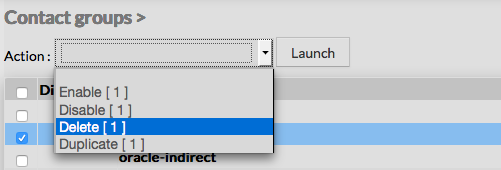 | ||||
Supprimer un groupe | |||||
| Pour supprimer un groupe de contacts, 2 possibilités : . | |||||
Depuis le formulaire Allez à la page Groupe de contacts dans le menu principal , Cliquer sur le nom à supprimer. Cliquer sur le bouton Supprimer dans le menu de gauche . Une fenêtre de confirmation apparaîtra. | | ||||
Depuis la page principale Allez à la page Groupe de contacts dans le menu principal, Cliquer sur le boîte de choix dans la colonne de gauche . Utiliser le bouton Supprimer dans le menu Action et cliquer sur le bouton Lancer. Une fenêtre de confirmation apparaîtra From the Main page First go to the Contact Groups page, from the Main menu, then click on the check box placed on the first column of the table. Use the Action menu on the top to select Delete, and click to the Launch Button. A confirmation popup will be displayed. | 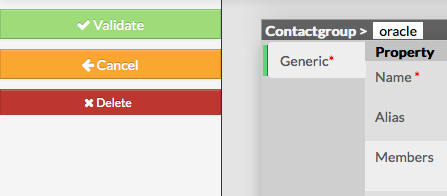 | ||||
Duplicate a Contact Group | |||||
| Duplication operation is very useful when similar Contact Groups must be added. | |||||
Dupliquer un groupe | |||||
| La duplication est très utile pour des groupes similaires | |||||
To duplicate a Contact Group, first go on the Main page listing all contact groups. | 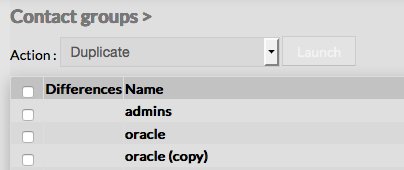 Once selected, the contact group can be duplicated by selecting Duplicate in the select Action of the tool bar. Duplication is executed by clicking the Launch button. | 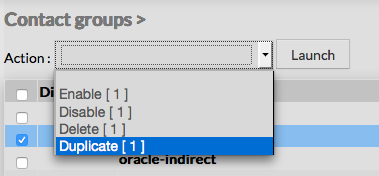 | |||
| | ||||
Toutes les propriétés et données sont conservées lors de la duplication.
Using the Main page gives Administrators the ability to Duplicate many contact groups at once. All properties are kept when duplicating operation, as well as Members.
| |||||