...
The list of key business elements- The element selected is the one with the blue bar in front
- Click on the name of the element to set it as the selected element
- Elements are sorted by priority
- Will be displayed elements with a business_impact of 4 and above (4 => 1 star, 5 =>2 start, 6 =3 star)
The 3D view- The 3D tree of the selected Element dependency.
- By default, you can use the mouse to manipulate the view :
- The double click will zoom and center the view on the selected element. You will have a blue box surrounding this element
- Maintain the left mouse button pressed and move the mouse to make a rotation of the tree from the selected element
- Maintain the right mouse button pressed to shift the tree in the 4 directions
The presence of a leap motion device
- You will be able to manipulate the 3D view with your hand.
- If not plugged, you will see:
- If plugged:
- See www.leapmotion.com
| 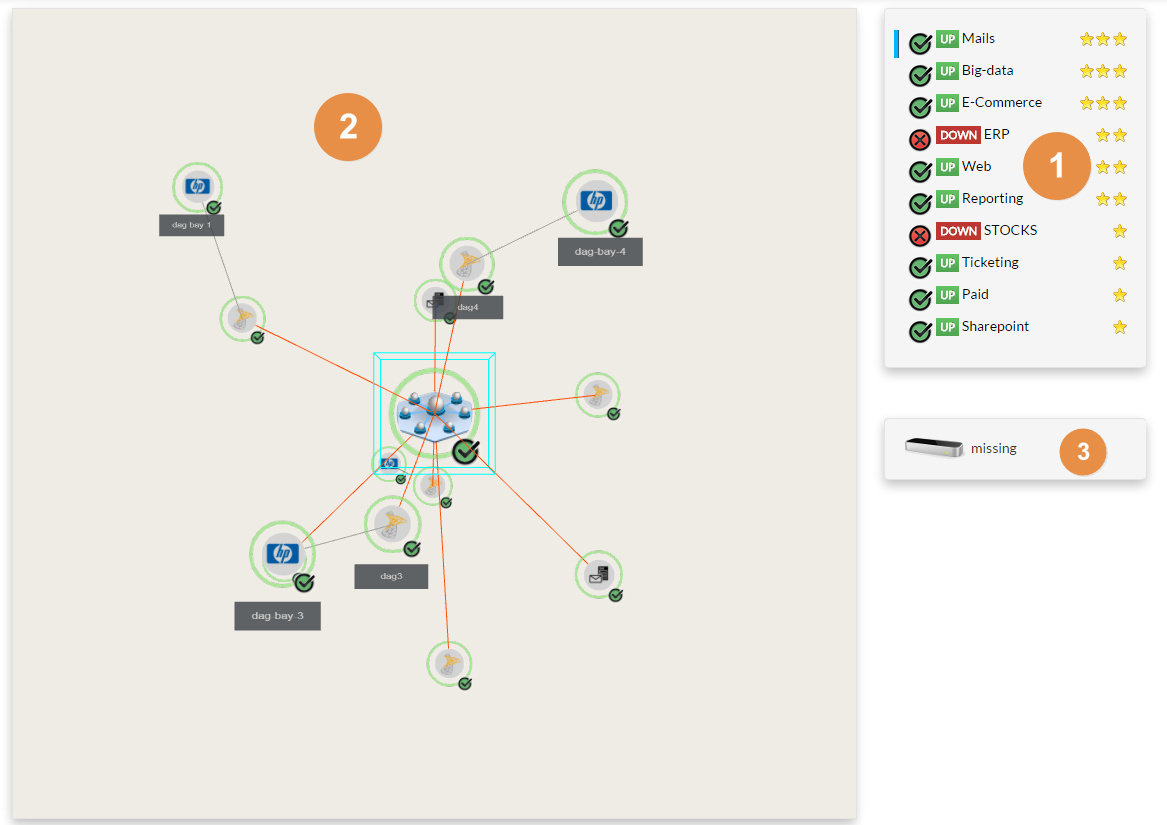 Image Modified Image Modified |
|---|
{"serverDuration": 293, "requestCorrelationId": "ee084150074597f8"}