Versions Compared

Key

  • This line was added.
  • This line was removed.
  • Formatting was changed.

Overview

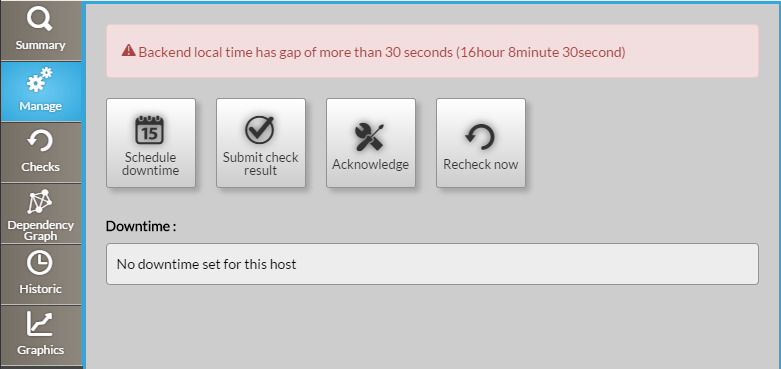
The manage tab is split in 2 rows :

  • Action buttons
  • Downtimes scheduled (the list of planned downtime)

Note: An error could be displayed

...

on the top of this tabif the backend server has a gap
of more than 30 seconds with the computer displaying the UI Visualisation portal.

Image Removed


...

Having a difference between your computer and the server will prevent you to schedule
good downtime.


Image Added

Action buttons

Button schedule downtime


Schedule downtime

Image Added


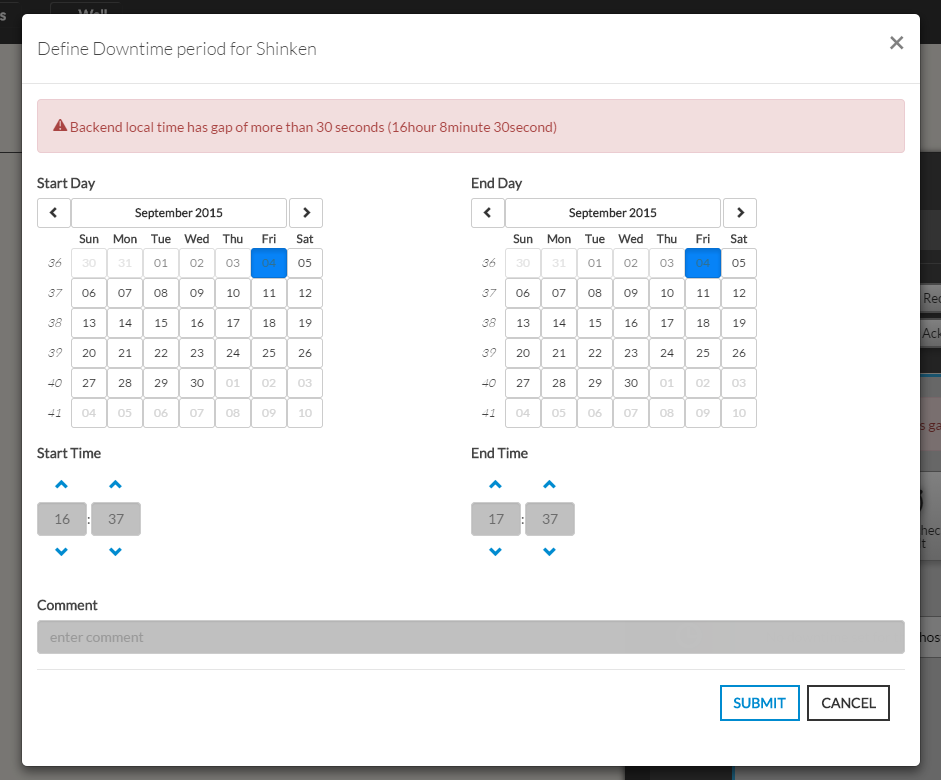
  • It open the following pop-up

...

you have to defines


A comment can be written to precise to other users
  • The form presents two calendars and two hour selectors,

  • Define a Start and a End for the downtime period.

  • Adding the a comment is very usefull as any body looking for the list of planned
    downtime wil see the reason of the downtime.


Image Modified


  • Submit check result

    This button opens a modal form to force the status of the element :

...