Introduction
When checking items, some may be in error. In this case, we would like to be notified that one of the supervised elements is not working properly.
When notifications are sent ?
Notifications are sent out in the following cases :
- When the status of an item changes and the status is confirmed ( non-OK statuses are checked several times in order to be able to confirm that it is not a one-time incident ).
- When an element enters a particular context ( DOWNTIME, ACKNOWLEDGED or FLAPPING) or leaves it ( except ACKNOWLEDGED, which is only notified once ).
Notifications are disabled for the duration of the context. This avoids drowning the main information with intermediate status changes during maintenance or FLAPPING.
- Notifications are repeated at regular intervals (by default, one day) when an item remains in a non-OK state.
To whom notifications are sent ?
For each Host/Cluster/Check, users or groups of users (like hosts, users can be organized into groups) can be assigned.
This assignment is done by the administrators of Shinken Enterprise.
Thus, on an item, all assigned users will receive notifications of that item.
How notifications are sent ?
By default, notifications of each element are sent to the relevant users.
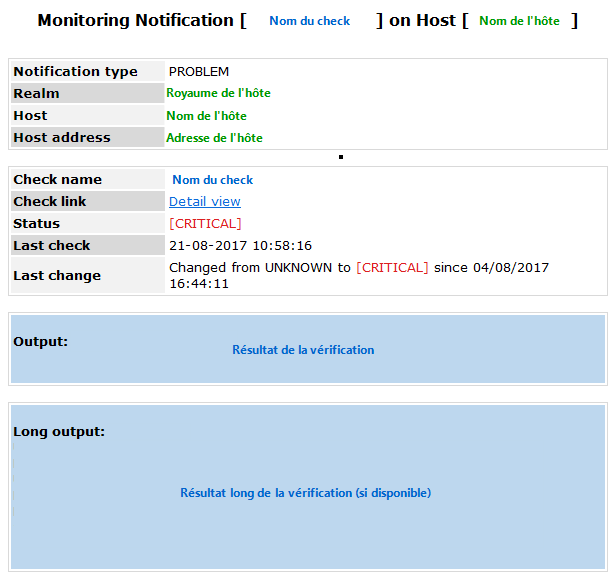
The most common notification method is email notification.
An example of email notification is shown opposite.
The default and also most commonly used notification method is email notification.
However, the supervision administrator can choose to notify users by any other means of communication (SMS, Instant Messaging, sound alert or other service)..